I don’t even know how to create a new collection… can somebody help? 
I am in the same situation, Is am just looking in community so far! Hope we get this all figured out! Good luck!
I just looked at one of my existing collections. It’s all about hobbies and that would seem to be a strong theme IMO, but zazzle just wants to sort it into a generic other category because it’s not specifically about 1 specific holiday or weddings. Nothing against anyone who does wedding stuff but’s it’s an oversaturated market IMO and designing for them just doesn’t excite me. It’s frustrating that Zazzle now values those type of designers so much more than everyone else. So how do you optimize those collections that are around themes like cats, paintings, travel, or funny t-shirts?
2 Likes
I know it feels as if those of us who don’t do weddings are being shunted aside, but I’m not so sure that’s what it is. I imagine the wedding category is a great seller for them and so it’s natural for them to focus on it first. What they said concerning the Other category was, unfortunately, insulting, but I can’t imagine they meant to tell us to go to hell. This is a big project, and I truly believe that everyone’s feedback, including the fact so many of us are stunned with Other, will bring their attention to the huge variety that sits in their coffers. In a few posts after getting over severe disgruntlement, I said I’m going to wait it out, relax a bit while doing other things.
It’ll turn out all right.
5 Likes
Are you on laptop/desktop or a phone? Are you having trouble finding the Create Collection button or where are you getting stuck?
I’m working on a few collections. I list a lot of LGBTQ Pride items. I had already split into type of flag (rainbow, progress pride, etc.) plus some others like “Faith and Pride”, Ally, Old-School. But several different types of products: buttons, magnets, stickers, tees, garden and big flags.
So far I am using “Similar Style/Themes” and put one design in “xxx - Buttons and Smaller Items”. Another for “xxx - Tees and Such”.
I have no idea if this will work. Also whether to keep the plain flag and the “ally” flag in one collection.
Barbara,
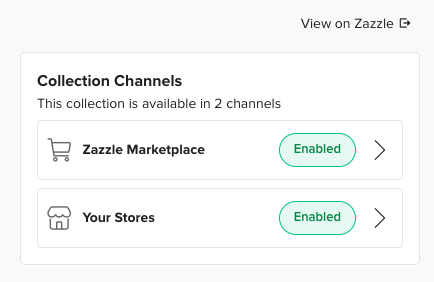
Channels are advertising methods that Zazzle might use for your designs - e.g. Zazzle Marketplace, Your Stores, Email. I believe you can’t directly choose them, they are based on criteria Zazzle chooses.
The only place I’ve seen it so far is when migrating or viewing a collection. If you click the right arrow > next to Enabled, there are some settings.
Hope this helps, I know it is a little vague.
@SpiralGiftsPlus : Thank you for the explanation. Now and then, Zazzle uses in-house terms that make me go, “Huh?”
2 Likes
@Anne I also have many collections like this for the same reason. I am placing them in the “similar design/theme” category. I know that it says “same design/similar products” but at this point there is nowhere else to put them that won’t be ignored in the promotional aspect. I guess I will have to wait and see how that works out for me.
1 Like
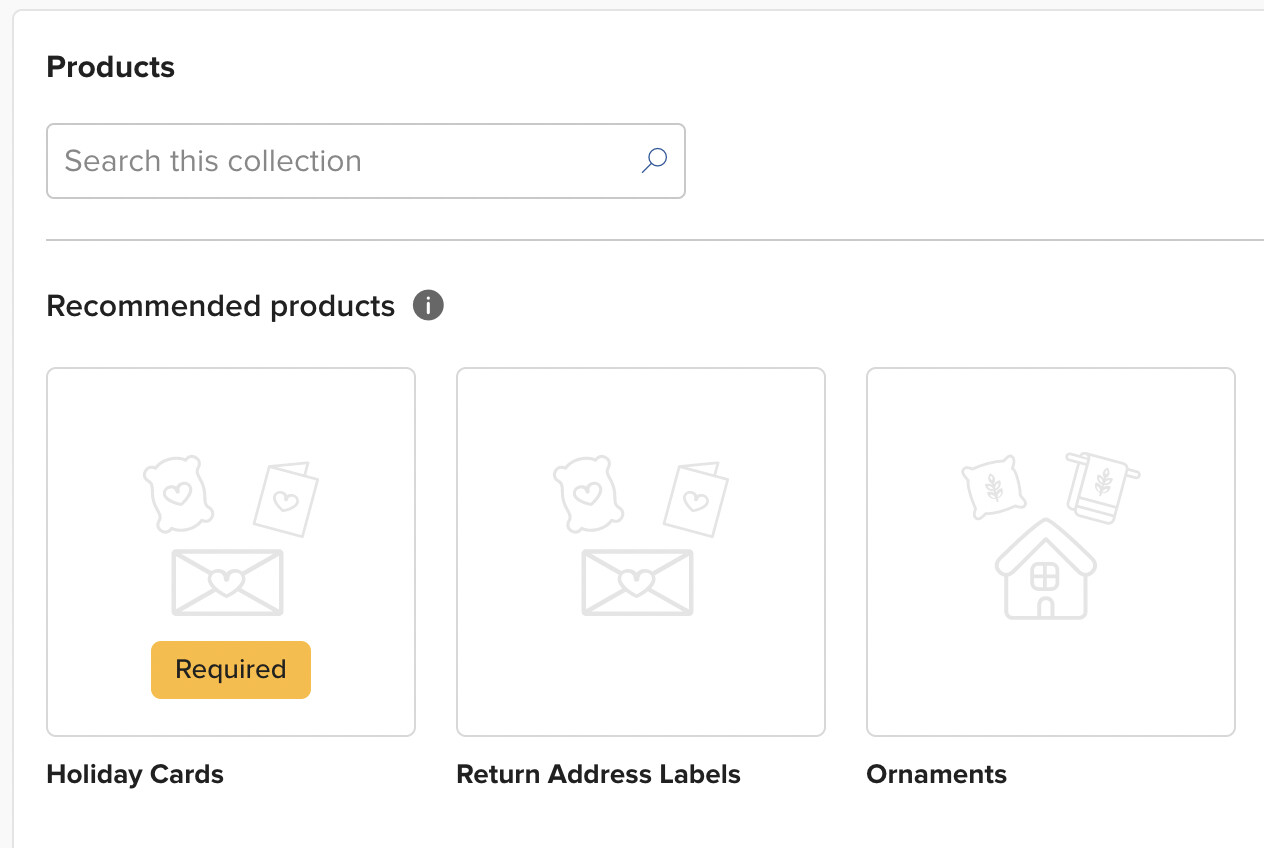
Yes, but even when following this rule, i.e. having specific “Recommended” products in a collection, including the “Required” product, it doesn’t seem to be working at all. I have a birthday party collection with various items where I can’t even move the invitation as the first “Required” product! The explanation on how to move this product from the “Bonus” section to the “Recommended” section isn’t even clear at all. I have another divorce party collection where all the products I created, which are the ones you’d expect to have such as invitation, paper plate, napkin, cup etc… end up in the “Bonus” section without the possibility to move them to the “Recommended” section because, again, the explanation on how to do this doesn’t even work or makes sense. And this worries me because in the explanation given by Zazzle about this new collection system, they “recommend” to have most of our products within our collections as “Recommended” so they have better chances to be shown on the channels… So, if we can’t move our products to the “Recommended/Required” products, how are we supposed to manage our collections to ensure they can be seen on the three channels to have a chance to be purchased??? I sent several comments to Zazzle Admin. using the form they sent us to comment on collections, and also sent screenshots. It’s a real complicated mess…
1 Like
In theory, the thing that determines which section the products get slated into is the marketplace department (the one that you can change under “edit details”.) You can find out which department it wants by clicking on the space for that section. It’ll open a screen and you’ll see something like this:
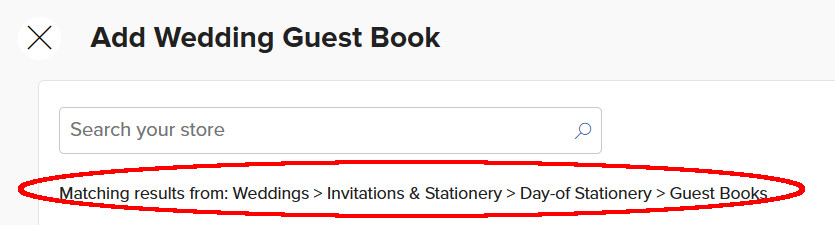
So editing the department seems to be working for most things that are not going into their proper slots, but just today I found one where I have a return address label that’s designed on a regular sticker (because it needed to be square shaped) and that one is in theory in the correct department, but it still shows up under the bonus section.
I dunno. It doesn’t seem like any of these changes are live yet as far as the customer is concerned, so maybe they’ll get it all sorted out before that happens? I think the goal here was to make it easier for us so that products within the collections could be ordered automatically without us having to drag them around individually - and I appreciate that effort - but it just seems like they threw so many other things into the mix that it’s all a big complicated mess now. I’m still not sure which parts aren’t working right, and which parts I just don’t understand. Sigh.
@rebeccaheartsny I haven’t come across anywhere that says a product is mandatory. In the cross-sell section all of the products they show are recommendations–they are not mandatory. You do need to have at least four of the recommended products to get the green on all three channels–they need to be four different products, for instance, if you have more than one style of invitation that counts as one product. Are you choosing the type of party when choosing “cross sell/event”? If you have a collection for a “dinner party” try choosing other as the type of event. This is not the “OTHER” that excludes you from promotions. I believe it is the “type” column on the first collections page that you don’t want to say ‘other’. If you choose “other” for the type of party, the “type” column says ‘cross sell/event suite’ and there a no recommended products at all. Your products just show up as the normally do and all three channels turn green as long as you have four different products in your collection. I have been trying to make sense out of all this stuff for the last couple of days myself. I hope this helps.
Thanks. I’ve actually given up and decided not to do anything with the collections until they’re more user-friendly, but at least in my end, I do have products which say “required.”
1 Like
O.K.–it’s the middle of the night, I’m tired and I need to go to bed but I think I just had an epiphany. I’ve been trying to unravel this collections thing for a few days now. I believe the “other” that will exclude you from promotions is the “other” under the “type” heading on our first collections page. If you choose “other” as the type of event/occasion then choose cross-sell all your products are there as usual with no recommendations. As long as you have four different products all three channels are green and you are good to go. Now I can put my recipe organizer/apron collection under cross-sell legitimately. The “type” on my first page says “cross-sell” not “other”. So couldn’t any collection that had different products with the same design be done the same way? If someone really liked my phone case design maybe they also want a matching notebook or iPad cover, etc. Does this make sense or do I need to get some sleep?
2 Likes
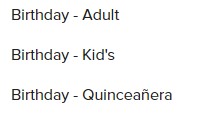
Something that’s bothering me is that you have to chose an age category for birthdays, but not all birthday designs/collections are created for a specific age category in mind and fits all!
Same here; lot’sof collections based on one design / theme on different products. First started out putting them under other; i reconsidered and now mostly put them under Home & living and choose ‘gift theme’ next. Only because i don’t know what else to choose…
1 Like
I’ve been musing over all this collection business, wondering what Zazzle is up to, and then a thought hit me, so I went to Zazzle’s home page to take a look. It’s mostly about general events and gifts. Some days more so, some days a little less, but it seems their main focus. Thus, those of us who do specific businesses, hobbies, etc. along with common folk events like backyard BBQs, craft affairs, class/family reunions, and so on are perhaps not easy for them to feature. Therefore, we fall into the Other category that contains all those collections they’d never have on their front pages regardless of the contortions we might go through. That’s fine, it’s the theme Zazzle runs on. They want those designers who work within the favored arenas to create snazzy collections they can then use for their displays.
All the above said, the rest of us create in areas that buyers nevertheless want. I hope Zazzle sees this and doesn’t destroy our collections. I also hope the rest of us don’t tie ourselves in knots that could contribute to making a mess of our collections.
5 Likes
A few thoughts on the comments appearing above:
Having spent a lot of time working on this feature myself, I understand that there’s a lot to take in. Please stick with us on this one. The basics are all there, and with some time I am confident that you’ll get the hang of things. But this is a major refresh and it’s probably going to take a bit more time to really understand. It’s always difficult to understand “the why” when all you have is the backend and a bunch of new settings. This will change very soon.
As for changes, I’d look at it this way: we’re providing you with some additional structure and guidance so that you can create more successful collections. This is why Weddings is built out as it is. We’ll be doing this in other areas, too. We started with Weddings because you have to start somewhere. Now, this doesn’t mean you should immediately delete your collections which focus on one design being added to many product types. We’ll have more guidance for those soon.
Tomorrow is August 1st. There’s just a few months until the holidays hit. We’re rolling this new feature out now so that you can start to get the hang of things. As we start to test the customer-facing features you’ll gain a greater understanding for the ins and outs of this new system.
We have received some bug reports about multi word tags all becoming separated. We’re researching.
Hope this helps.
8 Likes