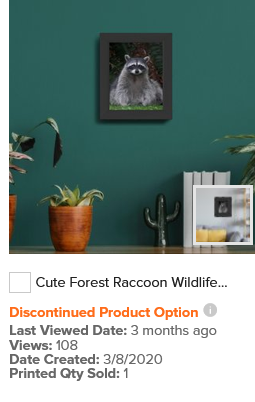
I thought the frames were back in business, but every time I try to set my older posters to an in situ with frame, I get a message saying that this option is discontinued. I only have this issue with posters that were made some time ago and not with posters that I am in the process of publishing.
@northwestphotos Have you made sure it’s not the poster size that’s discontinued?
I thought they said something about frames only being available for certain sizes, not all sizes… but I can’t remember the details.
James doesn’t specify which sizes…
It’s not the poster size. As I said before, it’s only with my old, standard size posters, before Zazzle made the change. If I design a new poster and publish it with a frame, I do not have a problem. As it stands, I can only show the old stuff without a frame. I can’t give you a link to the page because the page cannot be found with the frame added. This time I added a link to the original product so that Zazzle can experiment with the in situ setting and see if they can reproduce what I get when I add a frame and show it framed in an in situ.
I got it to work, but it was really weird. If I just chose the framed option without specifying a frame color/style it told me that it was discontinued. But if I chose a frame color/style (didn’t matter which one, as long as I chose one) then it gave me the option to add to my cart. I don’t know what it means, or how to change that all in product merchandising, but here’s the link that I got to work: Cute Forest Raccoon Wildlife Photographic Poster | Zazzle
Here is something else that I just noticed today while designing posters. When a frame is added to a poster, the type of paper that the poster is printed on changes. There is only a “matte style” paper available for posters when you add a frame. Is it supposed to be like that? Without a frame, a semi-gloss style is offered. What if I want semi-gloss paper along with a frame? Apparently I can’t get that. Is this the way it works?