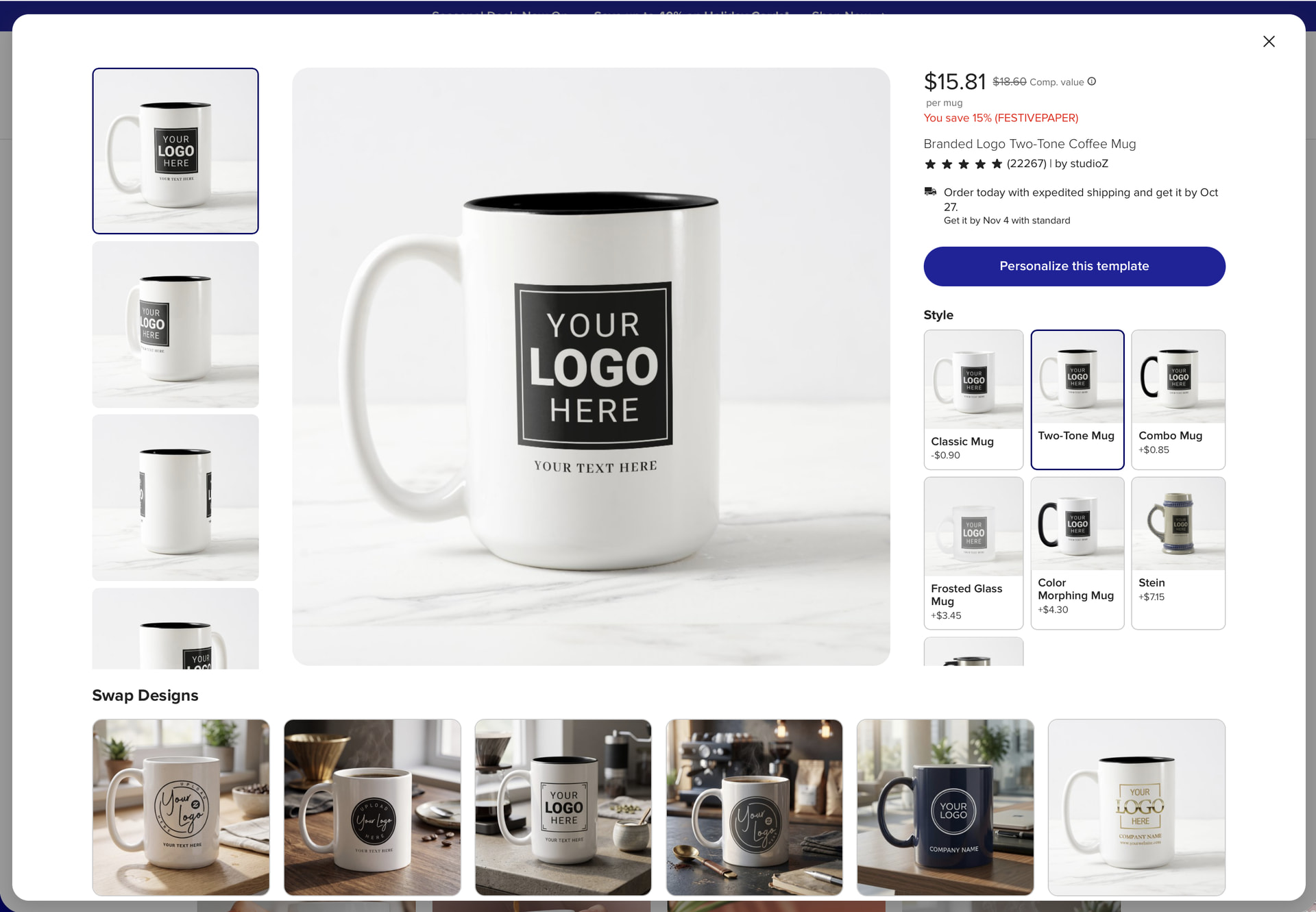
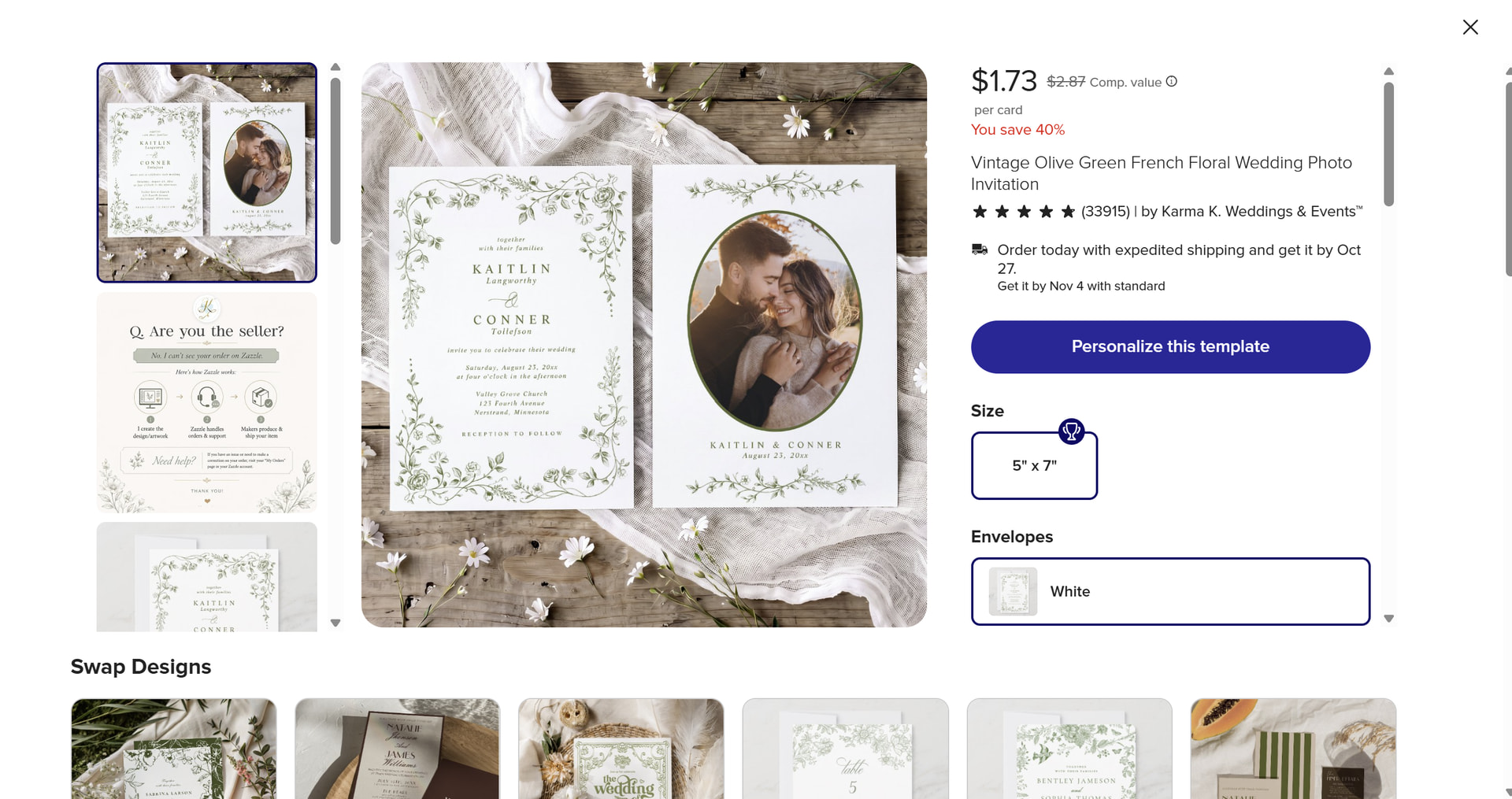
I’m not putting this in technical, because I’m guessing it is another A/B test (hoping it’s a glitch though - please don’t implement this one either). This new product ‘pop-up’ window completely wipes out collections and the ability for a customer to see matching or similar items.
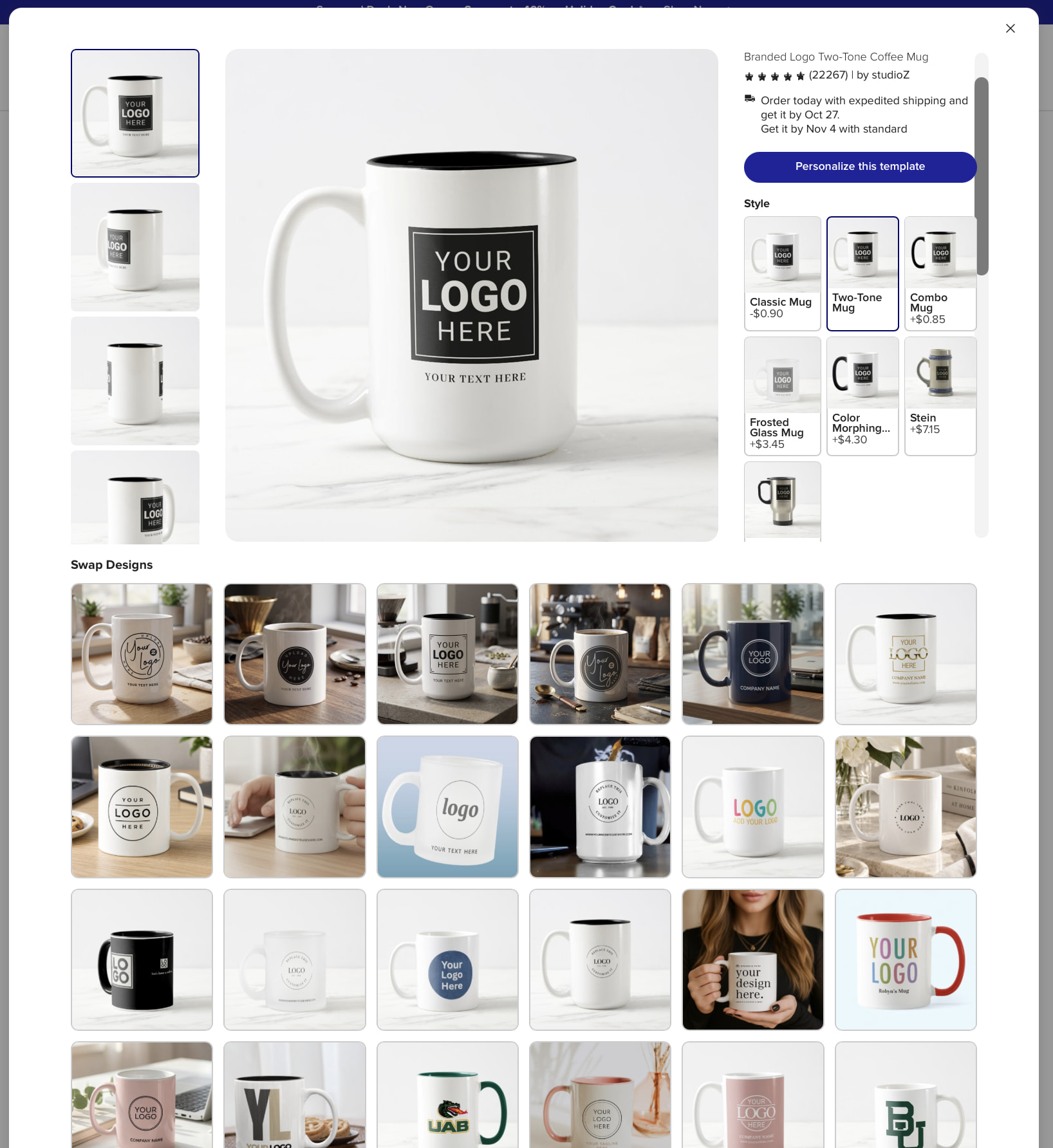
The top half is fine, the ‘scroll’ on the left for more photos, and the ‘scroll’ on the right for information and options. Although I think it might be confusing for some users who don’t see the scroll bar as it’s not very obvious.
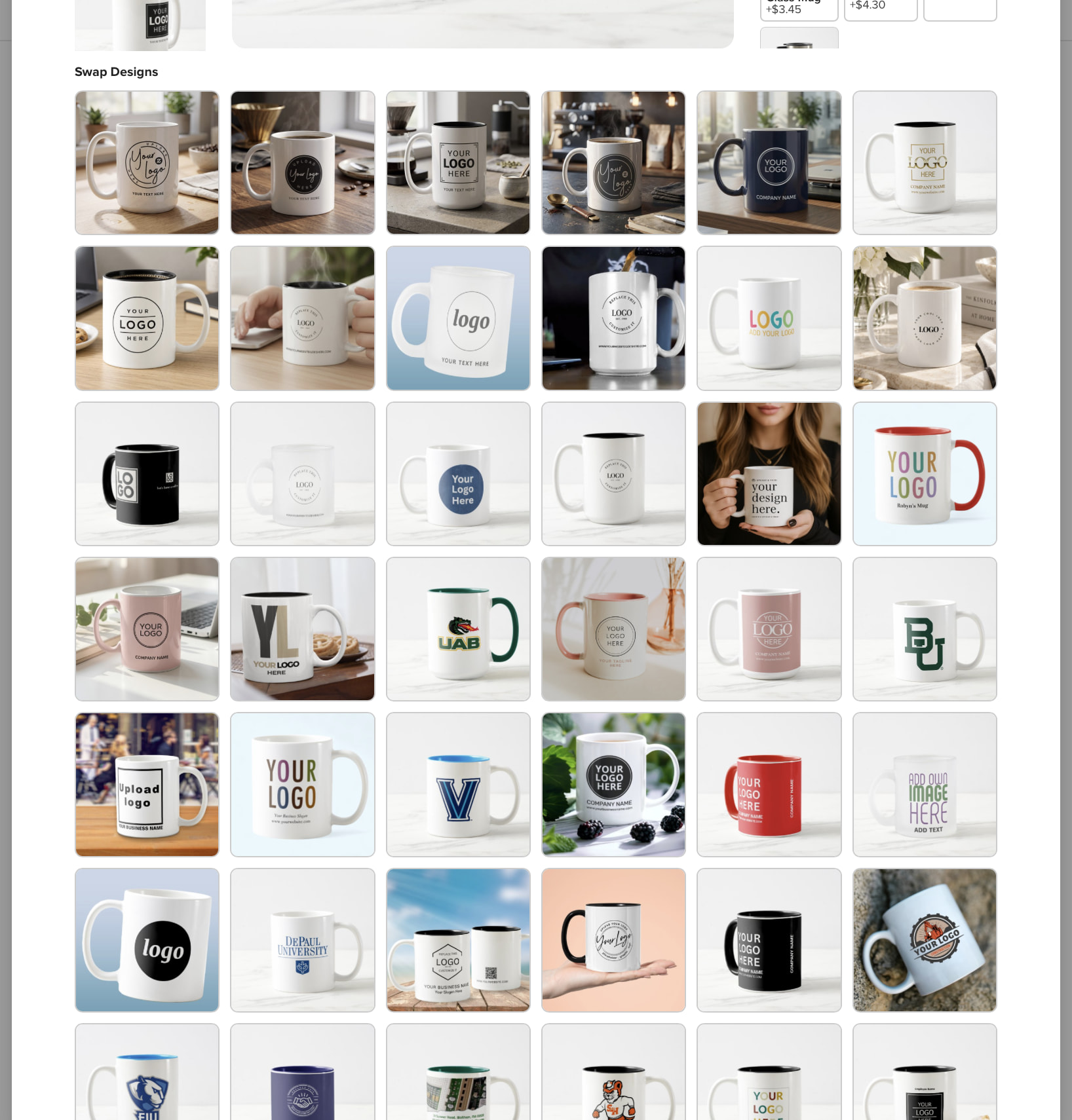
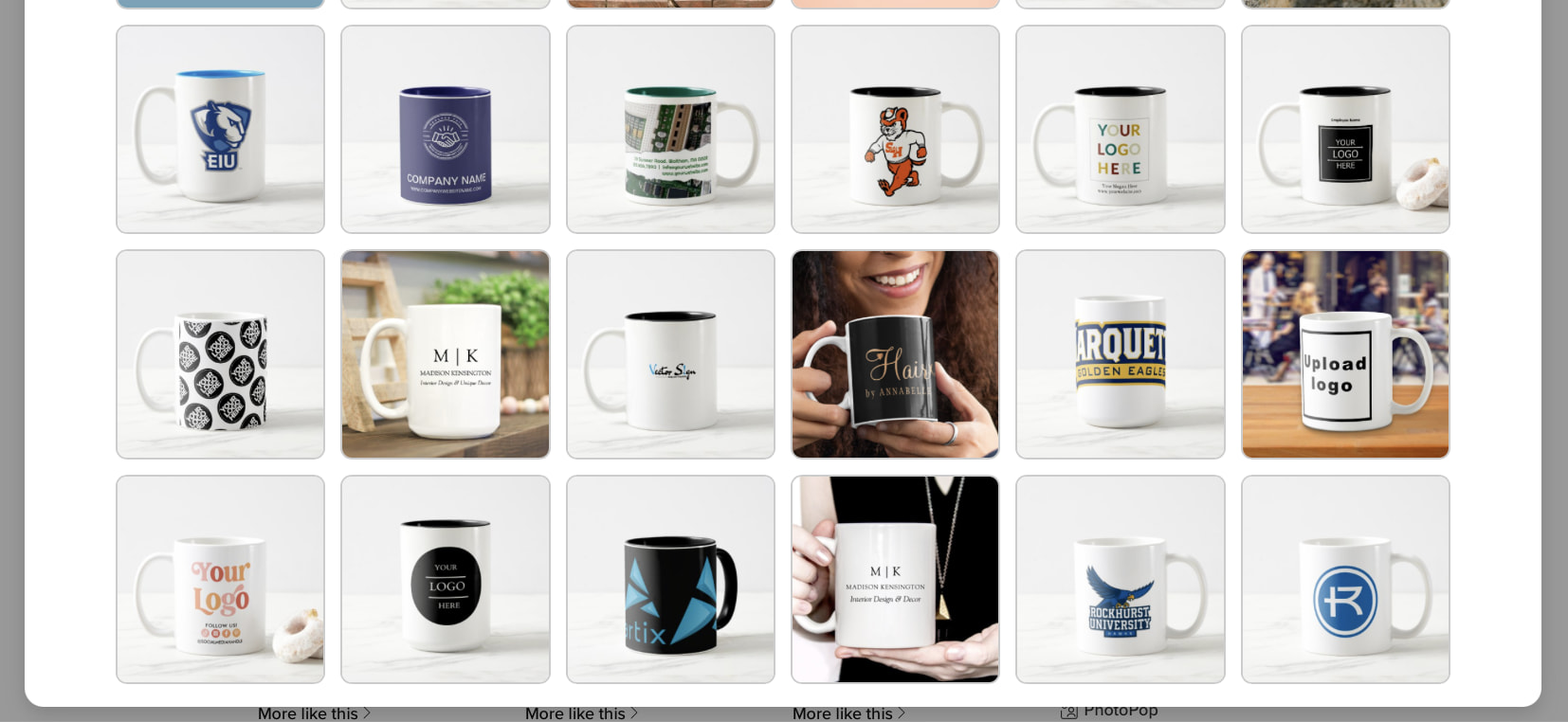
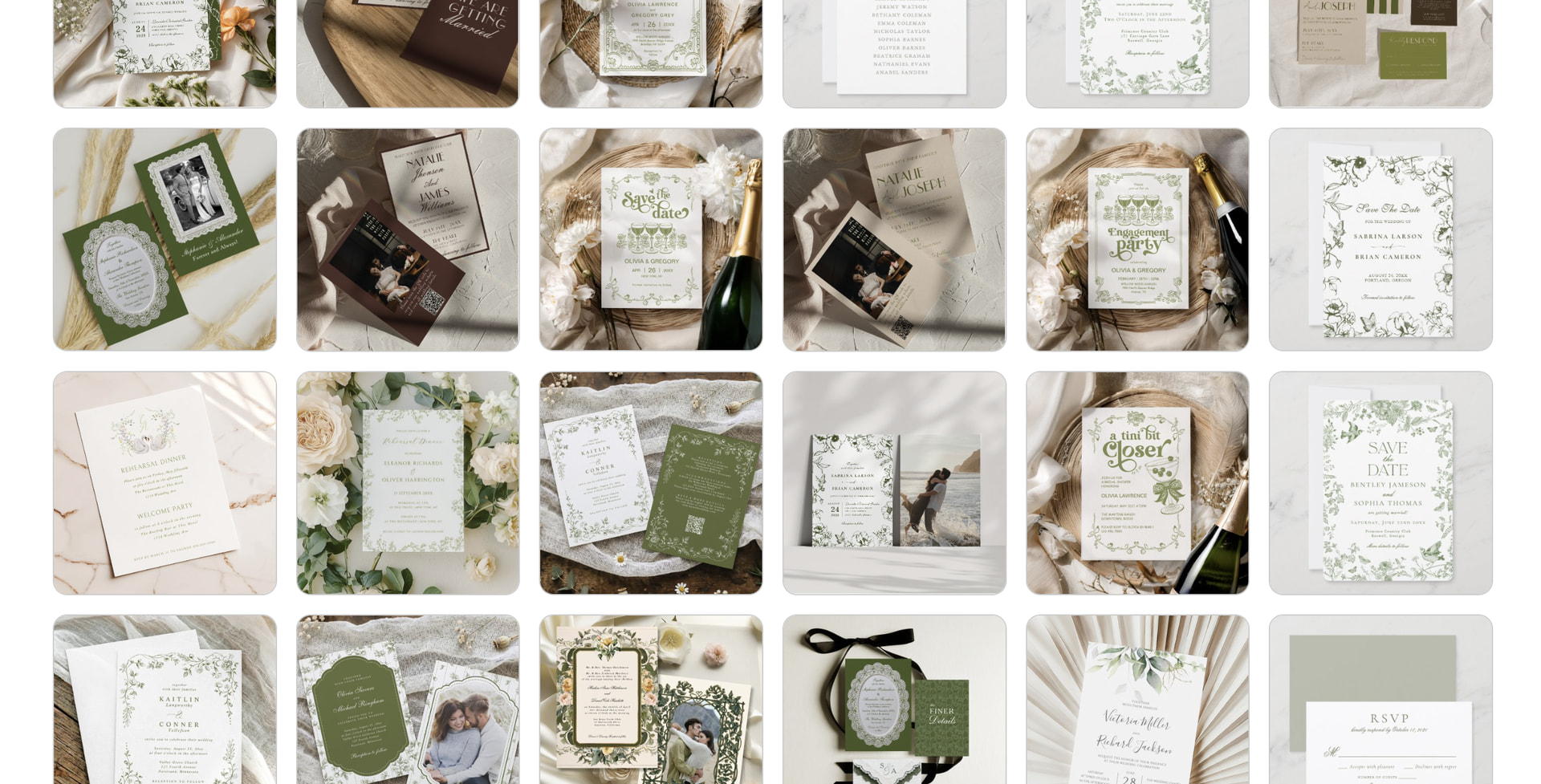
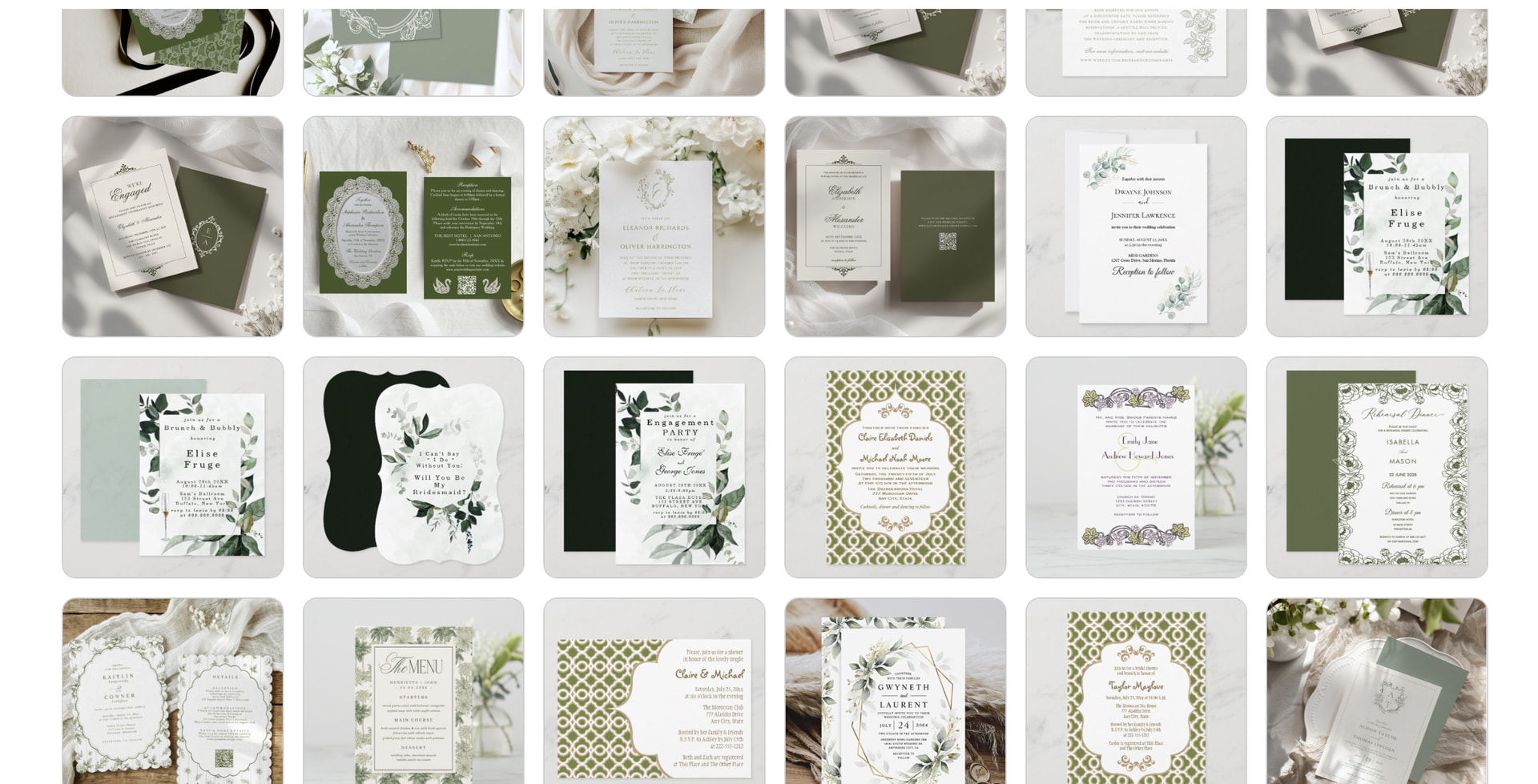
The main issue is the TEN rows of ‘swap designs’ below and absolutely no collections, or anything else. As a customer, I want to be shown the closest options to the item I clicked into, not more of the search results that I just clicked out of. I mean, that’s really what it is, it’s just the search feed on the pop up screen, covering the search feed I just left. A customer can just go back to that if they want to see that many very different, mostly unrelated options.
And even when you click into a cross-sell event product, you can’t even tell if the item even has variations, or matching items, again, something I’d want to know if I was a customer. I wouldn’t want to have to go into a product, spend time customizing it and then find out after I added it to my cart that there were no matching items. Customers can’t even click into our shop with this window to find the matching items.
**For those who don’t see this, I had to go to Safari logged-out. It showed the old version on Chrome when logged in.**
PLEASEEEEEE add collections back so customers can see the most relevant item variations, and cross-sell event matching items.
**Edited to add: this is when you use the main Zazzle search bar, type in anything, like ‘mugs’, and click on any of the products in the search result feed.
There are no words to describe this stab in the back!!! Not only is it a total betrayal to take half our royalties for “marketing” and then ensure we don’t even get the sales from that marketing, but it doesn’t even make sense for ZAZZLE to block cross-selling of multiple products in the collections!
Try a few different browsers when you’re logged out. It won’t show up if you are logged in, so they are specifically targeting new buyers, which is added insult for them to take half our royalties for that marketing and then cut us out of the sale!
Oops, sorry I should have clarified. If you use the top search bar of Zazzle for anything, like ‘mugs’ and just click into a product on the search result feed, this is where this pops up (if not logged in).
I haven’t logged out, but went into incognito mode. I think I see what you mean? Is it that there is a strip of “other items in this collection” but no main collection like there used to be? I still see the big collections showing up for stationery collections, but way at the bottom. I’m going to try my other browser.
@KarmaKay no collections at all until you add the item to your cart (and even then I haven’t checked if that is just the cross-sell event type). Let me try to get a screenshot.
I just checked on the other browser logged out. I think wedding collections are now called “wedding suites” it looks like. They seem to still have the collections farther down underneath all of the other competing designs. I cringe every time I see the “swap design” thing.
@KarmaKay this is how they all show, regardless of item type (at least the ones I’ve tried so far). I have looked at my own items as well, that are for sure in a cross-sell event collection, and it only shows a collection once I edit the product, and add it to cart.
I had to screenshot a different way for below, but you can see there is a ‘slide’ scroll on the right side for the information (the photos on the left also have this now). This part I don’t mind, although the sliders are hidden.
Ohhh cross-sell collections. I must have overlooked that part. Okay, I see what you mean. I was thinking of the other collections for matching items in a suite, etc. I get it now. Not cool! : (
Yeah, none of the collection types show on this pop up, regardless of product type or collection type. So you wouldn’t see the similar variations (if you made for even a ‘similar items’ collection), or the cross-sell events.
You will know the difference because it will be a ‘pop up’ window on the same window/tab. Rather than opening a new page (or tab like it used to), or going ‘forward’, like it has been recently. Hope that made sense. It kind of ‘hovers’ above the search result feed.
I also don’t mind the ‘hover’/pop-up aspect either. It’s just the lack of collections or our actual product variations showing that is the issue.
Holy smokes! I caught one! Yes, it has to be an A/B test. Jeeeez. I mean some kind of link to view the collection would be nice. Something. Not absolutely nothing! : (
Edit, yes it did feel like fishing haha!! I caught one! I caught one! omg I am so “computered out” right now.
Edit: A “Found in Collection: x x x” should be in there. It wouldn’t be that hard to pull that info. I suppose they’re expecting the user to click on the main invitation and then see the collection if they decide to scroll past yet more competing designs. Then if they manage to make it into the editor to personalize and they happen to not choose one of the “template” designs, we’re golden! Let’s see. How many hurdles is that? I’m not even going to count. All I know is no. No more trying to get self referrals for me.
I experienced this new pop-up while browsing incognito in Microsoft Edge. However, on a later attempt it was gone, so I’m guessing it is an A/B test.
The Zazzle Help Center rightly encourages designers to create collections so that they’ll be seen on the specific product page! It also advises us to write great descriptions “…to help your customers understand what makes your design unique and worthy of their purchase over the others.”
Are these pop-ups only showing up when you search the Zazzle MP? I can’t see them anymore, so I wonder if they are affecting other routes like links from Pinterest?