Product Page Frozen / Unresponsive: Cannot click "Add your design" or change options

Hi everyone,

Is anyone else experiencing an issue where the product customization page becomes completely frozen/unresponsive?

When I open a blank product template (e.g., blank invitation cards), the page loads visually, but none of the buttons or options are clickable:

  • Clicking the “Add your design” button does nothing.

  • Selecting different sizes or paper types doesn’t respond.

  • Even standard buttons like “Add to Cart” or gallery thumbnails on the left are completely unresponsive.

It feels like a JavaScript/script loading error or a transparent overlay blocking all mouse interactions on the page.

Has anyone found a fix or workaround for this specific UI lockup? Any advice would be greatly appreciated!

Hmmm I’m not seeing this when I go to edit one of my designs. I just tried making one from scratch too. My computer freezes all the time when I haven’t closed chrome in awhile, though. Could it be that?

@Tattoo_shop Which browser are you using? Try turning off your adblock if you have one.

Am using Firefox with no problems

Me too! I’m having the same problem on both my iPad and desktop, but everything works fine on my phone. I’ve tried Google Chrome and Microsoft Edge, cleared my browser data, and even used incognito mode, but the issue still persists. It seems like this problem is only affecting certain regions or countries, rather than everyone. I looked it up on Google, and it might be related to a JavaScript error or something similar.
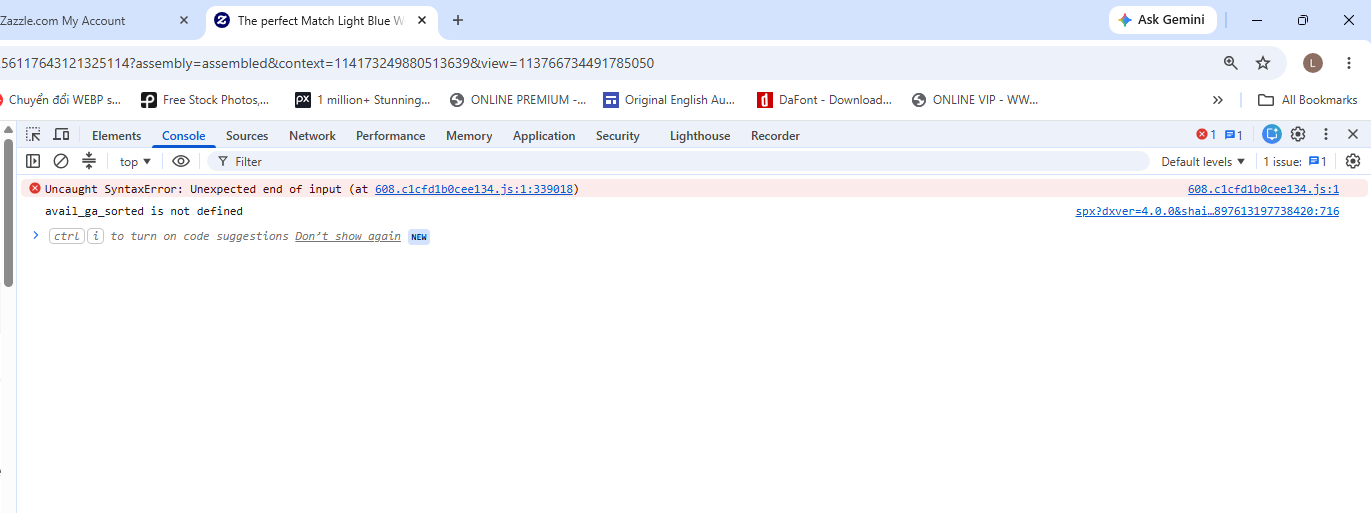
Sorry to hear that you’re running into issues. I’ve sent this along to the team.