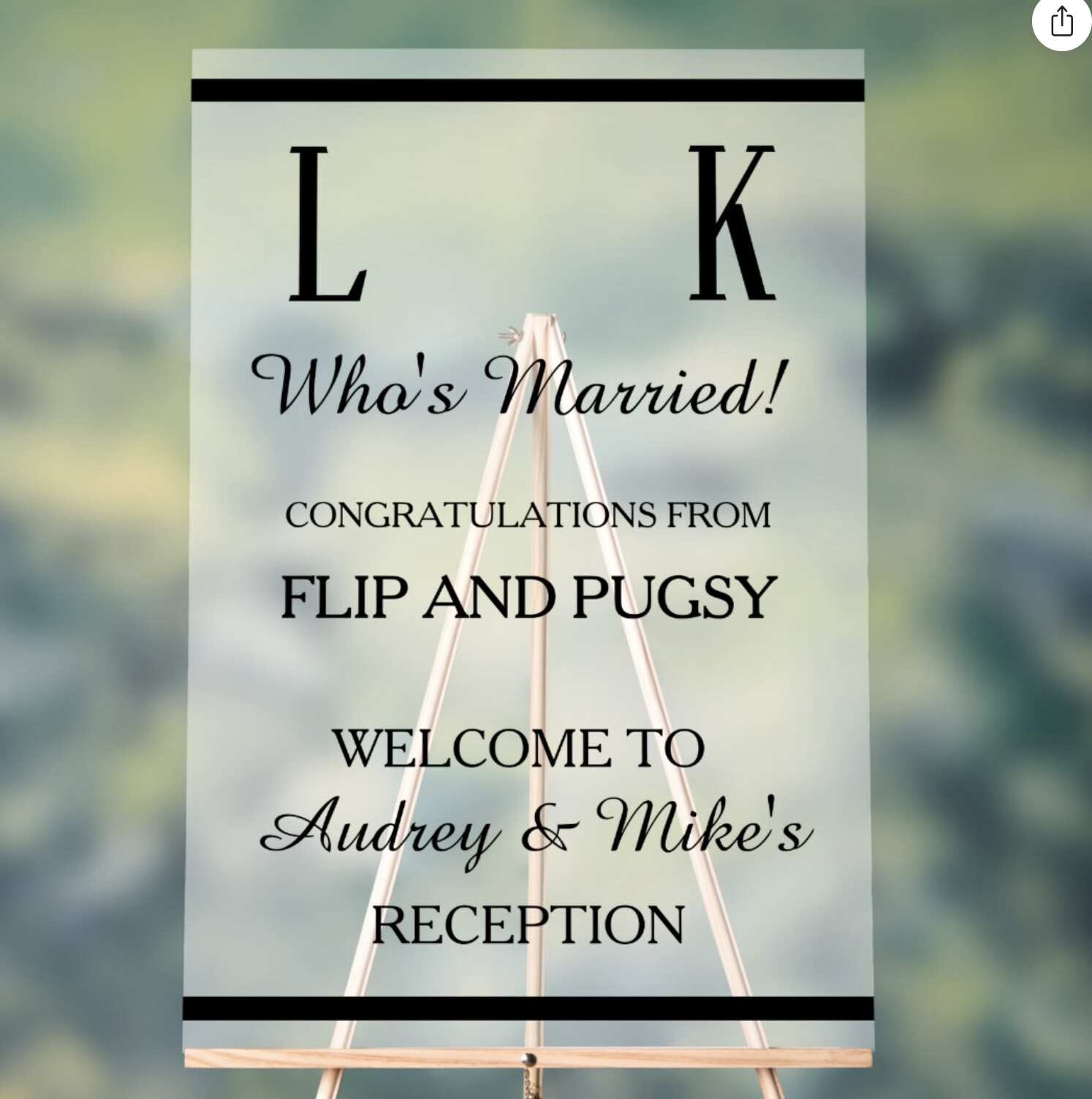
I am trying to create a frosted background acrylic sign and am using your circle element to add the photos. This is creating a black background mask. The first image is showing the artwork without any background and you can see the black edges, The second photo I have added a 50 percent WHITE background. The third photo I have removed the photo circle elements and the artwork is correct. Why is it creating a black masked background tint when using your circle photo frame shape?


1 Like
Hey @CLC ,
Sorry to hear about this issue. I haven’t been able to replicate this issue on my end. Can you provide more details on when the black circles appear on the design? When using either a frame, or a mask, the circles do not appear on our end.
Thanks.
Hi…I will post the product for sell, click on the below link. The background is 50 percent WHITE, showing as 50 percent black, if I remove the two circle photos it appears as white.
https://www.zazzle.com/look_whos_married_dog_or_pets_photo_acrylic_sign-256287347905772877
Here is the exact same art file with the photos removed, background is white as it should be
https://www.zazzle.com/look_whos_married_dog_or_pets_photo_acrylic_sign-256655136140992788
Thank you
Thank you for the additional information. I reported this issue to the team.