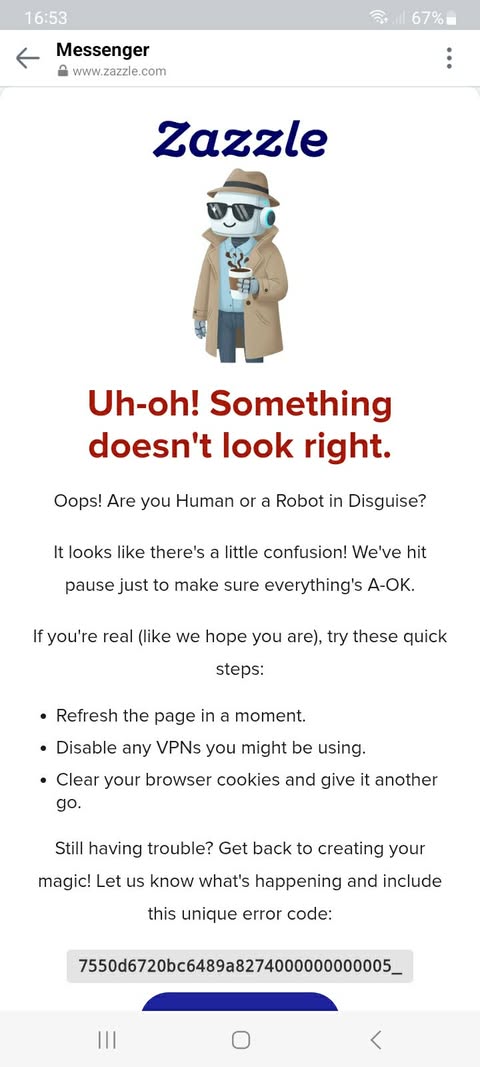
I am reaching out again because this issue remains unresolved, and it is now directly impacting my business, RHDesigns. Customers using Android devices still cannot access the links to my products. I have reported this multiple times and have not received a workable solution.
This ongoing problem is causing a significant loss in sales. My customers expect quick access, and when links fail to open, they simply move on. I can only imagine how many sales have been lost because of this continued glitch.
I am asking for this to be escalated and addressed as soon as possible. My business depends on customers being able to reach my designs without errors or barriers.
Thank you for your attention to this matter. I look forward to a prompt resolution.
I am reaching out again because this issue remains unresolved, and it is now directly impacting my business, RHDesignsCrew. Customers using Android devices still cannot access the links to my products. I have reported this multiple times and have not received a workable solution.
This ongoing problem is causing a significant loss in sales. My customers expect quick access, and when links fail to open, they simply move on. I can only imagine how many sales have been lost because of this continued glitch.
I am asking for this to be escalated and addressed as soon as possible. My business depends on customers being able to reach my designs without errors or barriers.
Thank you for your attention to this matter. I look forward to a prompt resolution.
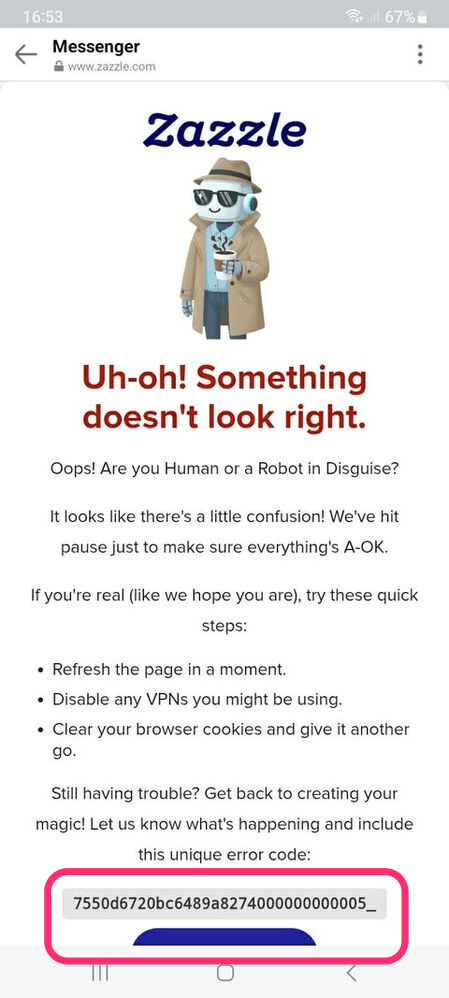
Is this still an issue today? If so, can you copy the unique ID code that appears at the bottom of the page and share it here? It’s a lengthy number so copy/pasting the number itself here will allow me to copy/paste that number to a team member who can look into the issue. Thanks
This has been an ongoing issue for weeks. I am not sure where the unique code at the bottom of the page is located.
When I share a link I click the share button copy and paste that code and send it to them. If they have an Android they can’t open and that is the sign that they get above.
I would be more than happy to get that for you just explain where it is at the bottom of which page.
It’s at the bottom of the screenshot that you posted above. I circled it in pink in my screenshot below. the bottom of the screenshot contains a lengthy combination of letters and numbers. Next time you run into this issue can you please share that code?
Is there no update on how this can be fixed. This is just one of the many that really needs to be looked into. I still have designs that aren’t printing edge to edge after the paper change.
I have had several and I have waited patiently. Another customer got irritated due to the fact that they got the oops sign again as above when they tried to open the link I sent them to my page.
I WONDER HOW many sales I have lost due to this. Between that and the 6 minimum my sales are 1/2 if lucky what they were.
I would so appreciate it if someone would take this serious. I have sent 2 emails to support.