First, an example product link:
Create-Your-Own All-In-One Invite
If you are just clicking the thumbs below the main image on the product page as shown here
there is no sound when you click the video thumb. You can click around the thumbs, the video one and otherwise, and all is normal, no sound.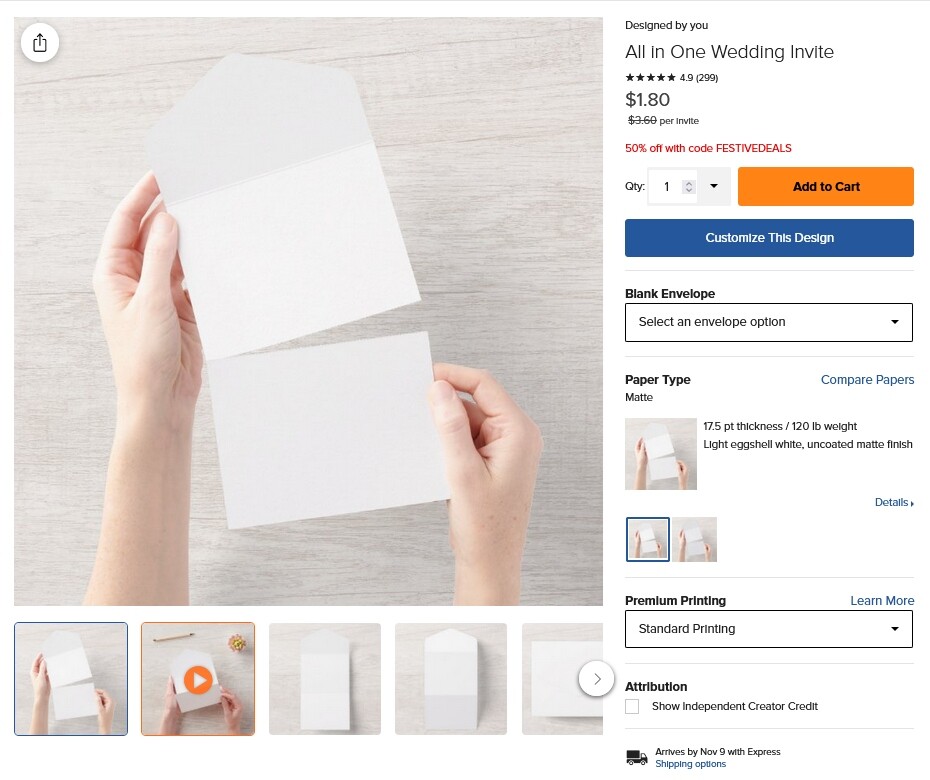
But if you click on the main pic to enter the “zoomed” view, holy cow, there is suddenly loud, jarring, audio emanating from the video preview and there is no way to turn the volume off or down and it doesn’t matter which thumb you have scrolled up or down to - the noise from the video thumb blares on. It doesn’t even matter which thumb you were on when you entered the zoomed view - the audio from the video preview starts auto-playing and continues playing regardless until you exit the zoomed view.
I had NO idea there even was sound on video previews until tonight when a particular set of unfortunate circumstances led me to realize there is. I then tested it in Firefox while signed-in to Z and in Opera as a guest and the same issue occurs in each circumstance - unwelcome, unwanted and t_otally unexpected_ audio auto-playing when I click into the “zoomed view” on a product page. Ugh!
I realize that if this is by design it’s not a tech issue but wasn’t sure where else best to post this.