Help! Is there a way to bulk edit tags, to remove one tag and add a different one to a bunch of products at once? For example, changing all the graduation products to remove “class of 2025” and add “class of 2026”.
I thought there was. ??? I remember selecting multiple items and going into edit. I remember seeing that if same tags were on both/all selected items they showed and could be deleted. – not so today?? I think that ADDING new tags to multiples still works.
1 Like
Select all the products you want to bulk edit. Press Actions on left hand side (edit details - tags)
Bulk actions edit tags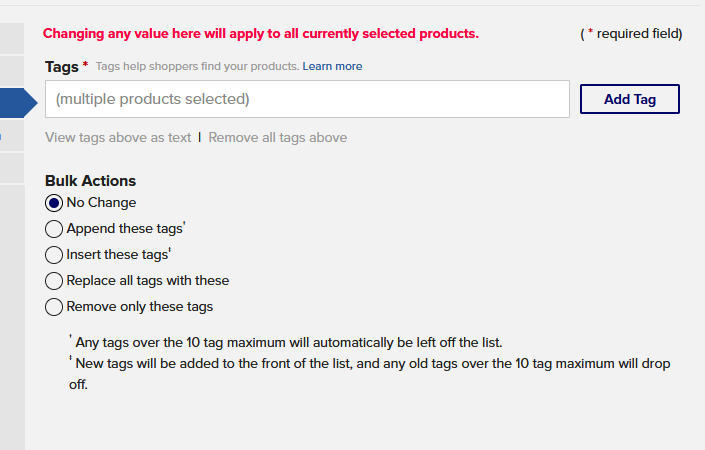
You’d have to run it twice - remove “class of 2025” tag then either insert or append “class of 2026” tag
5 Likes
Silly me … I didn’t click on the “TAGS” area when I tried the bulk edit. I stayed in the description - DAH!