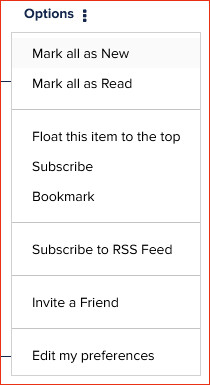
There’s an option to “Subscribe to RSS Feed” from both boards and individual topics (threads) within them, but what is it for / how is it used? When I click the option I just get a page of code.
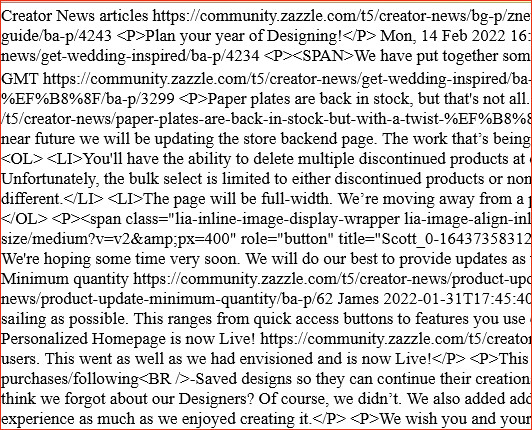
The code is the xml data of the RSS feed for the page, post, forum. Rss feeds are under normal circumstances read by and RSS reader. People use several RSS feeds from lets say news add them to their RSS reader and have it all in one place. In some circumstances people can also use RSS feeds with WordPress plugins for example to showcase something on their websites. Our stores also have RSS feeds for example.
Every time an RSS feed has a new item added, for example a product, a post or a reply the RSS reader or plugin updates automatically.
Here is the RSS feed to your store https://feed.zazzle.com/store/colscreations/rss. If you look closely you can see every single product and it’s information like description, title, price etc are there.
I tried your link and it too just gives me a page of code. Are we supposed to paste that code somewhere to see its result? Maybe the forum option should say “copy RSS code” instead of “Subscribe to RSS feed”? If I put that code on a page of my website and got a feed that updates itself working, how would others “subscribe” to it and where would they be viewing the results? I don’t know why but I am struggling with the RSS concept. I think I need an “RSS for Dummies” tutorial.
Like I said you need an RSS reader to be able to read that code. Once you have a Reader you can then just enter the URL into the RSS reader software
Maybe one of those videos will help? https://www.youtube.com/results?search_query=rss+feed+explained
If it helps, @ColsCreations , it’s a bit like the way you need a browser to display html.
RSS is just another type of code, so you need something that takes in that code and then
- displays it in human readable form
- does something else with it (like the Nifty tools do with normal Zazzle rss feeds)
One thing you can do with the forum RSS (specifically the ShowMe forum) is to use the new Nifty ShowMe Forum Speed Sharer
I hope that makes it a bit clearer???
Edited to add: If you look carefully, you’ll see that the “Subscribe to RSS Feed” option is actually a link. It’s that link that RSS Feed Readers need. They then “follow” the link to get the code.
If you go ahead and click the link then you’ll see the code.
So the link’s not there for clicking but for copying and pasting into a Feed Reader (or in my tool’s case, you just need the message id from the link).
Sorry if that adds confusion rather than clarifying!
@ColsCreations Did you already find out about RSS feeds? If not, I would like to recommend adding an RSS reader as an extension to your browser. If you use Firefox, the reader is already there, then you just have to click the Subscribe to the RSS feed link and the content will be immediately readable. This is one of the browser extensions that I use the most.
I got as far the other night as finding out that Firefox stopped including a built-in RSS reader back in 2018 and then looking at some RSS browser extensions and deciding, I’ll install some later to test and see how this all works, but later hasn’t happened yet. LOL. Which is why I hadn’t responded to anyone yet but I do appreciate you alls helpful replies. 