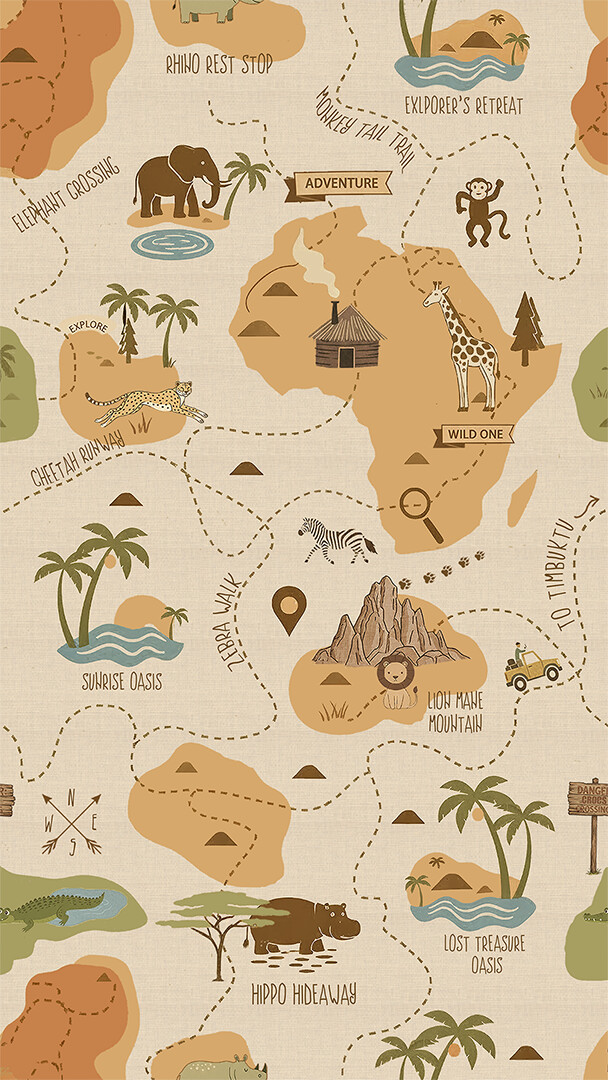
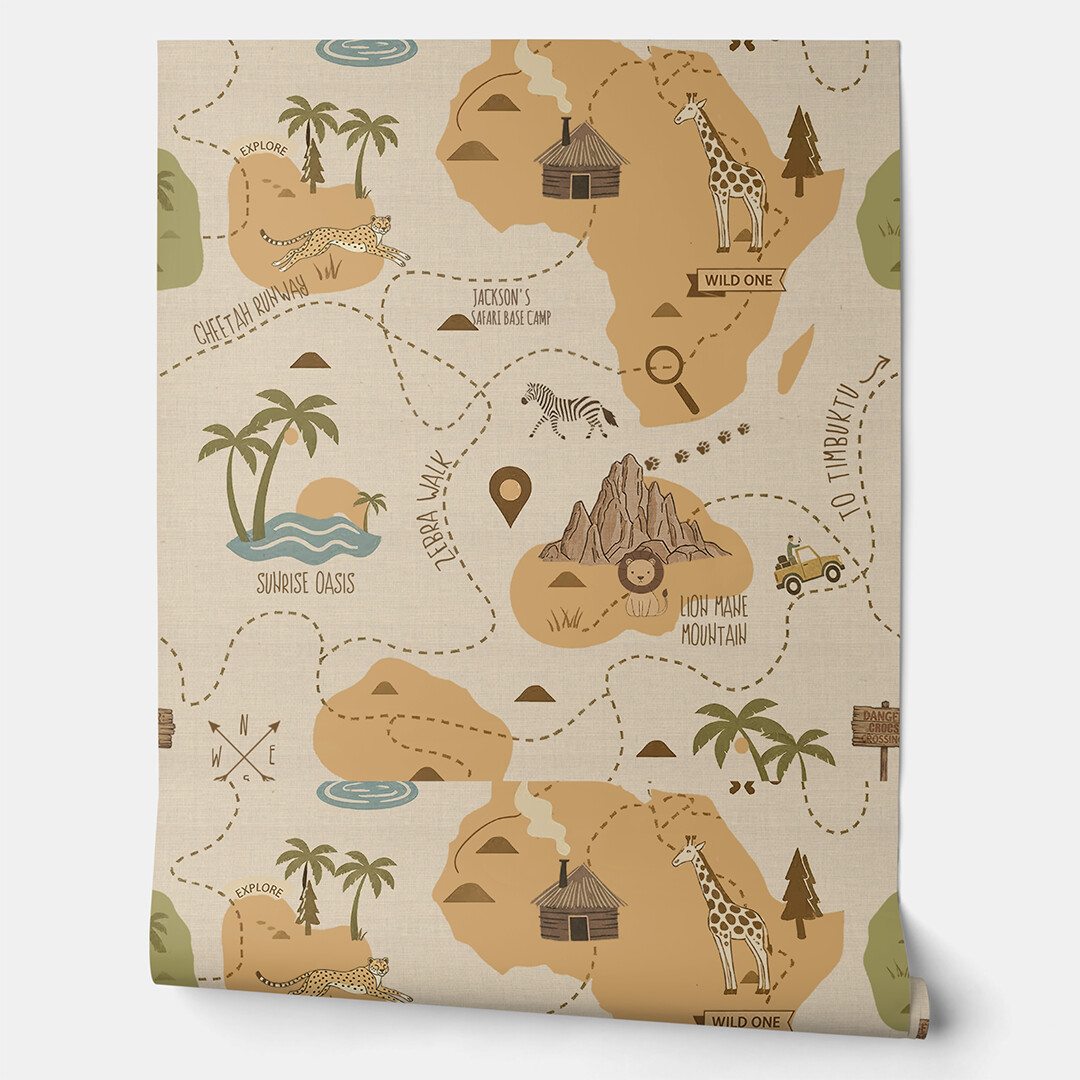
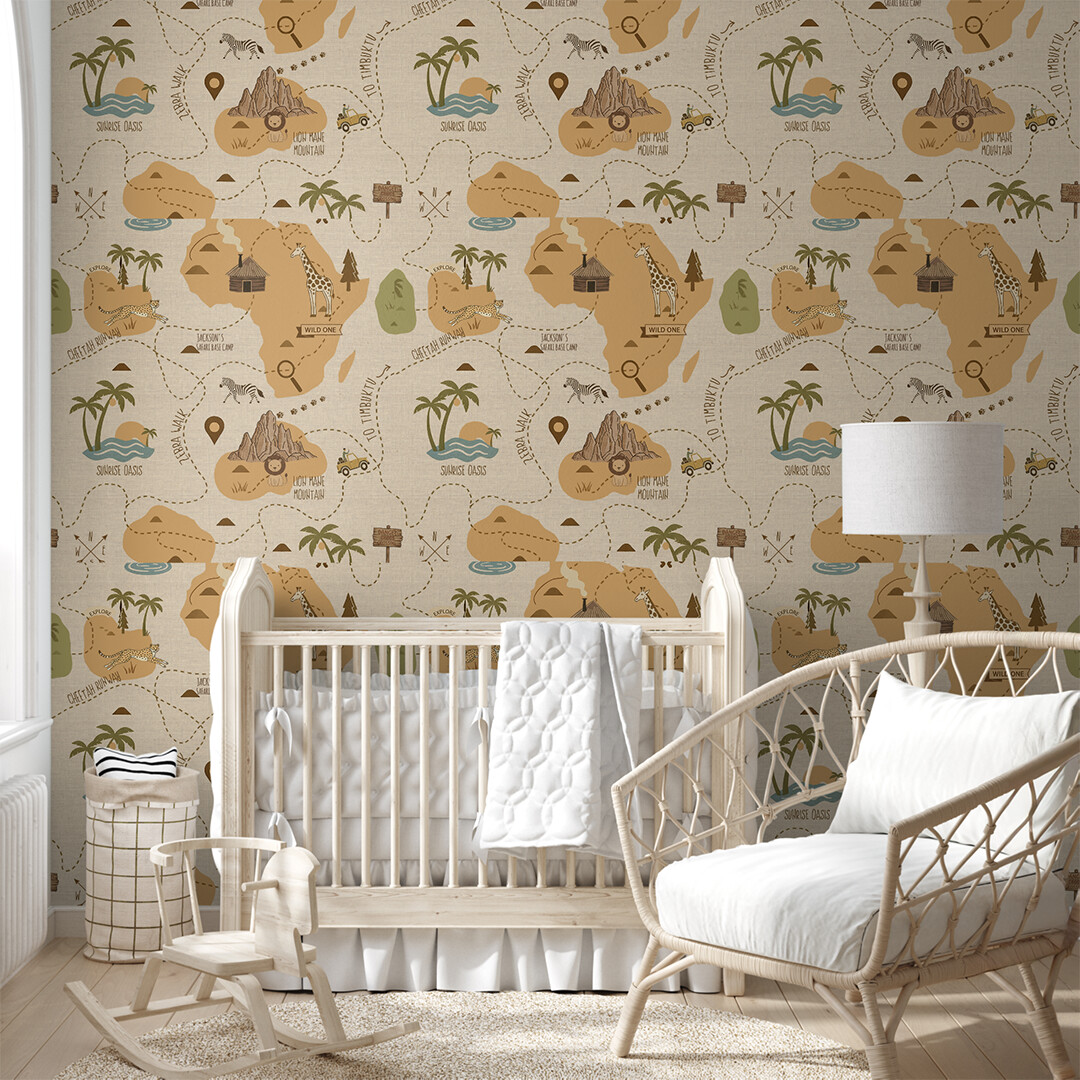
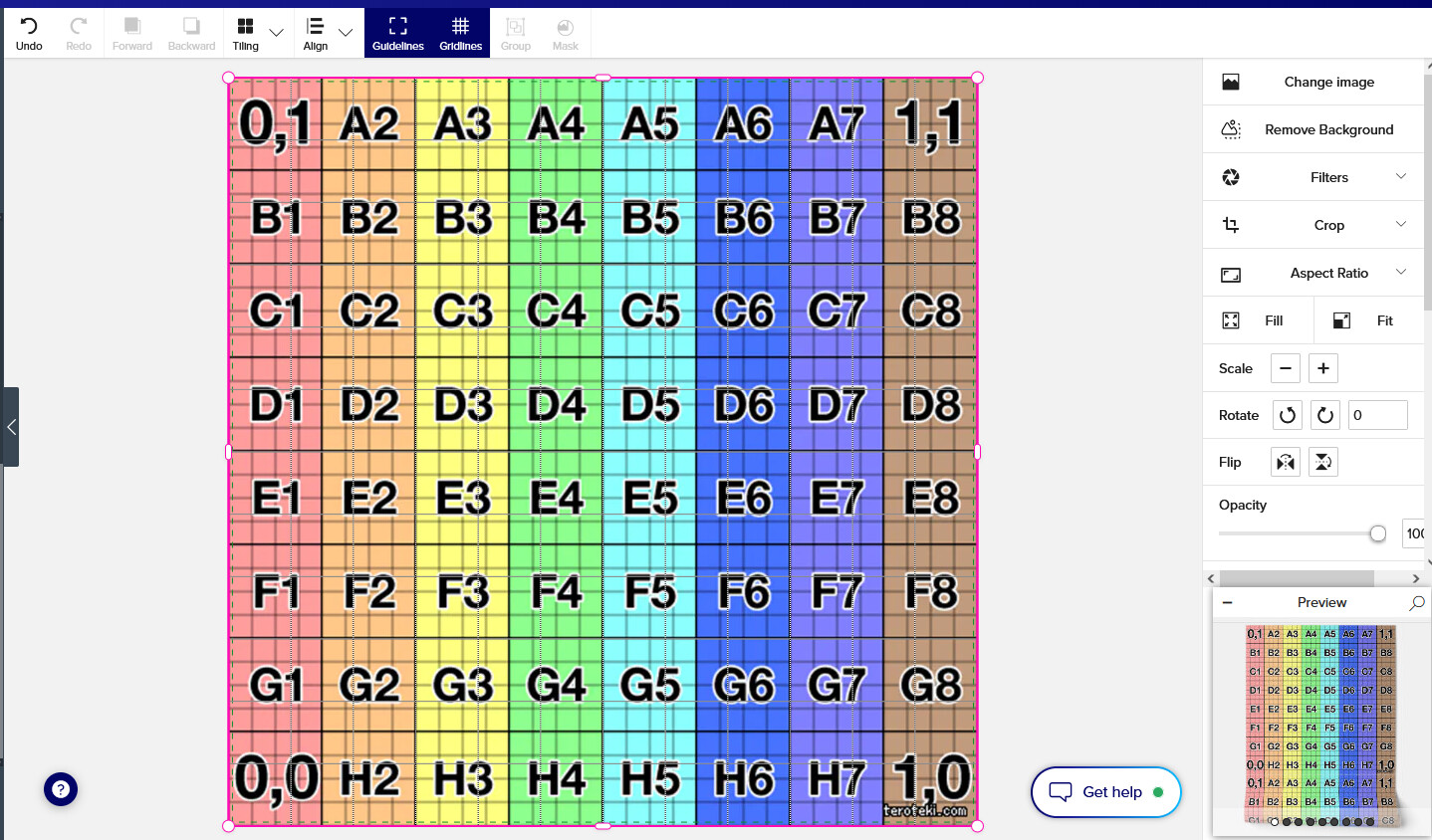
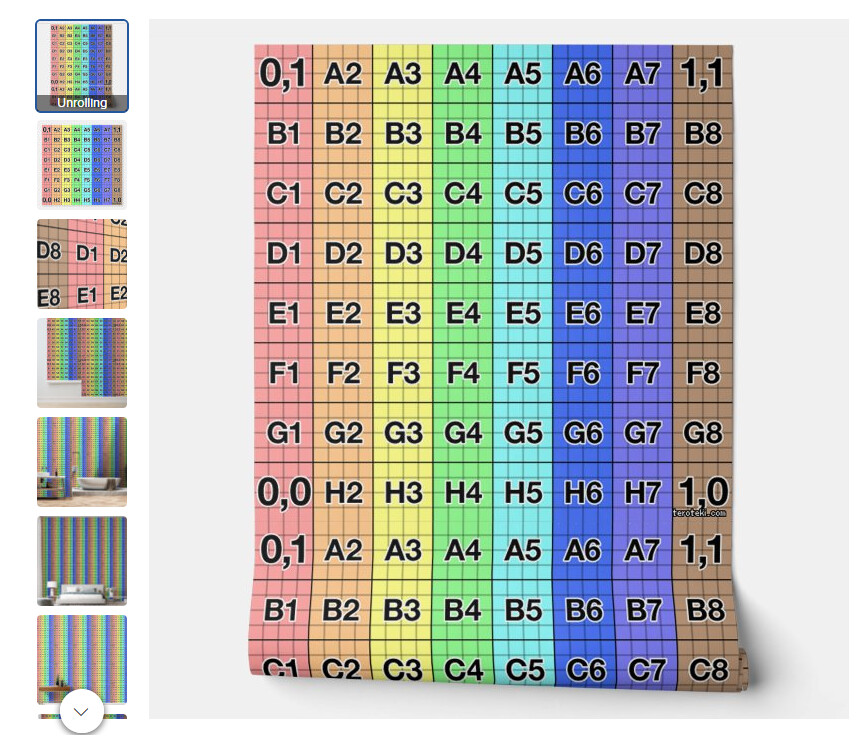
I’m going nuts trying to figure this out on my own. So, here’s the deal. I usually create my patterns in a square format, but this time I had an idea for a wallpaper design that I thought would look great with more detail and less of a repeat, so I was going to go for a longer length pattern where the width stays the same. I thought it would be just like creating wrapping paper … except turned on it’s head. So, if I create my pattern in a 9:16 size (which is one of the aspect ratio options in the design tool for wallpaper), and then select ‘fill’ it will be perfect, right? So I spent hours and hours … and hours … creating this pattern with a 9:16 ratio, only to find out it doesn’t work that way. Or I think maybe it doesn’t work??? I’m not really sure. This is the pattern and what happens when I create it this way.
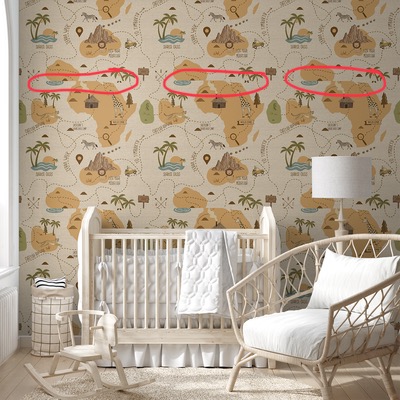
So is the pattern going to print correctly or not? Which do I believe, the ‘unrolling’ version or the ‘in situ’ version? And what is it I’m not getting about this ‘aspect ratio’ option?
When you create a wallpaper, you have to put your main pattern in a square. If you don’t want to create it squared, you have to think about a ratio where several occurrences of the pattern will perfectly fit in a square, else there will always be cuts and It doesn’t work with a 9:16 ratio. 8:16 would work as you could put two occurrences of your pattern in the width of the square. ( This remark is for connectable patterns needing a perfect adjustment on the borders , another possibility is to leave space between occurrences of your pattern with the same background color )
Thanks @Fantabuloustef . You’re right, the problem is still there but just not as obvious…drat it. I understand what you’re saying and that all makes sense. Are the aspect ratio options on the right hand menu strictly for cropping purposes then? I thought they were for the design shape but that’s obviously not right. I might see if I can reconfigure the design to 8:16, although it’ll make the overall pattern look much smaller than I had hoped for, but at least I wouldn’t have to completely trash the whole design.
yes, the aspect ratio on the right hand menu give you the size of the cropping frame. Hope you will succeed at changing your format, because your design is really beautiful.
Personally, when I don’t want to do too much geometry, I create all my little elements and assemble them into the Zazzle designer, so I have a lot of flexibility to rearrange them, but this technique wouldn’t work for your dotted path lines between the continents which must be exactly the right size.
Thanks @Jadendreamer13 , that’s really nice of you to say. 😊 I’ve spent so much time on it now, I might as well tack on few more hours and try to make it work.
Thank you for your help @Fantabuloustef and for the lovely compliment…it’s much appreciated. I usually assemble everything in Zazzle’s design tool too; in some ways it’s easier to use than photoshop.