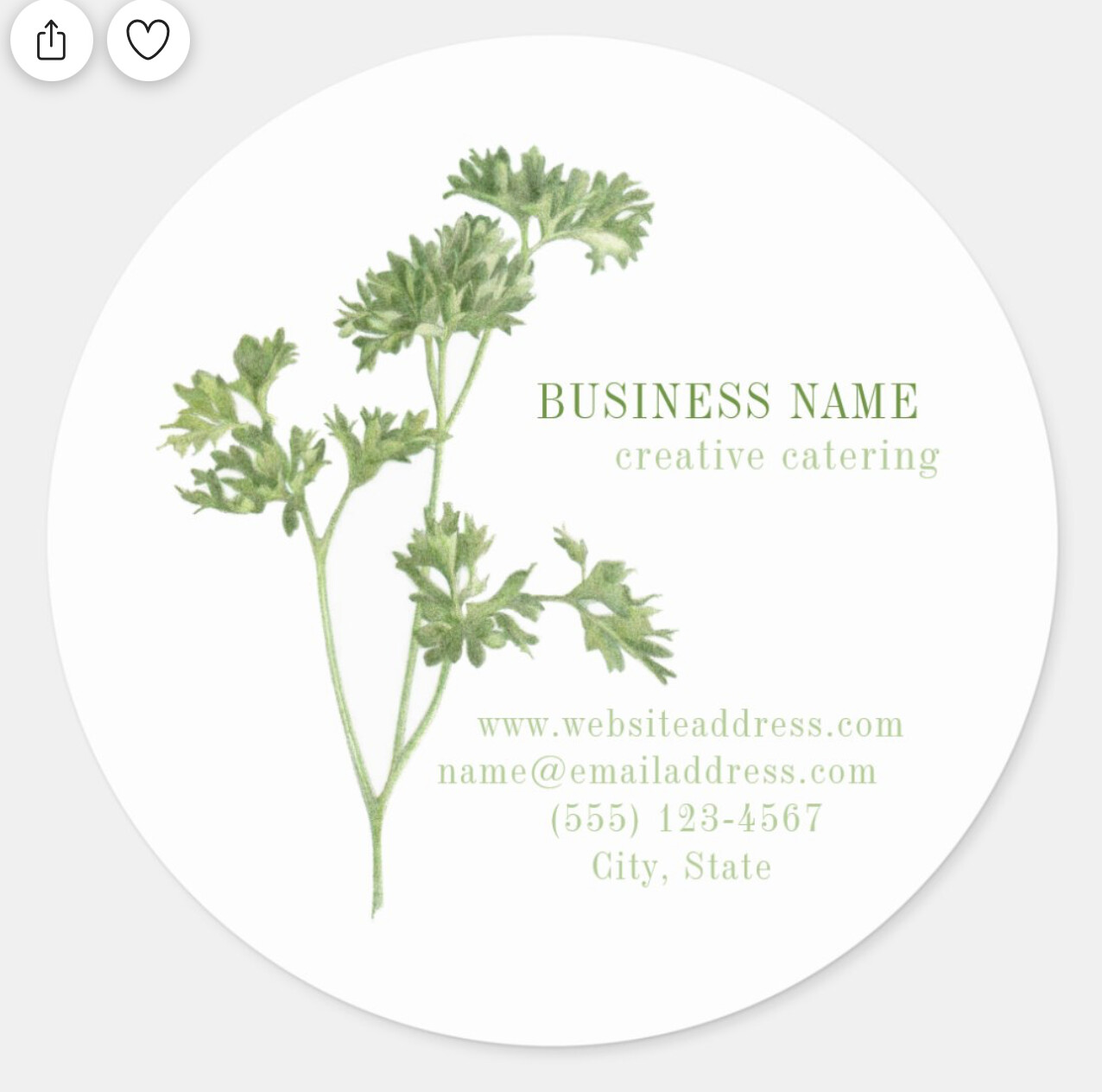
Pretty sure I know the answer (“no”), but it never hurts to ask.
I’d love to make a block of customizable text line up on one side on a curve. Like so:
Is there any way to do that? Right now each line is separate, but I wouldn’t expect a buyer to know how, or want to adjust it all to make it line up exactly right on that curve. TIA
As far as I know there is no way to justify text in the way you want but I’d be happy to hear someone else chime in to say there is .. lol. The work-around I would use in this case is to right-align each line of text so when the customer makes their edits, the end of the line will stay wherever you’ve placed it on the curve and the rest of the line will extend to the left.
Yeah - there isn’t a fill text to shape here, so there’s not a way to do exactly what you are asking for, but Baylee’s work around is a good one.
Right-align . . . do you mean make the text box ‘stop’ exactly on the right edge, so there are no spaces after the last letter? I always have a hard time with those boxes, I can’t seem to ever get them exactly right, and confess I usually just leave them ‘too big’. Unless you mean something else. Thanks for the idea though.
What I meant by right-align is to choose the third option from the ‘justification’ options in the design area as shown below. Your text box will then align everything to the right of the text box and any extra space you add in your ‘too big’ box will be added to the left hand side of the box, not on both sides like it would with center-aligned. Just play with this a bit and you’ll see how it works for your situation.
OK I’ll play with that and see what happens. Thanks a lot.