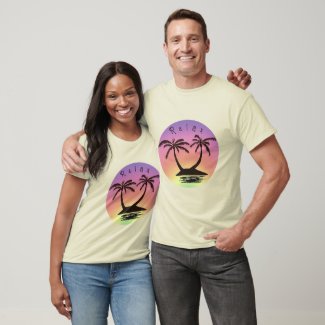
When designing t-shirts I do NOT like my images to be square or rectangular, I want to have the image on the shirt to be circle shaped. I have come up short on a good solution. Creative Fabrica has a circle crop but it never covers my whole image and is unusable.
I have also found numerous websites offering free circle crops. Same story…circle never covers my whole image. Unusable.
Have also tried layer masks in Photoshop and Affinity Photo and Designer and the mechanics that I see in Youtube tutorial videos never seem to work the same for me when I follow their instructions on my own.
Anyone faced similar challenges in going for a decent circle crop? Any suggestions?
Is there some reason you don’t want to just mask it in the design tool instead of cropping?. Use the oval element in the design; make the circle any size you want, then select both your image layer and the oval layer and click on mask.
In photoshop, find the approximate center of your design, then use the selection tool to draw a circle. Then select Edit>Transform Selection. Handles will appear, so you can modify the selection without changing the design. Now select Edit>Modify Selection>Inverse and delete the background you don’t want. Then select Edit>Trim Transparent Areas. Save it as a .png file.
Have you tried the method that @Baylee mentioned? If not, you should. It’s exactly what you’re looking for, and it’s also the easiest, most versatile method.
The perc to using Zazzle’s masking is not needing to have more than one version of an image–circle, oval, rectangle, square, diamond, triangle–any can be used on the same uploaded image. Or, you can create more shapes for masking with SVGs.
Jumping in with your question to @Jadendreamer13 , I use Photoshop CS3 because I’ve never found anything in the newer versions that I thought I’d want to use.