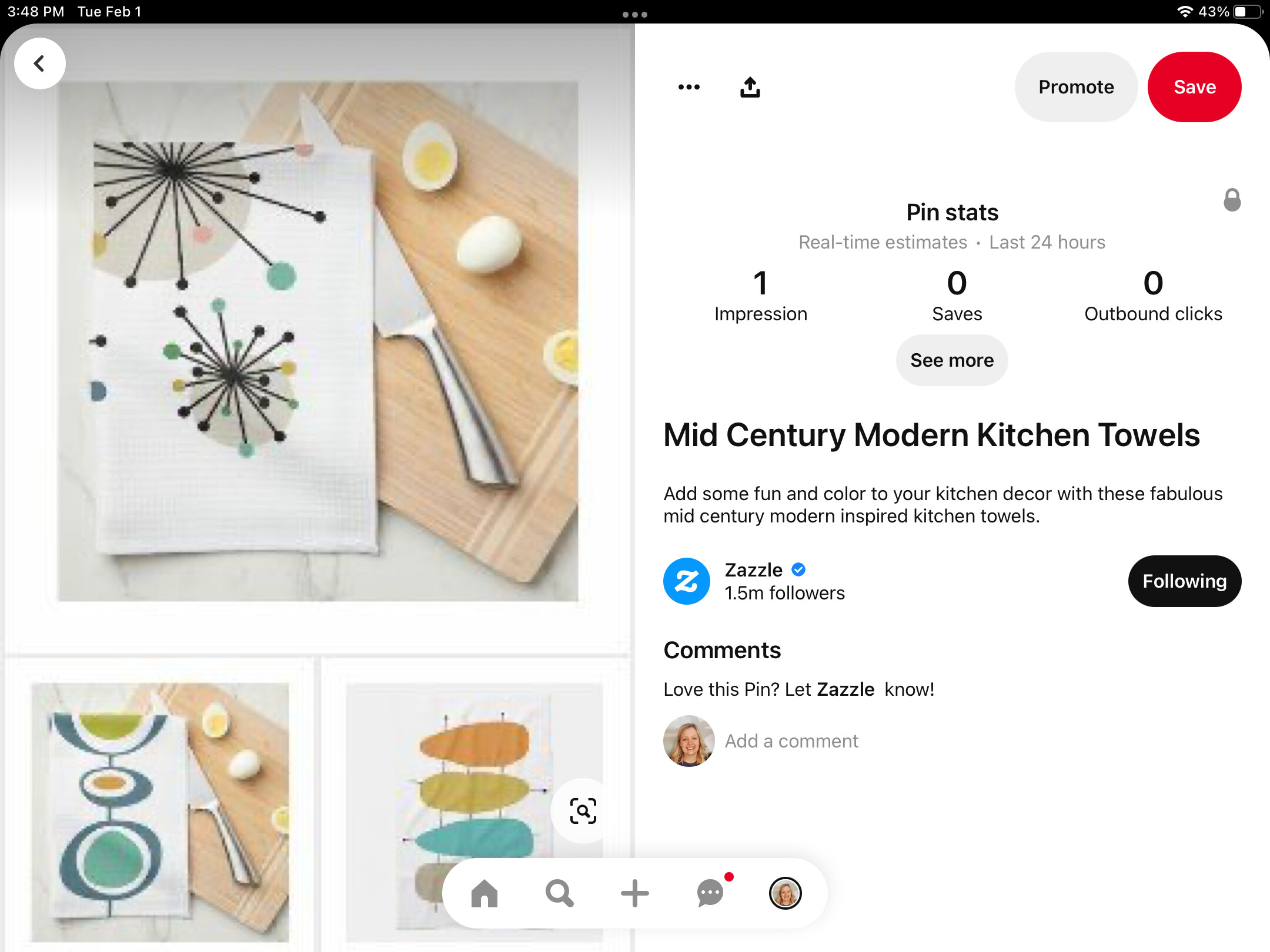
Collections that are posted to Pinterest using the “share” button are blurry.
1 Like
Hi OrchardBerry,
Many thanks for reaching out. Could you please provide a screenshot of the issue you’re seeing? We’ll be happy to take a look.
- Emma 🌻
Hi Emma, it doesn’t look too bad on my ipad in portrait mode but here it is in landscape. Looks like this on my laptop too.
1 Like
Having the same problem. Not horribly blurry, but not sharp like when pinning individual products. It’s been that way for months now.
1 Like
Thanks for the screenshot @OrchardBerry .
I’m not sure if this is an issue on Pinterest’s end or on the Zazzle end, but I have let our team know now and hopefully we’ll have an update soon.
- Mark
1 Like
Having the same problem… I am trying to pin new products to Pinterest using that link on the zazzle product page… Sometimes the image is fine, but more often than not, it is blurry. What am I doing wrong? i’ve had to take screenshots of new product and try to correct the resolution in Photoshop… I expected the image from your site would be sharp and crisp. What do you recommend?