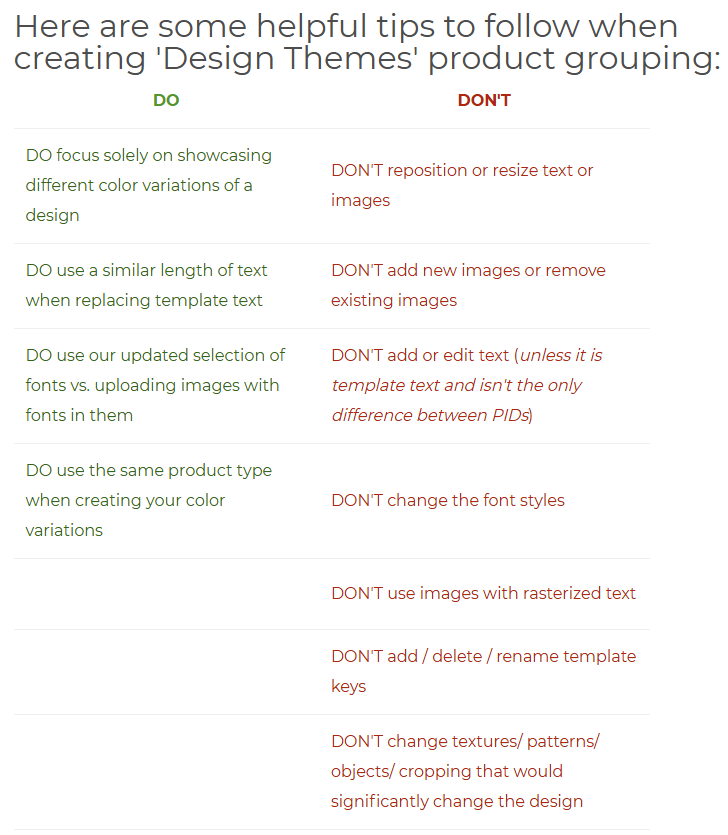
Will color grouping work if the text is all the same (just a different color), but I add a different placeholder photo to match the new color?
2 Likes
2 Likes
Thank you very much, Mark!
1 Like
FYI if your products are not grouped automatically after a few days, you have an option to “Group Products” in the Actions menu. This will be reviewed by Zazzle team and, if all criteria are met, the grouping will be created.
These two old serving trays were auto color-grouped despite having a different feature image on them.
Black tray
Pink tray
I think they were grouped though because both trays include both images, one is just Hidden, so the layers are identical on both products (except for the colors). So _ in theory _, you could achieve what you want to do here by including each of the different placeholder images on each item and hiding the ones you don’t actually want visible.
Having multiple hidden images might be confusing to customers, but, with the new customer interface for personalizing, they’d never even know they were there unless they clicked More and then Layers.
1 Like
grouping has never worked correctly for me since its inception
Harmony,
Same here! I have tried over and over again and it seems like this “48 hours review” is a promise Zazzle is not keeping. I recently re-did an entire category (ties) and as much a I try, the colorways never group.
1 Like
Mark,
Groupings do not seem to be working (ever!) Is this a bug?
Please advise.
Thanks,
Rita
Hey @driveindustries ,
I’m sorry to hear you’re having issues with grouping.
If you experience an issue, please flag it in the Technical issues forum with links and screenshots.
Thank you.