Creators,
We just launched Laser Etched Wooden Frames to the marketplace. 🤗 We can’t wait to see what creations you come up with. Share your thought on them, here!
Creators,
We just launched Laser Etched Wooden Frames to the marketplace. 🤗 We can’t wait to see what creations you come up with. Share your thought on them, here!
These are neat. It would be cool if the customer had the option to add their photo right on the product page.
when I click the link to design product “here” it redirects me to this post… have tried multiple times, unable to reach a product design page
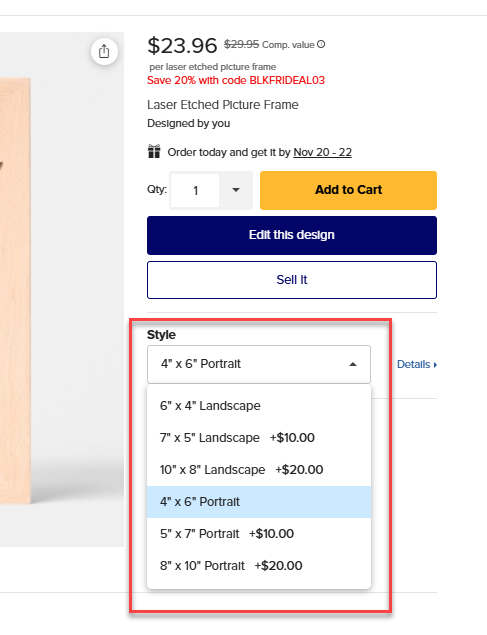
Can we have the option to sell the design either for portrait (vertical) and landscape (horizontal) please.
No design can easily be made to fit both, it is almost impossible. So, in the option section for “Product Merchandising” we should have the options to “Sell this design on” either landscape or portrait.
Is a square frame possible?
Do they need a wood finish or sealant?
Hi, James. Is there a reason they are titled “etched” vs. “engraved”? I feel most customers would search for engraved frames. Etched, to me, is more a technical term and usually refers to metal, where a mark or discoloration is left on the surface vs. material removed by burning - usually by two different types of lasers. Happy to see these products added, though! I own two laser machines. 
Same here it won’t take me to the site just here
Hi @MaggieA , this is a bit different to other products for some reason. Please change the orientation here first to change the view in the design tool. Thanks.
Not right now, no. But thanks for the feedback. 😊
@James The product type variable is missing in the title - I just noticed it now. It used to say “Etched Frames” (yes, plural which bugged me a bit) but now it’s totally missing (the “Etched Frames” part I mean). See https://www.zazzle.com/z/adub59h6?rf=238748736489762753 for example.
PS: The product variable is also missing in the sharing tool but there already for months (I have posted about the sharing tool previously).
Hi @MOM , apologies for the delay. But this seems to be ok from this end now. Please let me know if you experience this again and thank so much for posting.
I don’t believe this is what @MaggieA was referring to. She is talking about restricting which of the sizes or styles (landscape or portrait) we can choose in the merchandising area when posting the product for sale. Most designs do NOT transfer well to either a different size frame OR a different orientation.
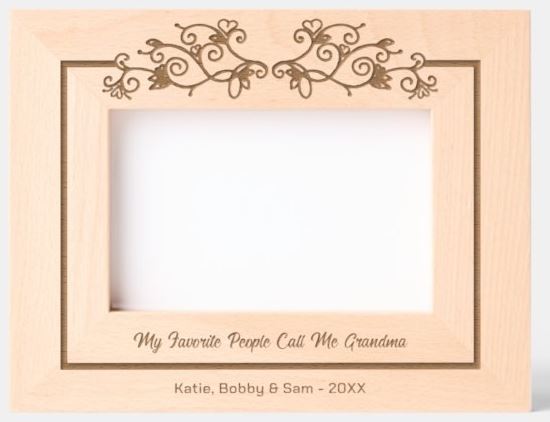
Original Frame:
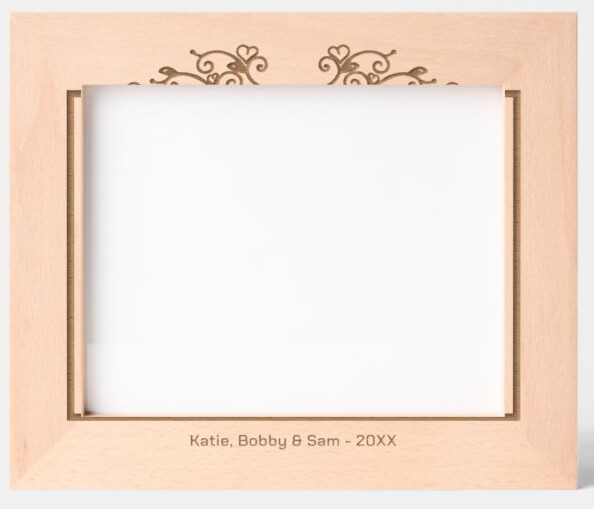
Frame changed to a different size by the customer:
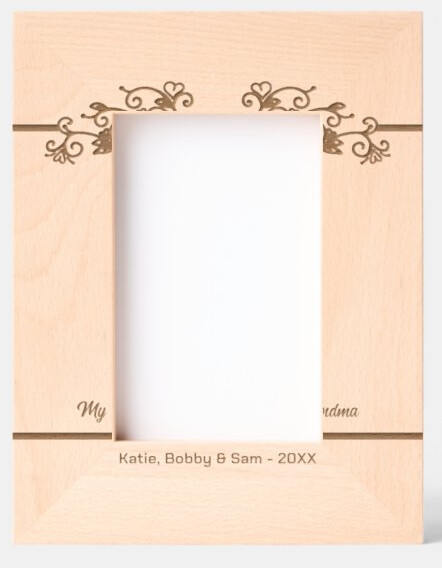
Frame orientation changed by the customer
This is an issue with every design I have tried. The one exception I found is if you are using only one image that is an all over pattern. Even then it might not work on all sizes and orientations (I’ve only tested on pattern}. I have found that it could possibly work if you make sure the image file is much larger that then full design area on all sides.
We need to be able to restrict to both a size and an orientation when we are posting our product. It would also be ideal if we could then group these frames by size and orientation.
Each design really needs to be made separately for each size and orientation–six different products. Or possibly three products if you don’t want to change you landscape designs into portrait designs and visa versa.
If would be great if we could then use the group feature to group a design at 4x6, 5x7, 8x10 landscape in one group and 4x6, 5x7, 8x10 portrait in another group. It would not only help the designer, but the customer as well.
I’m not sure if it would be possible, but I just thought I would put it out there as I totally agree with MaggieA.
EDIT: I am also curious to know what “this moulding only” means in the product merchandising section when posting one of these frames. The only thing I can figure is that each frame size uses a different width of moulding but if that’s the case this choice means exactly the same thing as “this size only”.
@James Thanks James. It has happened multiple times (I‘ll create a list tonight) and in the sharing tool this issue is going on for many months now. I‘m also thinking this might influence a search on Zazzle if people don’t know what to input if they don’t know (or can read) the correct product type of an item.
Hi again James. I have created six frames in total - in five of them the product type variable is missing. In number five the system added “Engraved Frames” replacing the “Etched Frames” the system had added originally. In my sixth frame the “Engraved Frames” was missing again and than I stopped creating frames. Here are my links:
Thanks so much James.
Hi @MOM , I thought I had replied to you but it didn’t seem to post. Thanks for your patience. So it looks like this is expected behavior. When you enter an adjective like “etched”, “engraved” or “Frame” the auto appendage won’t kick in as it assumes you have added it yourself. This is to avoid double wording or confusing additions. Like if you were to market one of our products as something it might not be intended for like an invitation as a menu or something along those lines. If you were to leave out engraved from all those titles, you would see we then add the “etched Frame”. So you will need to add Frame to these yourself. I will provide feedback to the team to see if we want to have (or can) the “Frame” added. Thanks.
@James (I forgot to address my original concern to your attention -see above) OK, “this moulding only” means whatever frame size you posted your design in the customer can buy that size in either portrait or landscape orientation. Because of the issue discussed above that is mostly a useless choice.