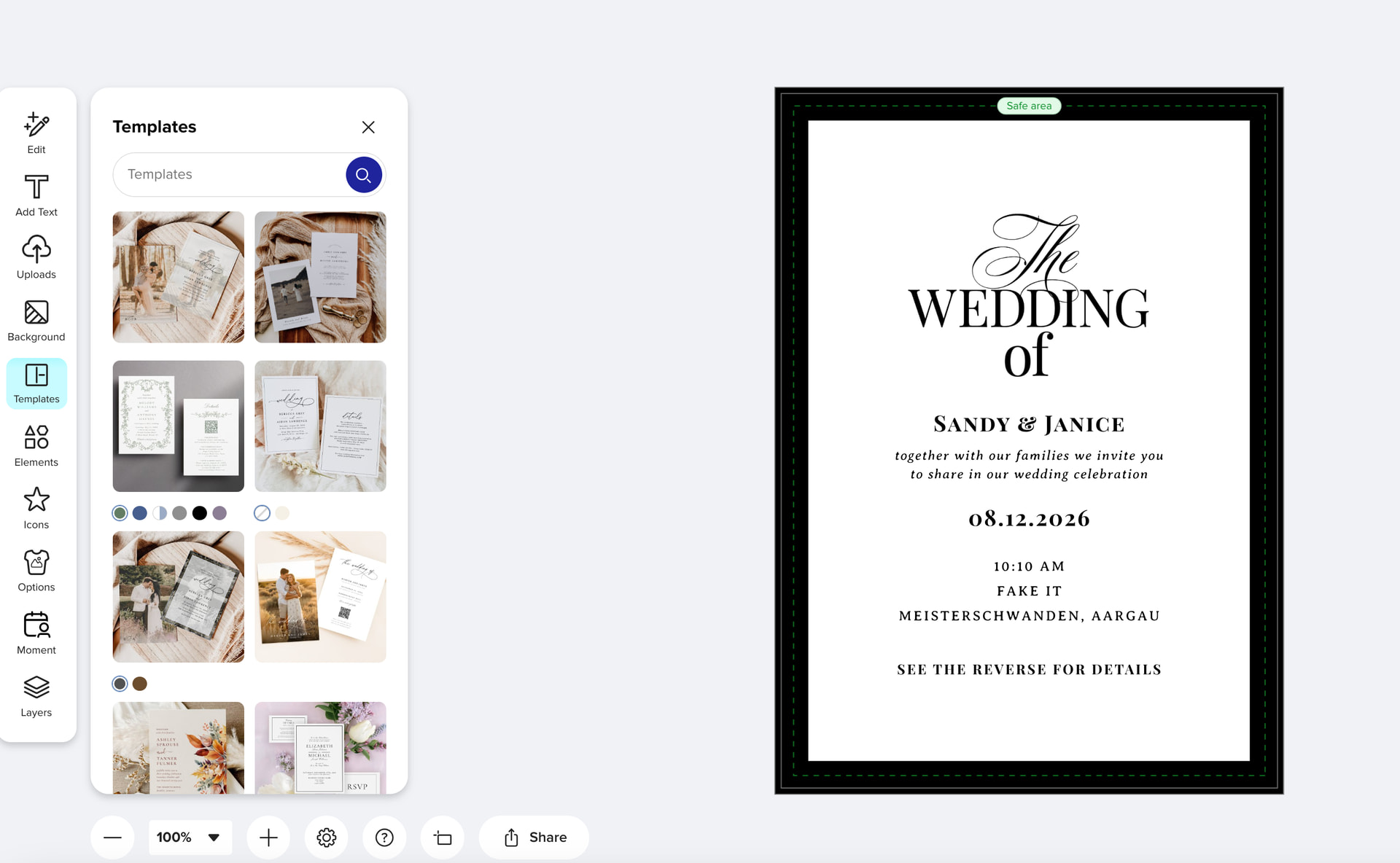
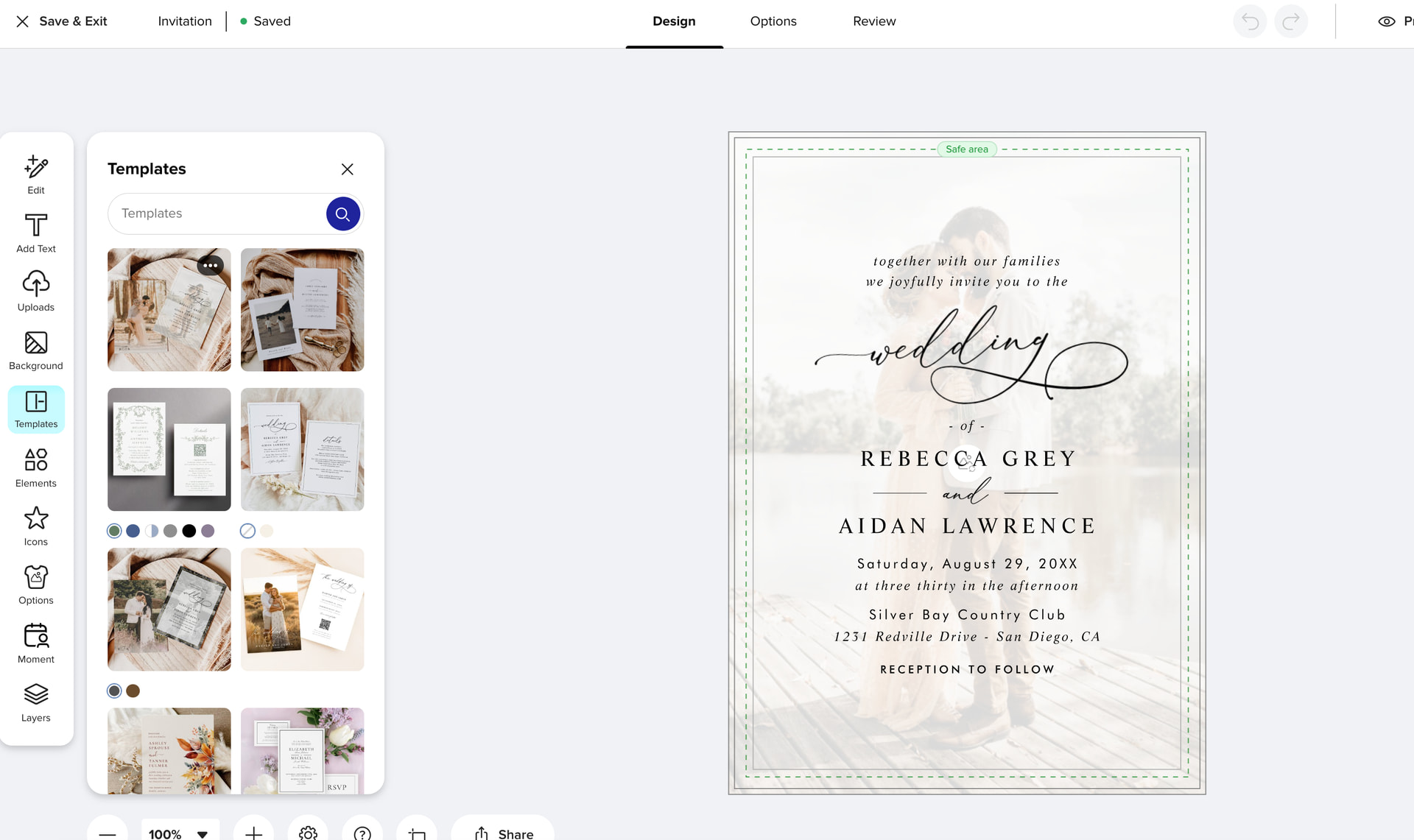
Creator Templates: Now in the Design Tool

Hi Creators,

We’ve added a new “templates” section inside the design tool, and it’s putting your work directly in front of customers at exactly the moment they’re deciding what to create.

Through research and testing, we know that some customers may still be in the discovery phase when they reach the design tool, browsing and figuring out what direction to go before they commit to a design. More visibility at that stage means more chances for your content to catch someone’s eye and turn into a sale.

A few details worth knowing:

  • Only content you’ve productized on the specific product type the User selected will appear in the design tool.

  • This works the same as a customer ultimately landing on your product page. You’ll still earn your royalty when someone purchases a product featuring your content.

  • Referral Commissions apply per the existing Ambassador Program Agreement.

We’re continuing to expand where and how Creator content shows up across the customer journey, and this templates section in the design tool is a step in that direction.

Best,
The Zazzle team

2 Likes

@Heather_B

If a customer comes in my clean link for example and proceeds to use someone else’s template within the design tool - what referral would be earned then? In theory - the customer hasn’t purchased a product featuring my content (due to using someone else’s template)

Would I then earn a 15% referral in this instance as I brought the customer to the site?

4 Likes

Hi @Sara_H - If you used a clean link and someone then purchased someone else’s content, you would not earn a referral. This is the same as if someone landed on your product page, but then went to another Creator’s product page and purchased their content.

1 Like

@Heather_B Thanks! I’ll make sure to add my ambassador ID to my links as I’m presuming that I would at least earn a cross promotion referral if the customer came through on my link, and then used another template whilst editing my product.

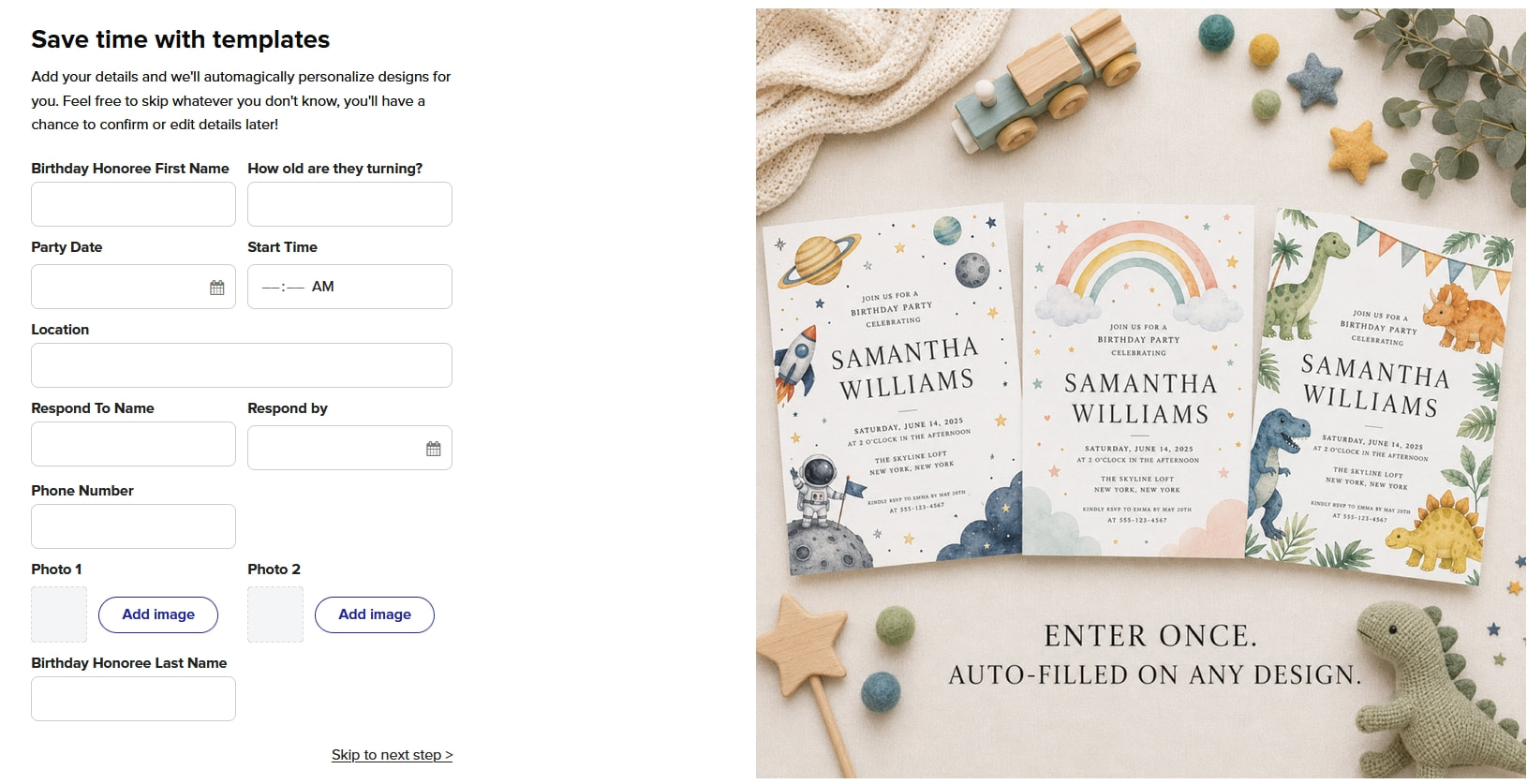
I just went in to see what this looks like. So I opened one of my adult birthday party invitations and this is what I saw – if I were a customer I would be very confused and think I was in the wrong place. And even the way the questions are organized (first and last name separated). I think it needs a tad more explanation before people are really confused.

7 Likes

you would hope but i bet not. things are changing so quickly on zazzle. having everyones products there you cant even keep people on your own products anymore as this template option has been added.

6 Likes

If a customer wants to browse other available templates but then return to their original choice, they currently can’t do so on the design tool page. I think it would be helpful keeping the original template in the first position of the “Templates” thumbnail list to make this easier. :thinking:

17 Likes

It would be, but it will not be. I think it’s not possible to bring this link to the one before, because, there is a warning first, and, the structure works different. Every template is a own id. Not every Shop.. So, we should challenge ourself what we use how. Personalization = Template = they could leave. They will be lost.

1 Like

Sorry, I still have a question. What happens with the one designers not using the ambassador program?

And, is there a supposed way how I can block this function on a shop. In my mind is - dealing with different law in Germany - I can’t risk that now I show up on my links content forbidden in my country but OK in the US. Yes, we have this.

Of course, the next question is, the international pages will never get this templates?

1 Like

Thank you @SheaPrints! I’ve passed along this feedback to the team.

4 Likes

you are a customer too…!

This is SO NOT FAIR!!! I browsed a few of my products in another browser, where I never sign in, & checked it out. Even though I have other products in that category & niche, NONE of the template products shown were mine. None! This is just another attempt from Zazzle to make a sale at any cost with total disregard to the designer. No wonder my sales are in the toilet these days!

21 Likes

I agree, it’s challenging enough to earn a living on Zazzle. Why are they steering people away from our designs we worked so hard on so they purchase someone else’s. This is just wrong. Looks like certain creators are being favored over others. I didn’t any of my designs in those templates

16 Likes

I agree that at minimum they should be shown the related collection items first. After all, they chose the design to start with for a reason. Maybe they just need the similar but slightly different layout of the other items that are in the collection.

13 Likes

I understand this is likely Canva-inspired, which I get, but please add an undo option like Canva has. It’s really important for customers to be able to undo every template change so they can return to a previous or original design.

16 Likes

Tonight I was trying to show my neighbor one of my invitations (I was not signed into my account) and when I clicked onto the design button this auto fill form popped up, and the visual was not of my invitation, not the template that I showed her on the landing page, and I felt unprofessional until I found the design button on the toolbar, both my neighbor and I were confused. My neighbor expected to see my template not this form.

4 Likes

Its not my work , its other designers templates. I searched for my work and my work even top selling templates are not in the mix of templates being offered in the category template section of editor . I asked the ? here

4 Likes

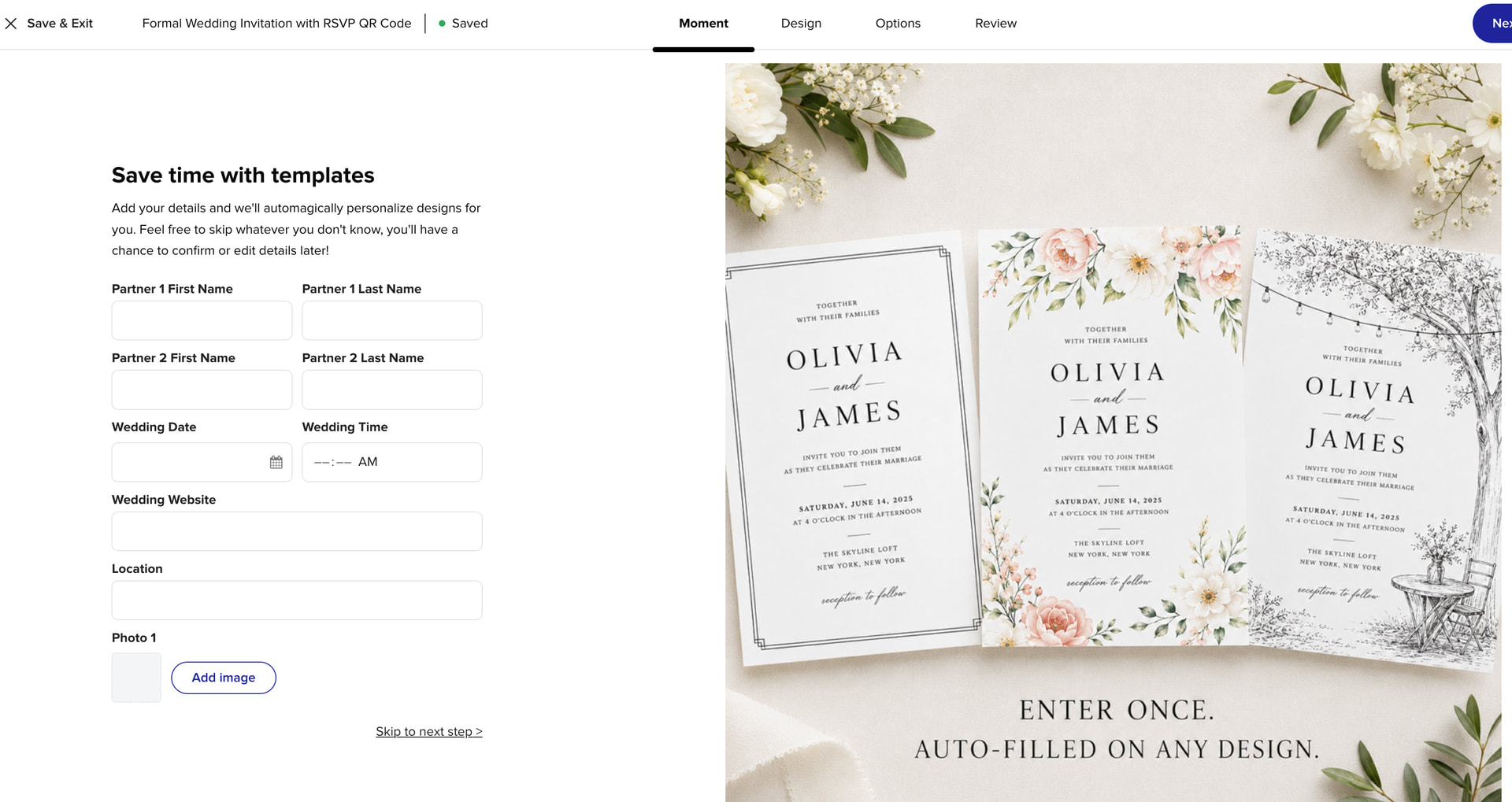
@james Issues I see in the customer journey which total defeat the purpose of offering customers the ability to see their information on different designs of an item.

  1. You are offering this option at the wrong time in the buying journey,

If the customer comes onto the main niche landing page on Zazzle, that is where this option to see their text on multiple designs belongs.

If a customer already picked a product from either the popular sort or an external link, and they want to buy it because they want to start adding their information, then Zazzle is interrupting the customer buying journey and causing cart abandonment with this template landing page.

The customer should not get sent to the generic page to add information, which is not even all the information needed to complete the order or aligned with the design they chose (ie the text on a sample I tried had more on the design than the template fields so then it looked off when some was my information and the rest was not)

  1. With the technology available today it seems hard to believe Zazzle can’t make the “template default page” that is shown after the customer clicks “personalize” a LIVE interactive option that is relevant to the design they want to customize. ie no static image of three random designs

AND take the design the customer already chose, pull the template fields properly from the actual design and then pull the additional design variations from the seller of the product they chose, if they have them listed in the same collection. If they don’t have the design, encourage them to make the options like I do in my Zazzle coaching programs. As a default if there are no designs from the seller, then at least pull ones that have similar traits.

This template page should not pop up right after someone is already on a product page that they want to customize. The customer wanting to add their informations is a clear indicator that they are ready to buy and the absolute worst time to give them more options by showing them some template feature with an instructional page that is unclear and confusing.

  1. I do see value in the templates being in the menu bar as options, BUT Zazzle could easily create a proper sort of the options that are relevant to the design theme the customer picked on the first product. Showing the popular sort feed from the sort page for that product type and use is counter productive. There is no reason why a customer who picked a black and white minimal wedding invitation needs to sort through the templates of photo overlay designs and sage green invites in order to even see similar designs.

Customers don’t want to do another search starting from scratch.

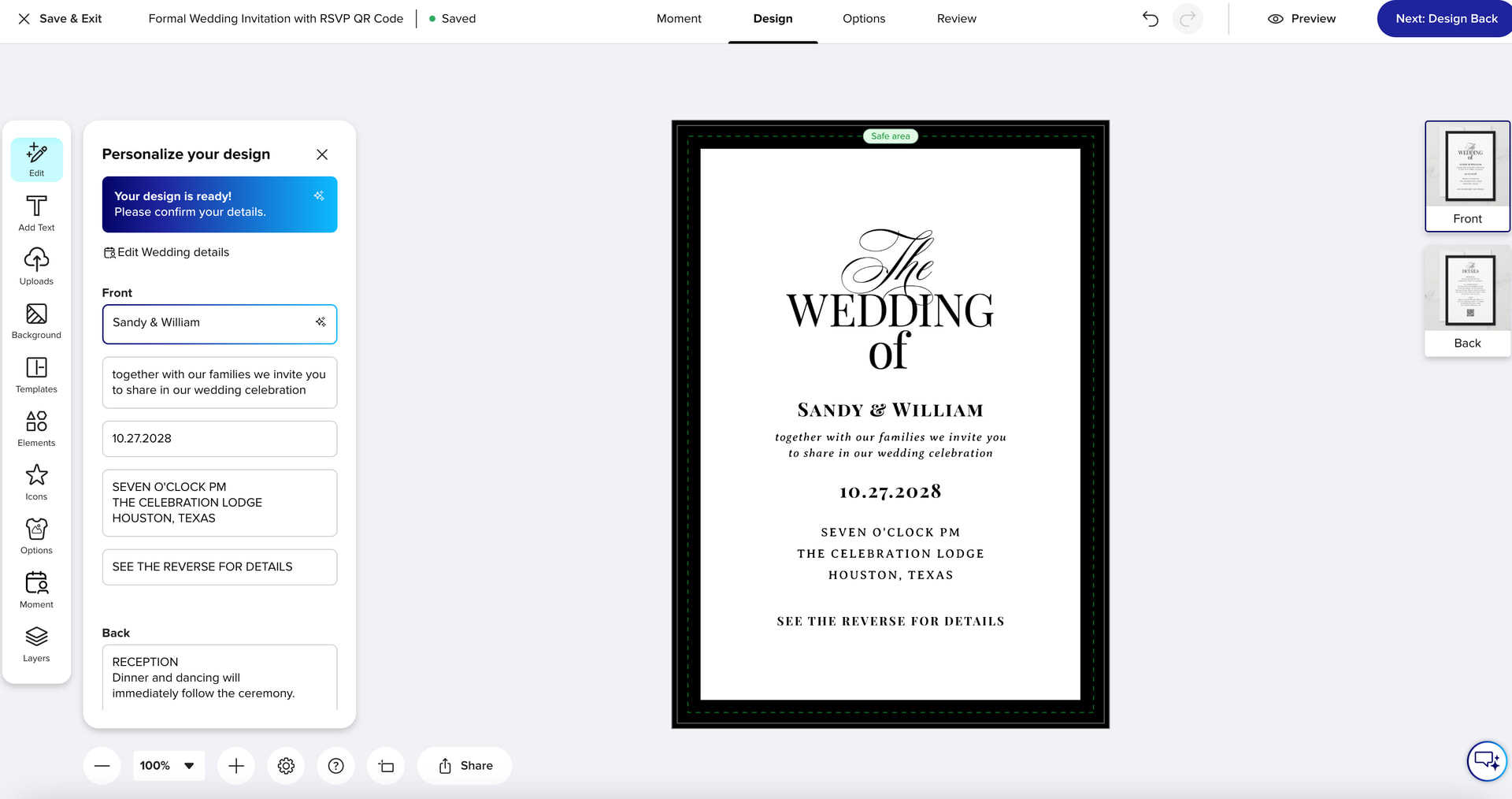
  1. After I filled out the information to pretend I was a customer, as I mentioned above, it did not fill out everything due to the minimal template options on the Zazzle menu for the templates compared to the details on the invitation design.

Then it was difficult to see that there was more to fill out on the back of the card. I see this being a big issue where customers will abandon the cart. Also after filling out the template fields and implying I would see it on other invites, it only showed the invite I started with.

  1. Then when I did pick a different invite from the template menu options the information I completed in the template fields at the beginning did not transfer to the other invite.

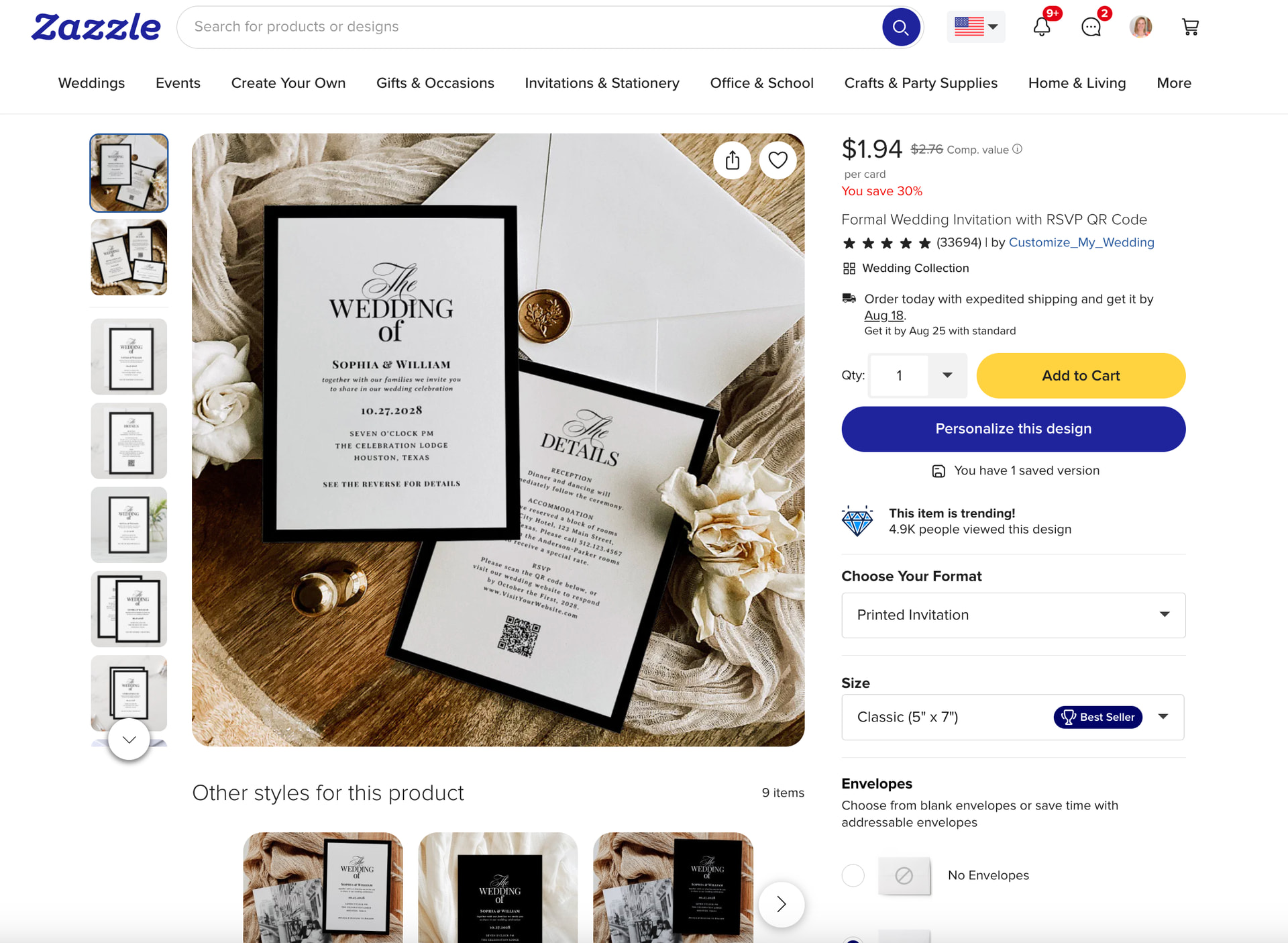
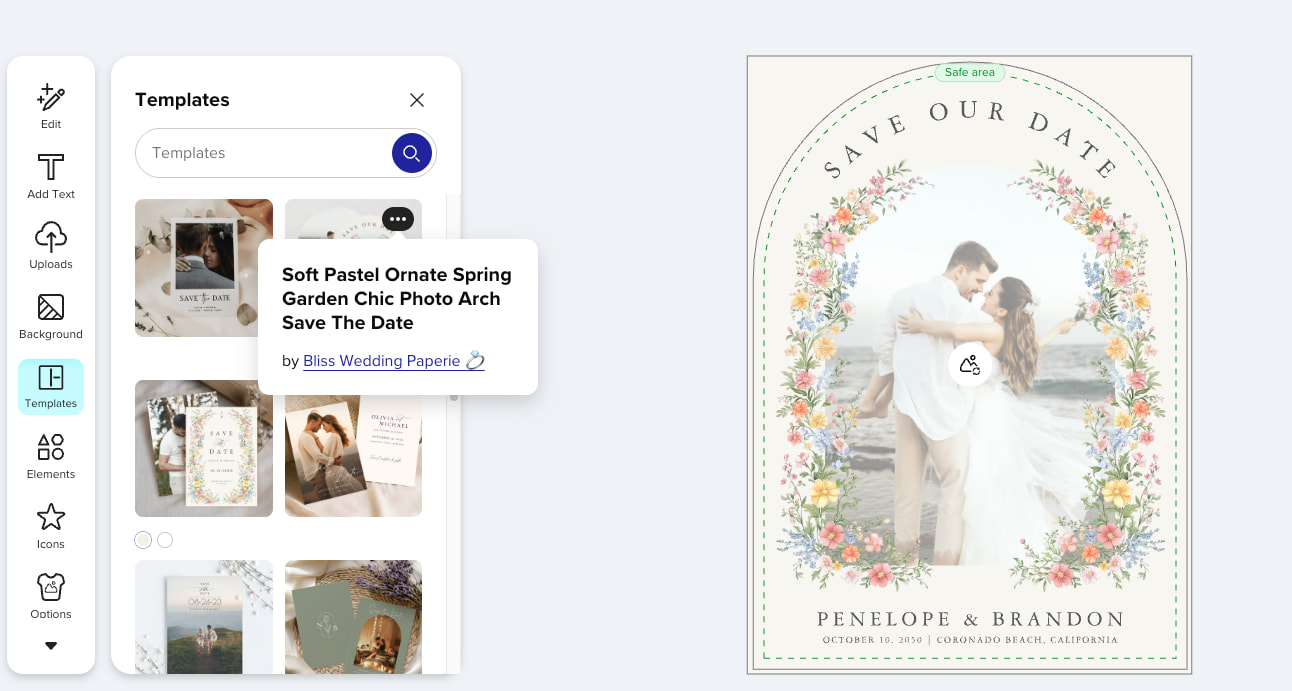
I attached photos to show the customer journey.

The only good thing is that the window stays open from the first product and a new window opens when you chose a different template. You can not get back from the new product window by back spacing to the original product you started with. Will a customer know that or just give up?

The idea is good only if I as a customer could actually see three choices side by side.

AND

If, after the customer looked at the other options, when they still picked my product (that brought them to Zazzle) that I would receive my referral as well as the royalty.

Elke Clarke
30 Likes

It seems to me that a lot of these issues and the potential impacts on designers — and customers — could be avoided if Zazzle would include a variety of experienced Zazzle designers on their engineering group that focuses on Zazzle software and design tool changes and improvements. Can we work on that, @james?

22 Likes

Hi @Elke_Clarke,

Thank you for taking the time to share your feedback and screenshots. I’ve passed your notes along to the team working on this area to consider changes that improve the experience for both customers and Creators.

Heather