Hi! I posted this in the thread about the new customizer but in case it gets lost there. I created a greeting card last night in the old customizer. I locked and disabled object interaction on two pieces of art. Today I opened it up and I’m in the new customizer (which is fine… time to get on board and learn) but I cannot unlock or do anything to the objects I locked down. Does anyone know how to work around this? I really have made an effort to do a consistent look for my greeting cards and I can’t edit or copy paste now with those objects and it’s really frustrating. I can’t select that layer at all. Is this possibly a bug?
2 Likes
More examples here of same issue:
https://community.zazzle.com/t5/ask-a-question/how-do-you-ungroup-or-lock-designs-in-the-new-design-tool/m-p/238500/highlight/true#M16551
It’s got to be a “bug” and a pretty big one at that. Now that Designers & Customers alike experience the same interface, we’re being prevented from editing elements same as a customer would be if we disabled something. They forgot to leave a key for Designers to get into their own house so to speak.
6 Likes
I think this is related to not being able to unlock a layer: https://community.zazzle.com/t5/technical-issues/can-t-access-locked-image-to-unlock-it/td-p/240483
In other words, once we fix the bug mentioned above then you should be good here. If I’m not understanding the discussion properly then please let me know.
1 Like
This is a sample test card I just made using the new interface.
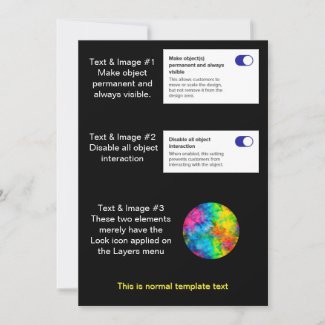
Element Properties - Test Card
If I go back into the published product as the Designer:
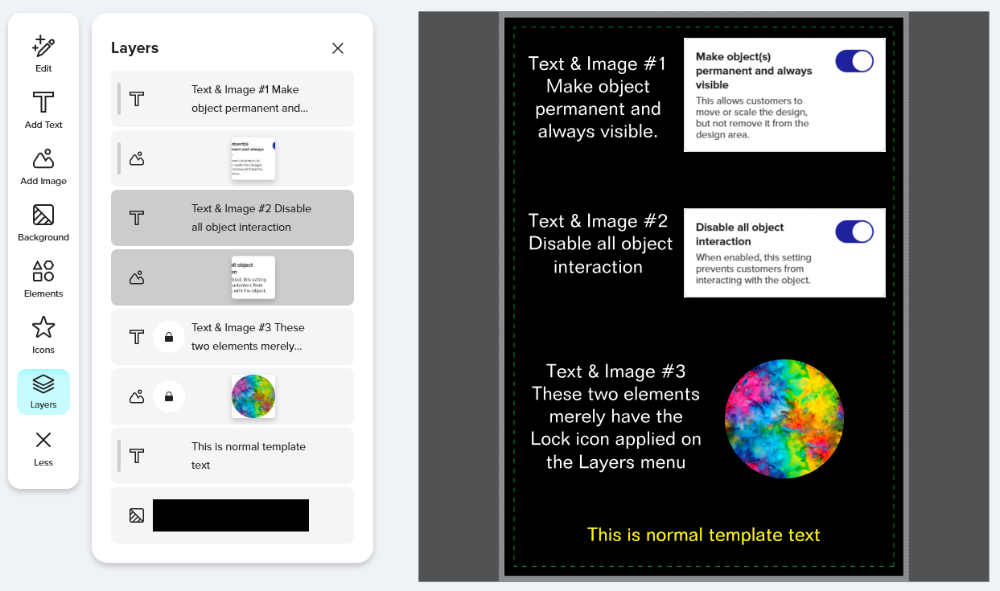
Even though the two Disabled elements are grayed-out on the Layers panel, I as the Designer can still edit them by clicking on them from the image pane. (Selecting them from the Layers panel is glitchy, sometimes it works, sometimes it doesn’t.)
For the two layers I only applied the Lock to - I as the designer can edit those if I first toggle off the Lock icon from the layers panel.
In contrast, if I open this product I made under the old interface,
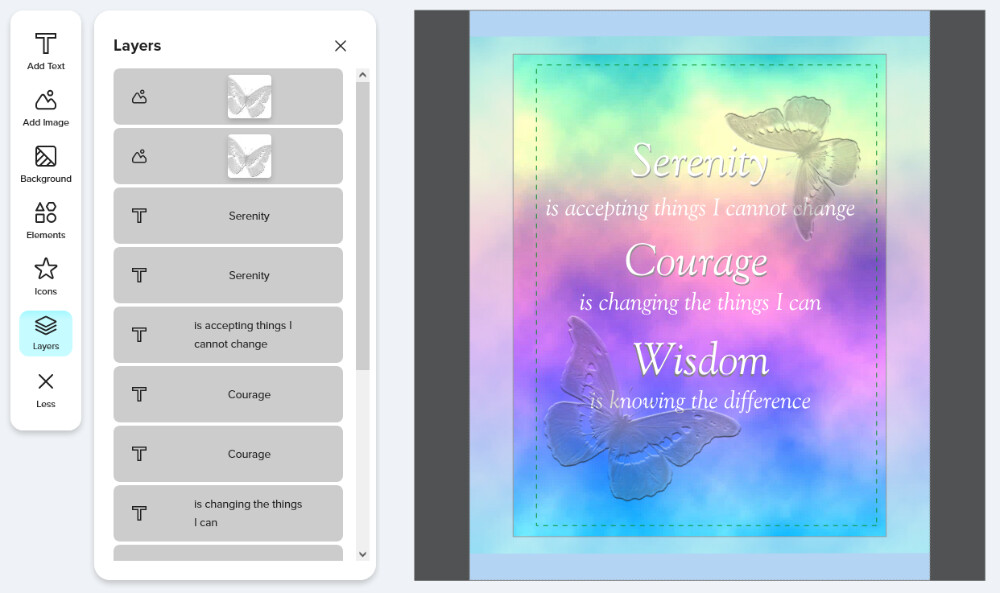
there are no Lock icons showing so I have to assume that for some reason I published it with everything Disabled. (Or, more likely, I published them as Locked layers but they were converted to Disabled under the new system.) But now as the Designer, I can do absolutely nothing with all the grayed-out layers. There is NO way for me to activate any of these layers for editing. None. I am as restricted as a customer would be in trying to change anything.
If I recall correctly, when the Lock behavior changed, existing design elements that were Locked were automatically changed to being Disabled. That was a thoughtful process in continuing to protect elements Designers had Locked for good reason. But something went wrong in the conversion as now elements that were Disabled, or maybe just Locked under the old system and converted to being Disabled, are now un-editable to even the orig Designer.
3 Likes
I gave up earlier when I just could not remove something and hid it with a square element the same color as the background.
2 Likes
OK yes that appears to be the same thing. Apologies for not spotting that post sooner and adding my issue there! I was really hoping there was a quick fix I was missing but I guess I’ll sit tight until you guys get that bug fixed. Thanks for chiming in, Scott!
I ran into this issue yesterday and tried to figure out how to fix it but could not. I just knew someone in the forum had figured it out.
I almost did the same thing then decided to see if it was mentioned in the community here first.
Hi Scott - I just noticed some progress on this front. The objects can be unlocked! HOWEVER - I can’t delete or replace the image! I can *only* move it! I’m happy to directly message examples. This is really REALLY hampering my process. I have a lot of cards I’m so eager to post but really want them to be consistent and built off a single template and I am still unable to do that. Thanks for any help or insight!
OH WAIT! I figured it out! Nevermind to this comment - I’m all set!
UPDATE - this issue appears to be fixed now! 😊