A message I got in red from a customer and not the first one.
AGAIN I have complained, and nothing has been done yet. I still have designs that say this and it all happened when they changed paper sizes. Can they not fix the problem with the technology that thy have today. This has hurt my sales. YES they can hit the paper size or the # and it will correct for them to be able to purchase. That being said you all know it is instant want now days and people don’t know to do that so they are going to leave.
I love being on Zazzle but this has really put a bad taste in my mouth about all of this.
Not only this but the referrals isn’t right either but guess that is for another discussion.
DJ Anderson
Hi Rena! I am looking for some Cowboy Santa Photos and the ones I like say discontinued! Do you happen to have any more Cowboy themed photos for Christmas? I want to get some pieces made up!
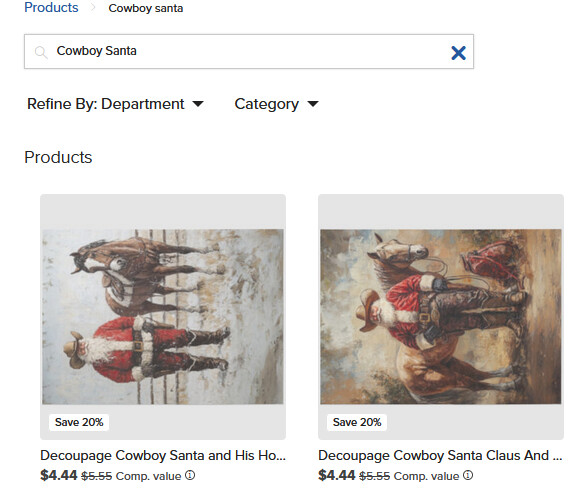
I searched for “cowboy santa” and two tissue papers appeared - each in stock and not showing as discontinued when you click through from your store front.
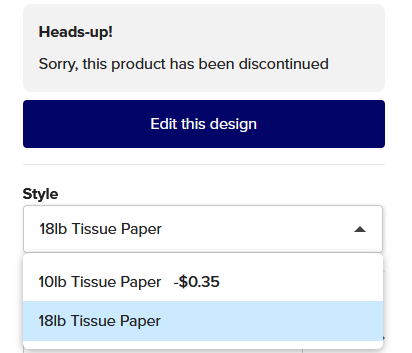
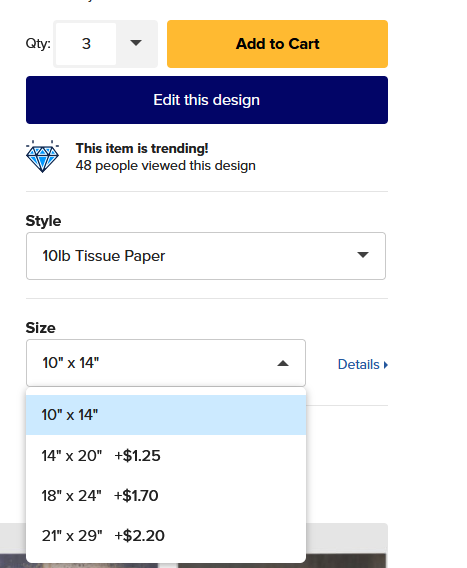
I believe the problem is with your collections and the fact that when you created those collections and added the 20 x 30 18lb tissue paper to them - that size and weight (now discontinued) has stuck within the collections.
You could create new collections with the new sizes/weight or remove the discontinued sizes from your collections then re-add them with the new sizes
Otherwise, without this housekeeping when a customer clicks through a collection to the product page they will come to the Heads-up page
You’ve already contacted Zazzle directly about the issue - and nothing seems to have been done to correct the sizes within the collections that you have.
It’s now down to you to make sure your collections have tissue papers that lead to an “in stock” product page.
I appreciate that and I had corrected them so that she could order and explained to her that if she came across any what to do until I could get them all corrected.
All of these designs were listed BEFORE they changed the paper size. In turn what I had worked and feel that the problem should be fixed from their end. I realize that isn’t going to happen so little by little I will get them all fixed myself and pray that they don’t change things again.
Is there a way to move them all at ONCE to a new collection and then delete the old one? Other wise I would just fix each one cause it would be faster to that than to move to new collection.
Hi @Rena this is actually still on our radar. There has been a delay with this getting looked into due to other priorities but I’m looking for updates now. Thank you for you patience and for assisting your customers.
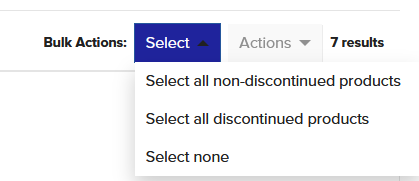
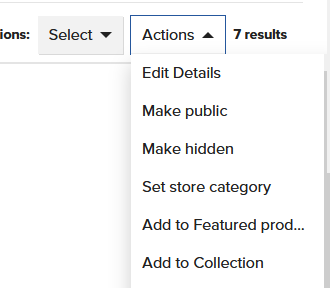
I don’t know why I would choose (On the right - select Bulk Actions - Select all non discontinued products) because it is the ones that are discontinued that I need to fix. I will keep working and wait and hopefully @James will be able to help with this.
@Rena They shouldn’t be showing as discontinued in the back end of your store as they should have been auto updated to the newer sizes (hopefully @James will fix it for you)
@James I was just able to check when I got home from appointments. I have opened about 10 so far and they are all perfect…tears of joy. I so appreciate this more than you know. Even with the frustration I have expressed I do love Zazzle and am very fortunate to be doing well.
Not James but jumping in. There is no portrait insitu so all tissue papers are showing landscape only (even if you set it as vertical orientation in the design tool) and reposting them for sale would be a waste of time as they would still show horizontally.
To get the the right way round - you’d have to “Download Product Mockups” of the landscape - rotate it to show portrait and reupload (i.e make a mockup of it the way it should be)