Zazzle’s royalty calculator lets you choose either a product price or a royalty rate and will change the other value accordingly, and shows you “royalty you will make”. That figure has proven unreliable as it doesn’t take into account the deduction if the sale is referred, sometimes it seems to be taking current sales into account, and sometimes it’s just plain wrong for no logical reason.
I got tired of “running the numbers” all the time trying to figure out how a royalty would shake out after fees and discounts when deciding what to set one at. And doing the same after a sale, trying to make sense of the very limited info shown in the royalty report. So a while back I made a spreadsheet to figure it all out for me.
My spreadsheet can’t determine the product price if you enter a royalty or the royalty if you enter a product price like Z’s calculator does. You need to pull those two numbers from the Z calculator and enter them in the spreadsheet, and then everything else will be broken down for you:
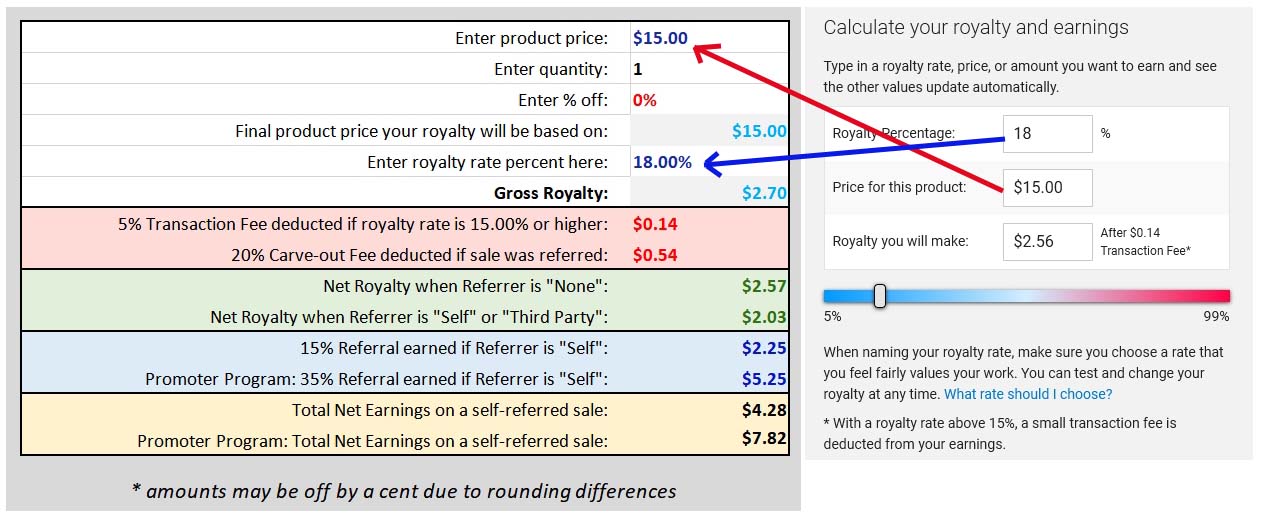
Now you can see all your various earnings scenarios, the amount of fees deducted, and can even enter a discount % to see what you’d earn when the item is on sale. You can also enter a quantity to see what you’d earn on a bulk sale, handy for say invites or other things were people usually by more than one.
After a sale, you can plug in the subtotal they paid and the royalty % applied from the royalty report to “check the math” and see why the royalty paid might have been less than expected.
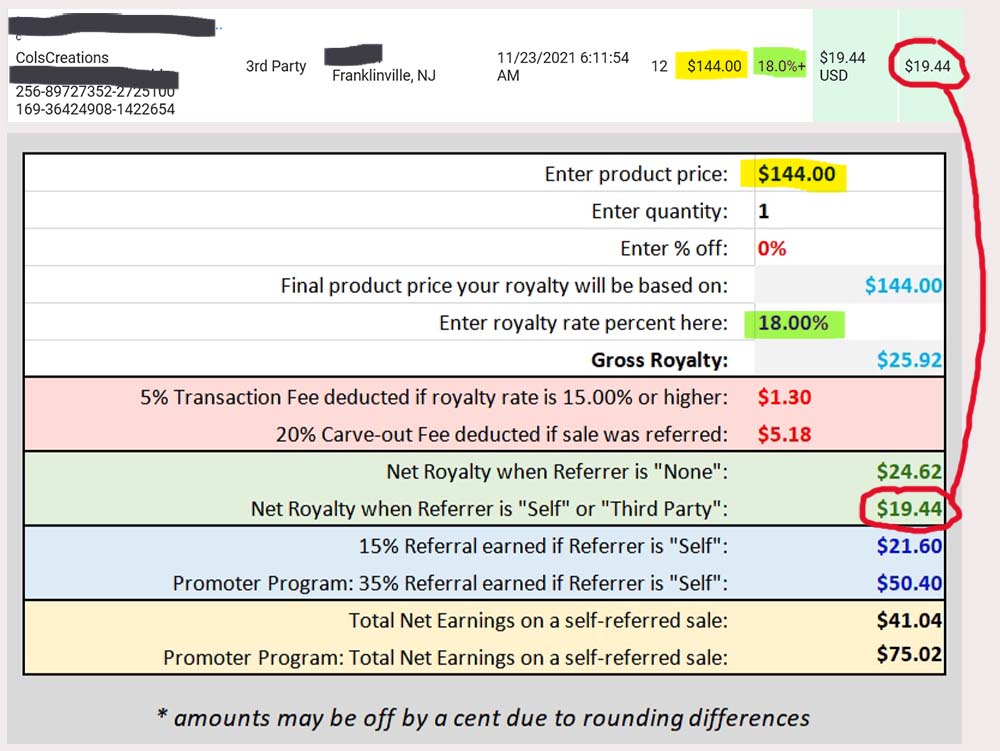
In this example, $144 x 18% is $25.92, more than the $19.44 shown on the report. So I plugged the $144 and 18% into the spreadsheet and aha - it’s a match for a third-party sale after the referrer fee and transaction fee were deducted.
Now, i also know this item has a list price of $15. $15 x 12 is $180. So what discount they they get to arrive at the $144 subtotal paid? This time I entered my royalty, the list price, and quantity purchased, and then guessed the discount was either 15 or 20%. So I entered 20% in the spreadsheet and aha - yep, they had a 20% discount on this order.
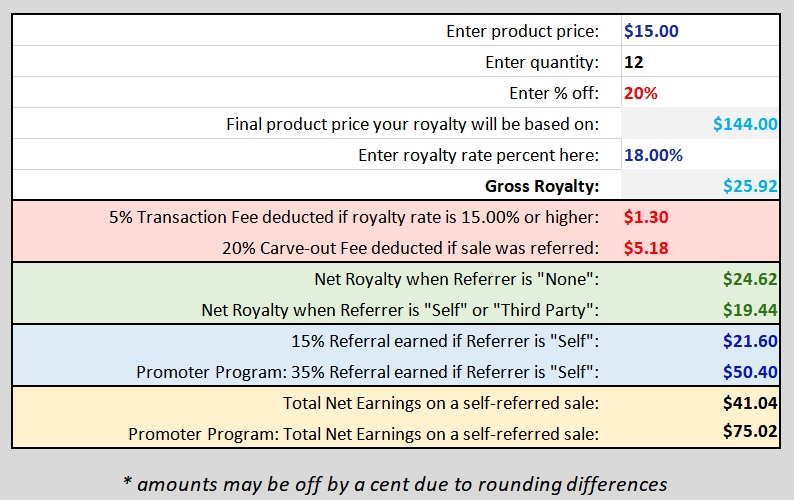
So you can use this in a lot of ways, before and after a sale, with no math required. There are only four fields you can enter numbers in: product price, your royalty %, and an optional discount and/or quantity. All other fields are calculated for you, and are also locked so you can’t accidentally change/erase the formulas in them. (You can unlock the sheet though if you want, I set it so no password is required to do so.)
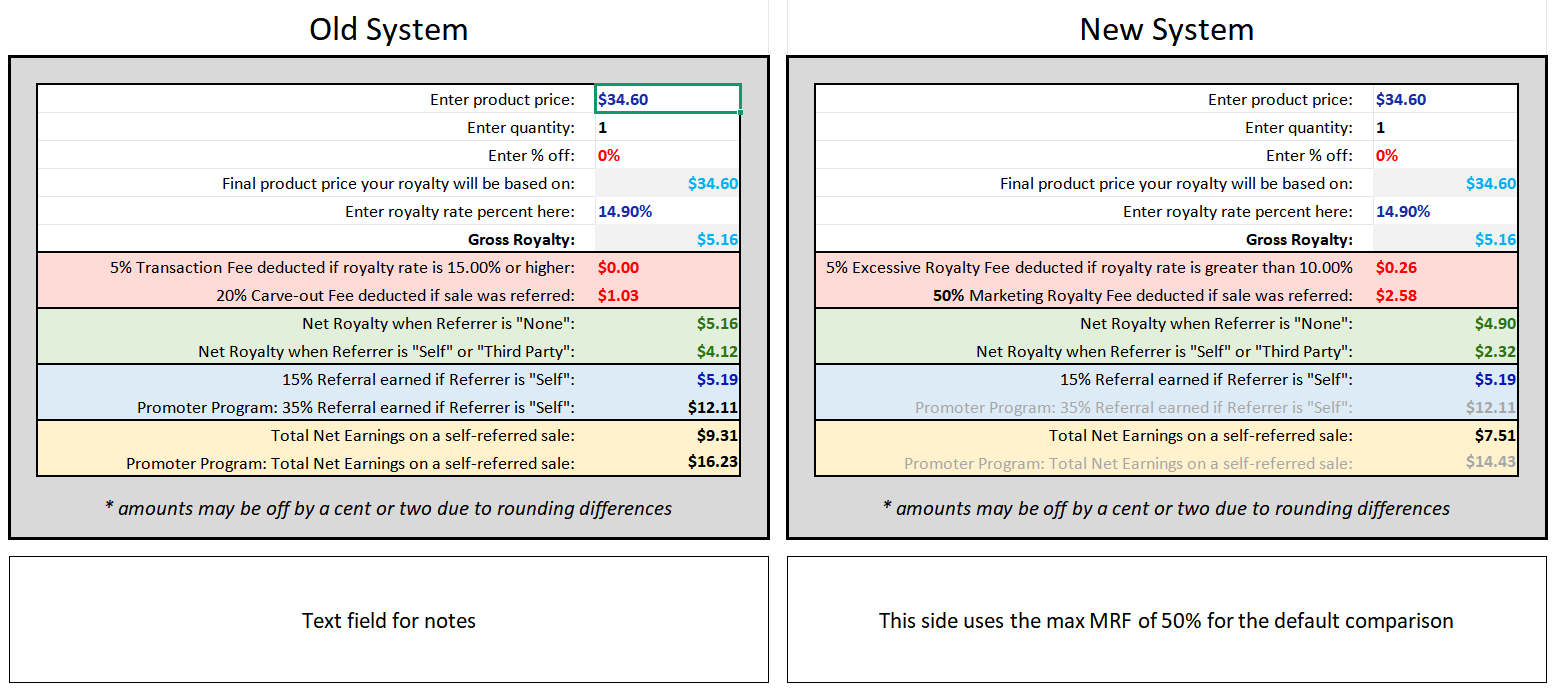
This is what the actual sheet looks like:
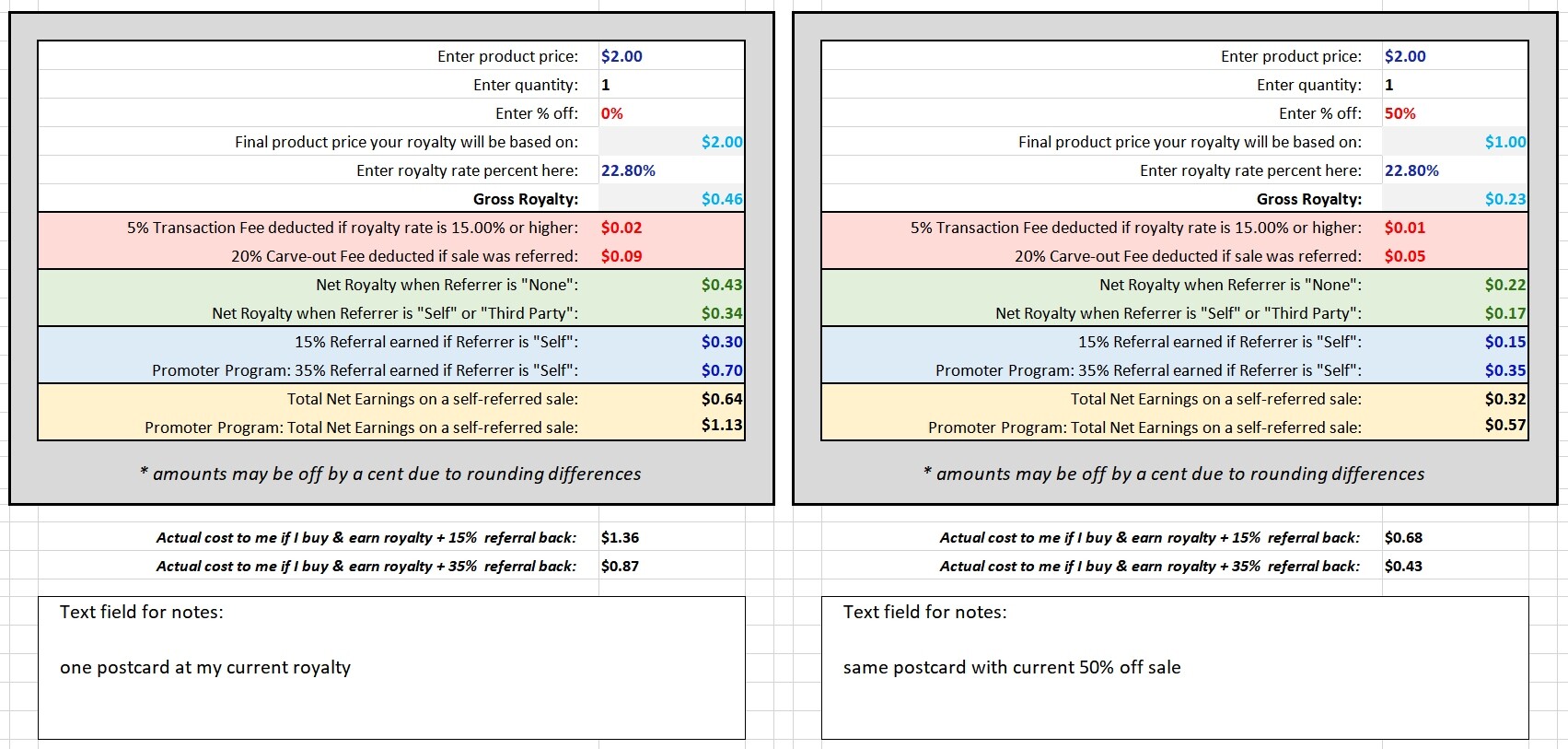
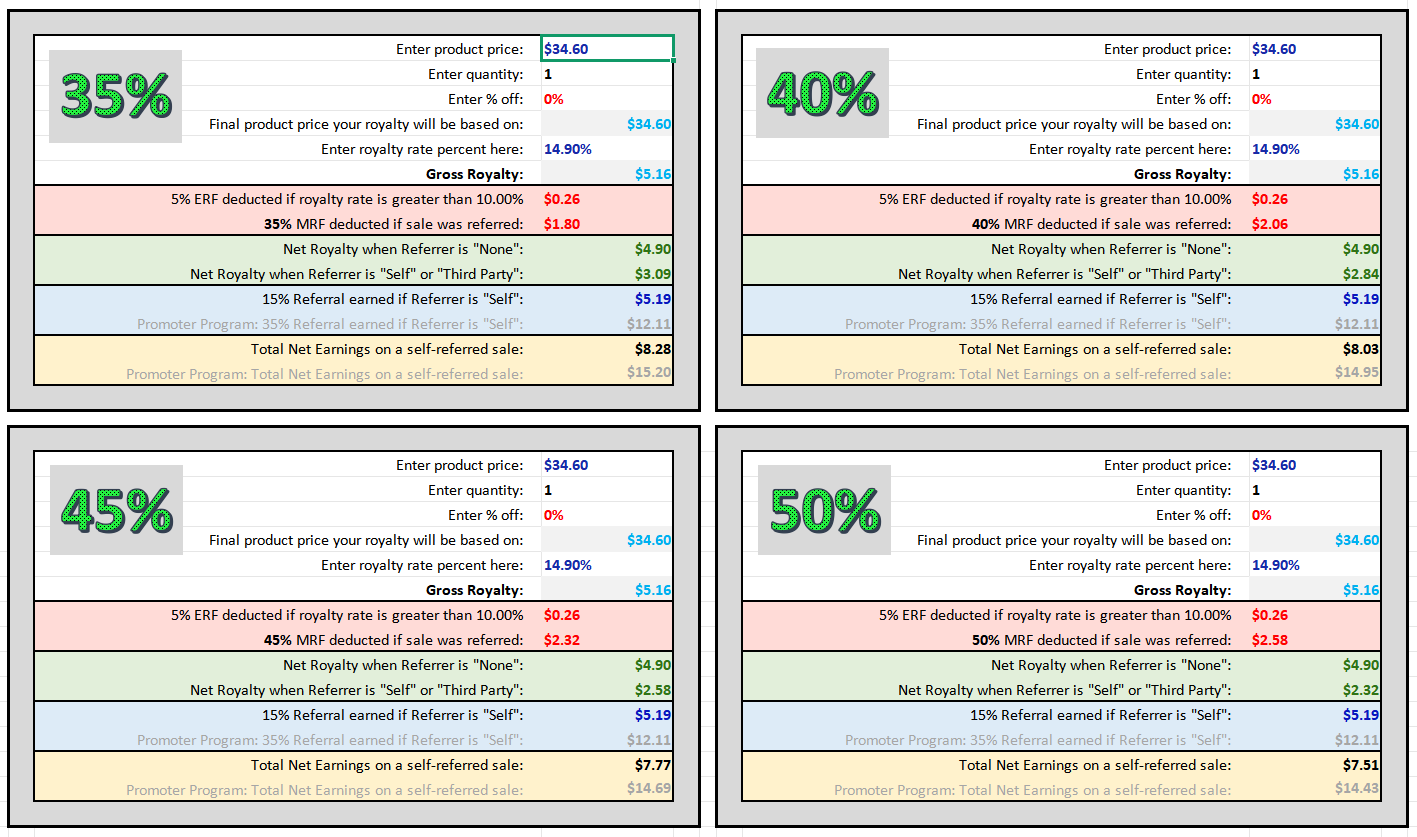
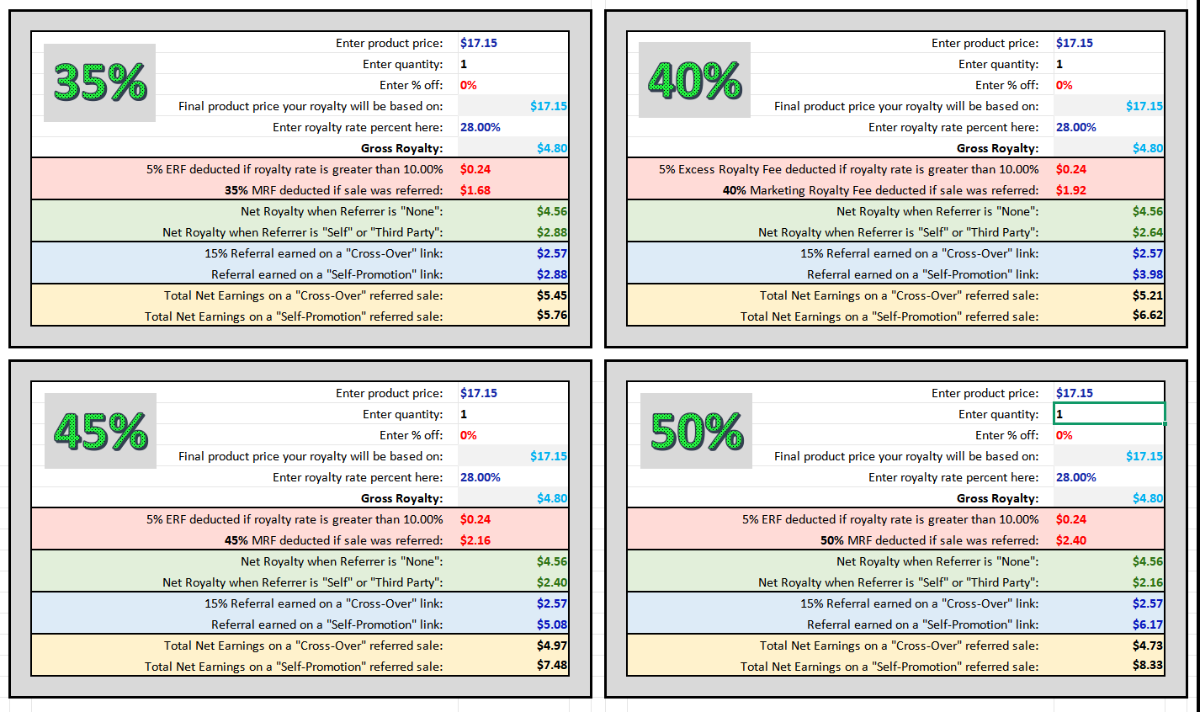
It’s two calculators side by side so you can easily compare two different rates, or a list price vrs a sale price, or a single item vrs in quantity.
My sheet can’t account for getting dinged for when customers use secondary content in your design (that’s just too convoluted a situation) or the 5% mess when User Options are applied to the pay out. But other than those two unpredictable sales situations, this is a pretty handy tool for helping decide on a royalty rate and figuring out our earnings after a sale.
You can download it from this link, free, no-strings-attached. (If you find it useful, I wouldn’t mind if you wanted to share/promote one of my products in return though.  )
)