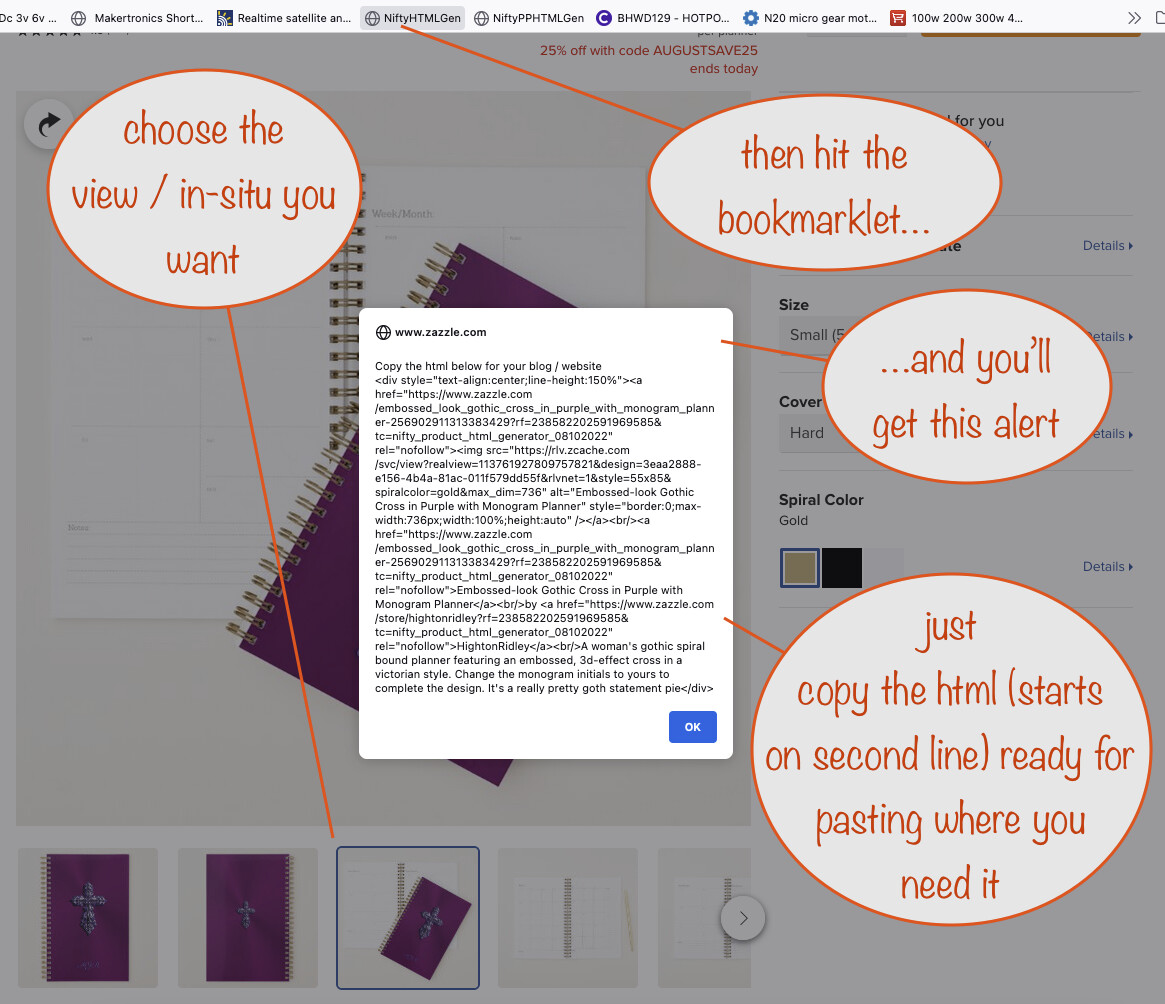
Likely it was unintentional but Zazzle have removed the ability (Aug 2022) to get html when you’re on a product page. You can get to it for your own products via the back-end but you can’t for other people’s products.
So I’ve created a bookmarklet that replaces the lost functionality, including the ability to first choose your desired view / in-situ.
Actually, I’ve created two versions, one for people in the Promoter Program for their own products (clean links) and one for general use (giving affiliate links - ie with your referral id and a tracking code included).
Note that the HTML generated uses ‘responsive’ design, so it’s equally good for both desktop and mobile devices when you use it on your blog / website.
Thank you! The bookmarklet works great with Firefox, but I can’t make it work with the Brave browser. The code is there, but it is just not possible to copy it. I tried to pause the Brave Shields, but the code was still just readable.
Thanks so much for this! One question, after I hit the bookmarklet and get the alert, I am unable to copy the link (Won’t even let me highlight the text) Am I doing something wrong?
It’s my fault - I didn’t check on browsers other than Firefox. As it turns out, Chrome and Chromium-based browsers don’t let you copy text from an alert box. I’ve updated the bookmarklets so they automatically place the generated HTML on your clipboard instead. So now it’s even quicker to use!
Yes, my fault for not checking it worked in other browsers. Check out the new V2 topic I’ve just started here in the tools forum to see how to get the new bookmarklets that work in Brave, Chrome and other Chromium-based browsers.
Hey Mark, nice tool. I used it a couple of times yesterday and it worked fine. Today it doesn’t seem to be working. I click the link you gave (pph and non-pph one), when I tried pasting it nothing shows. I use Firefox browser.
Did you follow @FNolan 's advice and redownload them, Barbara? Zazzle changed something in the product page hmtl that broke the original ones, hence the need for me to fix them.
After posting a product in the Show Me forum and seeing how it filled the area from edge to edge, I looked through the HTML to see if I could figure out how to reduce the size if I wanted. I got lost after not finding “dim=”. How does one resize the image?