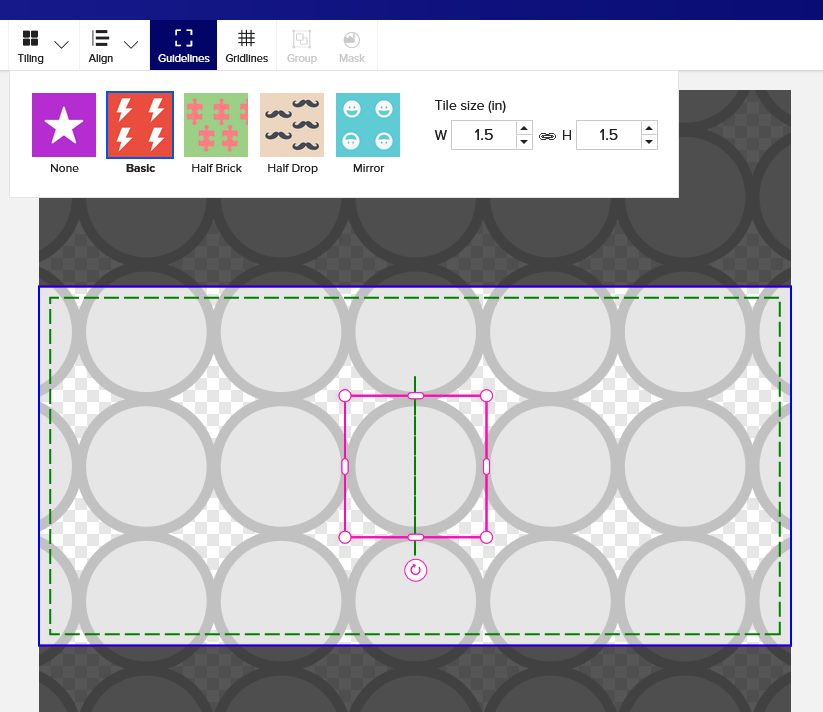
Is there a way to tell what size an element is?
For context, I’m creating a water bottle for a client. I want to have circles spaced on the design so that people can get a sticker badge for completing a course, and I want them to have a guideline spot to place it. The stickers are going to be 1.5" in diameter, but for the life of me I can’t figure out how to tell the size of the circles I’m creating on the template. I could even create the entire background as an Illustrator file and upload it, but I would have no idea what size to make it since there are no specs provided, other than the product dimensions.
Has anyone done anything similar and had luck?
- Which size of stainless steel water bottle are you designing.
a. the clear bottles only have 8"x2.125" labels
b. the stainless steel come in 2 sizes with design areas of approx. 5"x8" and 3.75"x*" (measurements guessed at using the SETTINGS/SHOW GRID LINES)
Here is my attempt on the smaller 18 oz. bottle One might be able to get another row of 5 aligned circles, or at least 4 staggered circles, on the larger bottle.
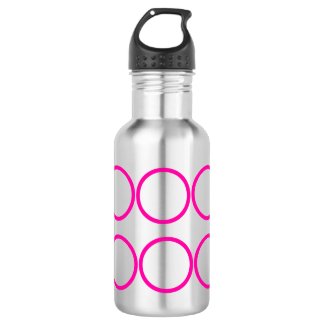
Even distribute of circles stainless steel water bottle
by bkmuir
2 Likes
The 22 oz. Thor Copper Vacuum Insulated Bottle. So where are you getting those dimensions?
I guessed at the dimensions by turning on the grid in design and assume that each square is 1".
1 Like
BOOM! OK, that is SUPER helpful! Thank you!
You are a genius!!! That’s just so brilliant! Thank you, thank you, thank you!!!
1 Like