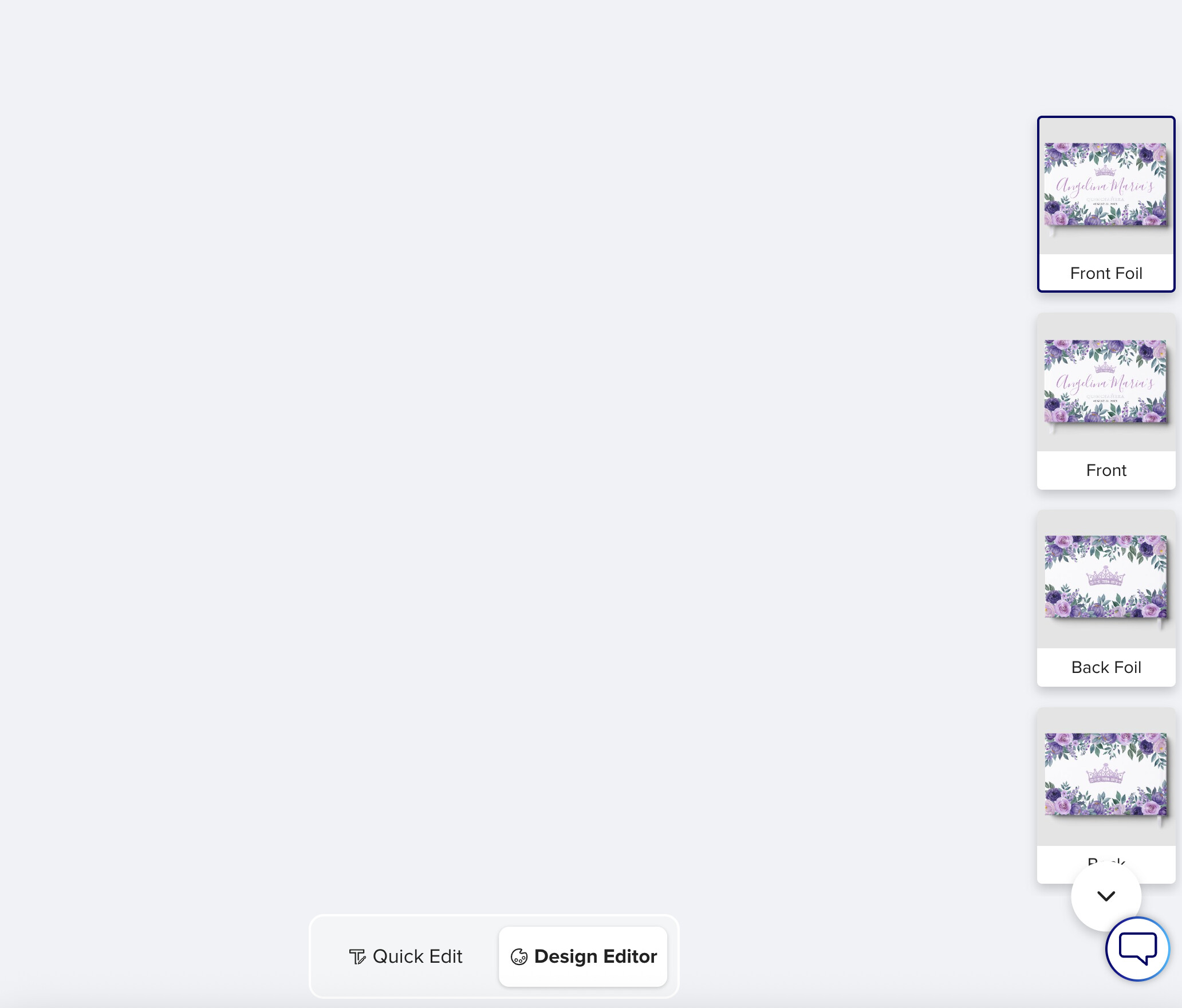
I was trying to transfer a design to a foil guestbook, and I cannot access the normal ‘Front’ or ‘Back’ sides at all when you click on the right hand side images - it does not ‘select’ them. I can only select the foil layers. But even then, the side doesn’t actually show on the screen.
This is not the one I was trying to make, but I looked at an existing foil book I had, and it’s also having the same issue. So it does not seem to be a transfer issue. You can see on the right side the ‘front foil’ side/layer is selected, but nothing is appearing on the screen.
Oddly, they DO show when you are in the ‘quick edit’ option, but that obviously doesn’t help us being able to design or move anything. Not sure if this is related to this item having the ‘quick edit’ option? I know it only appears on a few products types. (EDIT: I just noticed the ‘quick edit’ on favor boxes as well, and it does NOT have this issue. Although they do have their own set of confusing problems.)
@jophb I was battling a similar issue last night when I tried to transfer a design onto one of the new vow books (https://www.zazzle.com/elegant_his_her_wedding_vows_keepsake_set_foil_vow_books-256224237882681655). The transfer didn’t work and it just took so much time to design something from scratch, the previews constantly didn’t showed what they were supposed to show and I needed to exit the designer frequently to check my design. I worked so long on this one item and in the end I totally hated my design. I will give this an other try tonight but I could see that Jophb’s issue is related to the one I had run into yesterday.
Your result looks good ! I had the same kind of issues and I also thought it was particularly long and difficult to create one from scratch. I’ve had images that wouldn’t reposition, the need to restart the editor dozens of times to be able to select my elements normally, elements I added to the design that didn’t appear… Given the number of layers to create for this one, it’s truly a colossal task.
@Joanna@Fantabuloustef@jophb I worked on a new design last night but I wasn’t able to finish it because I literally ran out of time (I can only design at night).
Points I have found very annoying:
The orientation is off (not consistent in all the previews) and the orientation switch is BROKEN (or maybe intentionally disabled?).
When switching from one preview window to the next one the editor crashes, exits and does NOT save your work for that layer you just have worked on. Happened at least 30 times last night.
The layer icon doesn’t always show. I learned that you can make it appear if you first scroll up the left hand side menu window and then down and voila, it pops up in the menu on the bottom. This is just eating time for no good reason.
This product (Foil Vow Book Set) is a beast to tame, lol. I can’t believe nobody in the Green Room has brought that up. And if they did why hasn’t Zazzle fixed it? Customers will get so confused trying to edit a template if they try to go further than just quick edit.
And if I were a customer I would get frustrated and leave Zazzle all together to find what I wanted on a site offering me less hurdles to jump over. Explains to me why it is so slow for so many of us. It’s not only the hurting economy. It seams to me that Zazzle also does a lot of self-sabotage trying to become a Canva clone.
Yes, a lot of problems unfortunately. For the orientation point, I tried to transfer an old design of mine from a foil guest book, as it was oriented in horizontal initially. The design appeared the wrong orientation on my vows book. The orientation icon on the bottom was visible, but the labels for horizontal and vertical were hidden, and I tried to switch , even though I didn’t see the labels, just tried to check the one that was not checked , and it failed. So, impossible to reorient my existing design here.