Until recently, when creating a new product, Zazzle automatically added the product type to the end of the title I entered. For example, I would enter my own title and Zazzle would immediately add something like “Holiday Card” after it.
Today I noticed for the first time that this didn’t happen.
I’ve created more than 1,000 products on Zazzle, so I’m familiar with how this normally worked. I’m wondering if this is a recent change, or if something has changed in the product creation process.
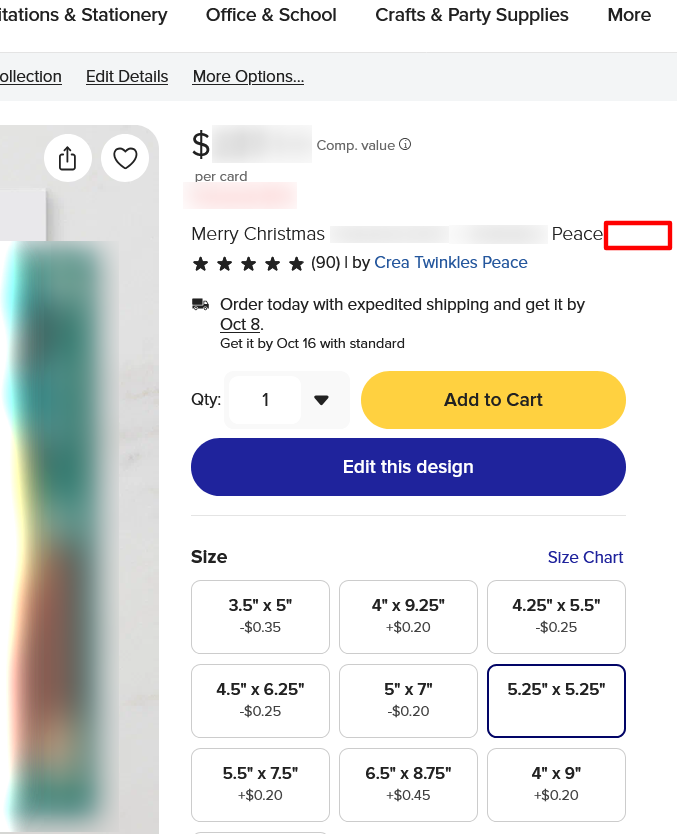
Hi @Joanna, suspecting I can’t send you a private message with the hidden productlink, I decided to take a screenshot. So like the red rectangle shows in this blurred screenshot: after the title it doesn’t mention the product type automatically anymore. Tried a few times. (Finally saved only one in the correct store.)
I haven’t noticed it myself, but sometimes including a word in the title that describes the product type prevents the system from appending it again at the end. For instance, if you title an invitation “Cute Pink Invite for 10th Birthday,” then “Invitation” won’t be added automatically. Just a thought!
Thanks for responding. I never mention the producttype in the title myself. Before today this went well every single time. But could it be that I mention “Christmas”? I doubt that though.
@ingridfj You’re right, Christmas wouldn’t cause that. I think I’ve noticed this happen randomly before, too. It must be a glitch. Maybe it’s worth trying a different browser.
I just tested it on a holiday card and it worked fine for me (Windows 11 Edge Browser). Make sure you started with the correct blank Create your own Flat Holiday Card | Zazzle Some of the more generic products don’t add the product type on the end.
Hi @Cat_Ritchie Thank you for testing! A few minutes ago I tested another product and that worked fine also. Strange it only happens with my Christmas cards (meanwhile 2). Yes I started with a blank version (flat card, square): Create your own Flat Card | Zazzle
I’m sorry to hear that you’re experiencing an issue here. Please provide a link to the product exhibiting the behavior. You can also contact our Customer Support Team with a link to the product via the link below. We would be happy to investigate further for you.
@ingridfj There’s your problem - you started from the generic flat card blank instead of the flat holiday card blank - they’re different. If you start from the holiday card blank: Create your own Flat Holiday Card | Zazzle it will append “holiday card” to your title.
Thank you @Cat_Richie! That’s exactly what I find strange, though. I selected the square card through “Create Your Own”, and, as has always happened before with other products, the product type is automatically added to the title after I enter my own title. I usually do start with a blank product, but I’ve never had to choose a specific product type for the product type to be added automatically.
So it seems a bit strange that I would now have to start specifically from the Holiday Card blank for “Holiday Card” to be added to the title.
It’s not new, it’s just SUPER confusing! Basically, there are a LOT of paper products that are exactly the same in terms of the physical product, but Zazzle considers them different products in terms of marketing, sales, prices, and the stuff appended to the title. I keep this help file bookmarked because it has the links to all of the different “cards” and explanations of which one you’re supposed to use when Putting Your Designs on the Correct Paper Products – Zazzle Help Center
It depends on the blank that you start with. I think the generic card blank doesn’t add anything. The one that always trips me up is the magnetic cards. One of them adds “magnetic invitation” to the end and the other one adds nothing. I don’t get it, but it is what it is…

 I never mention the producttype in the title myself. Before today this went well every single time. But could it be that I mention “Christmas”? I doubt that though.