If a design is added to two different “Similar Style / Theme” collections, how do you designate one of them as the “preferred” one? Thanks for any help with this!
@SheaPrints I think preferred only works with a cross sell (although I could be wrong)
In edit collection - hover over the three dots top right (similar style collection)
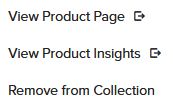
If a product is in more than one cross sell - the “set preferred collection” option would appear with an orange “i” in the bottom right
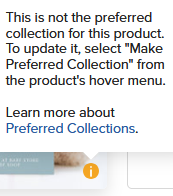
and when you click on the slot you can change preferred there
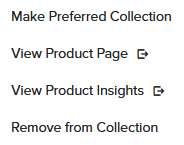
(only cross sells)
Hope that made sense
Thanks @Sara_H I think you’re right! It only seems to be an option in a Cross-Sell / Event Suite Collection. Hmm  , I wonder if the order in which you add them to a collection matters. I’ll test a few things to see if it makes a difference.
@SheaPrints It used to be alphabetically according to the title which collection appeared 1st but they’ve shook that up and that’s no longer the case I’ve seen.
Good luck figuring it out! 