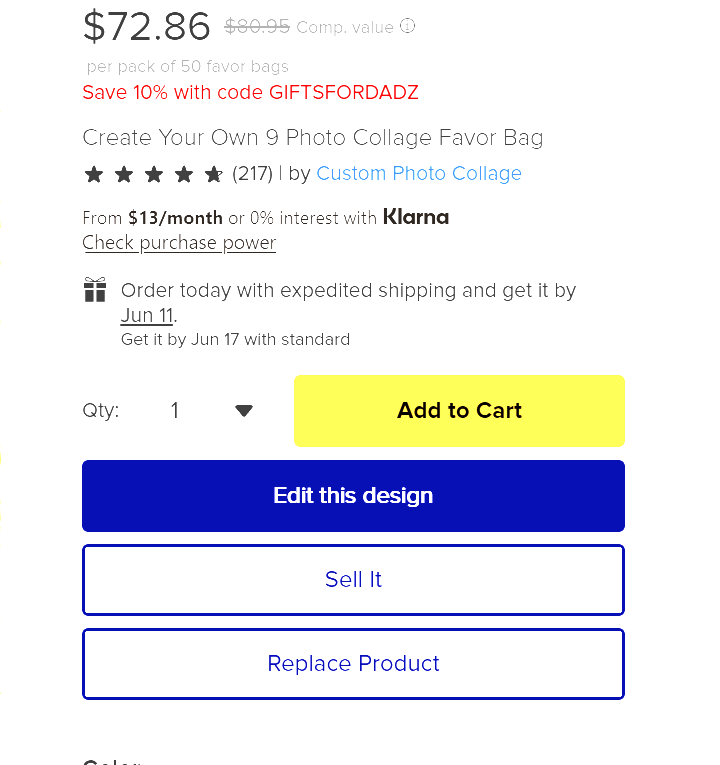
I used to have this option, but with this new design tool I don’t see it available anymore. I know Zazzle doesn’t want to mess with approving something as little as a year change, but I don’t want to end the year with XX or YY because it makes the design look bad. Plus, the letters in the font I chose are too bulky, while the numbers work for the space I have it in. Does anyone know if this option has been completely removed or am I just missing it? Thanks in advance for your time.
4 Likes
Missing for me right now as well. Hopefully a tech glitch. I think this happened about 6 months ago or so.
1 Like
I still have the ‘replace product’ option showing up for me so looks like it must be hit and miss, some people have it and some don’t.
1 Like
I’ve had the option year round (aside from the Christmas pause everyone gets), and it was still there as recently as this week, but suddenly it’s not showing on anything.
4 Likes
I used it this am just fine, but now it’s missing for me. I sincerely hope this is a glitch!
2 Likes
and you have your favorite fonts and mine haven’t returned yet – I’ll have to check and see if replace is there.
1 Like
I’m wondering if this is related to the new A/B testing Scott just informed me of. @Marcia @SJoy when you hit ‘edit this design’ on a product, does it open the design tool in a new tab for you? These both started on the same day.
2 Likes
Sheesh, I went to hit the reply button and accidentally hit the accept as solution button. Anyhoo, when I click on edit this design, I get a popup window listing the previous versions. When I click on one of those the design editor does open another tab in my browser. Still no “replace Product” button anywhere. All these updates are slowing down the designers processes and are making things very inefficient.
3 Likes
Haha I almost do that all the time. It’s not showing as accepted on my end, so that’s the good news. But that’s definitely making me think that this ‘new tab’ testing is likely causing it. Because I know not everyone is getting the new tab. I posted about the tab on another post if you want to respond there too since they may be tied.
2 Likes
@jophb & @SJoy that’s exactly what it’s doing! GRRRRR… Can a moderator please step in to comment?
And make it STOP??? I can’t work like this. Everything is getting more & more convoluted here on Zazzle by the hour. 😵 WHY?
5 Likes
@Marcia ok that confirms it! The AB test is definitely the issue with our replace tool. Scott had commented on my other post about the tabs, but hasn’t addressed the replace tool yet:
https://community.zazzle.com/t5/general-zazzle-discussion/hitting-edit-this-design-button-is-opening-multiple-tabs/m-p/250782
2 Likes
@Scott , could you please address the “replace product” issue? Thanks.
3 Likes
Just seeing if there’s an update on the missing “replace product” for those who had it. Is it coming back? I need to change the dates on some seasonal cards & would really appreciate access to it again. Thank you.
3 Likes
So I amended some dates on cards & was able to do “replace product” with @jophb workaround. That is, go through the entire edit process, click sell, & then cancel on the sell screen. “Replace product” WILL show up but ONLY if after you first click “edit” & the popup screen asks if you want to start “new” instead of using a previous version. If you click “new” you’ll be good. VERY convoluted. It really seems as though it really has to do with the additional tab/screens popups. Please, can we get a moderator to comment on this & get it FIXED already? I’m so sick of hearing crickets from those who could help. Please?
3 Likes
It’s really a horrible A/B test. I have messed up so many things because of the 8000 tabs. I’ve closed out designs that I thought I had posted. I’ve double posted products because I didn’t think I had. And then yes, to get to the replace tool is even more insane. It’s absolutely bonkers. I waste half my day clicking into and out of tabs to see what they are and which I can close.
5 Likes
If you don’t have any previous versions to edit, you can click on the “Save & Exit” after you edit a product and the “Replace Product” will show up, just like it did in the “Old Design Tool”.

1 Like
‘Save & Exit’ actually does nothing for me now. It just sits on the same exact tab/window and doesn’t close or switch screens. I think this is also part of this horrendous A/B testing that is causing multiple tabs to open for some of us.
3 Likes
I’m sorry it’s not working for you. Hopefully Zazzle will get this fixed soon.
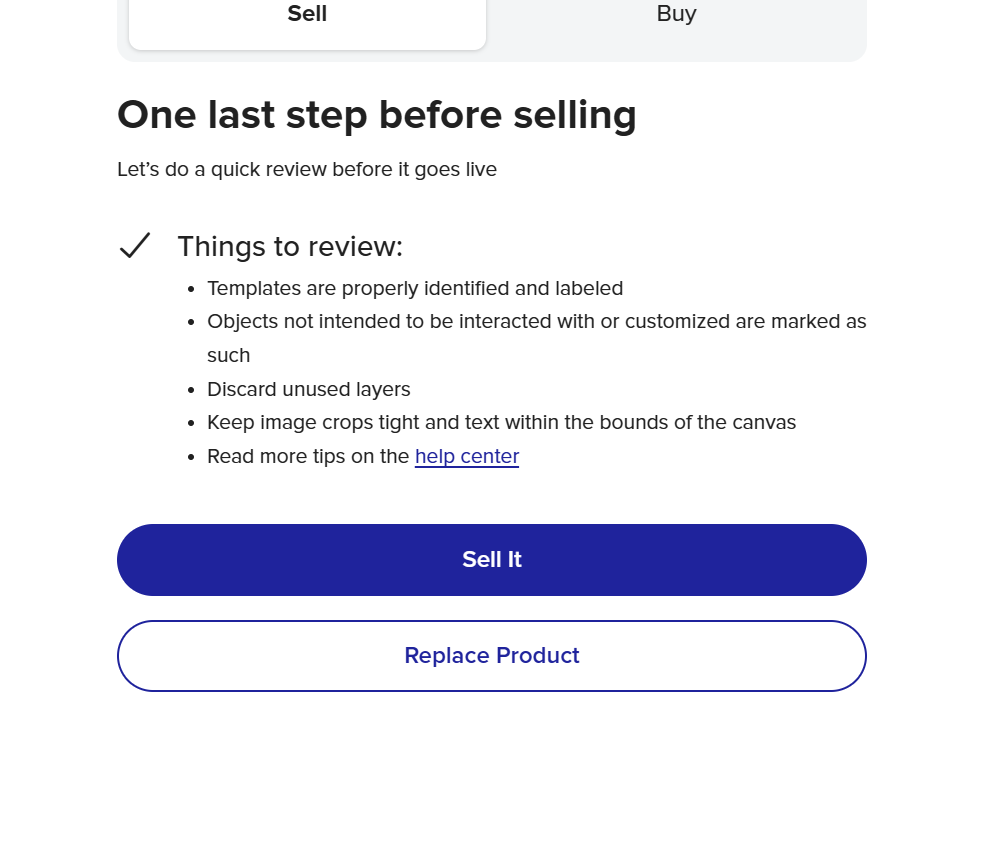
Looks like Zazzle has changed it yet again, now after you edit a product and click the sell button, the replace product button comes up. I really wish they would just keep it one way.
2 Likes
@plumb4me yes, it’s working that way for me now, as well. And no extra tabs popping up. I hope it sticks.
2 Likes