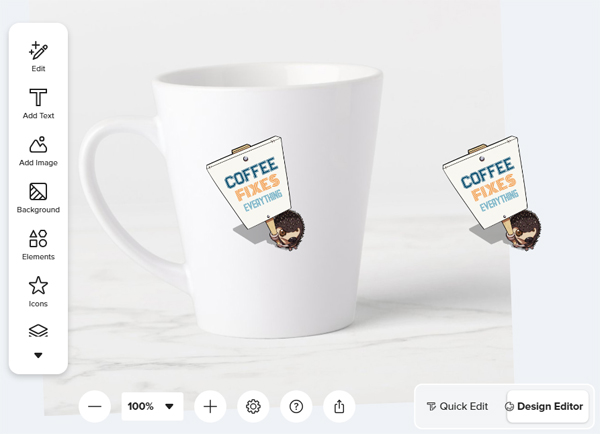
Anyone discovered this issue? I searched for Quick Edit, didn’t find it.
I want to edit a design on a latte mug (Side note: think I’ve seen the same problem with a giant mug).
It opens in Quick Edit by default.
I switch to Design Editor. The rectangular landscape artboard view is there for the briefest instant, and is then replaced by the blank mug photo, on a slightly jaunty angle. I repeated my design on the front and back on the mug, so one copy is aligned on the mug photo, and the other is floating in space off to the right. Both are at “artboard scale” and don’t match the mug photo scale. Needless to say, I can’t work in this view.