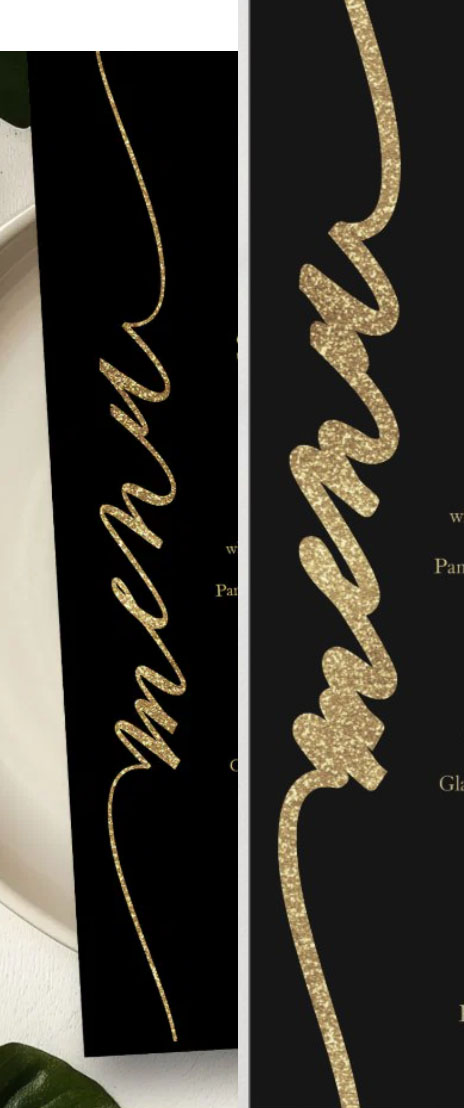
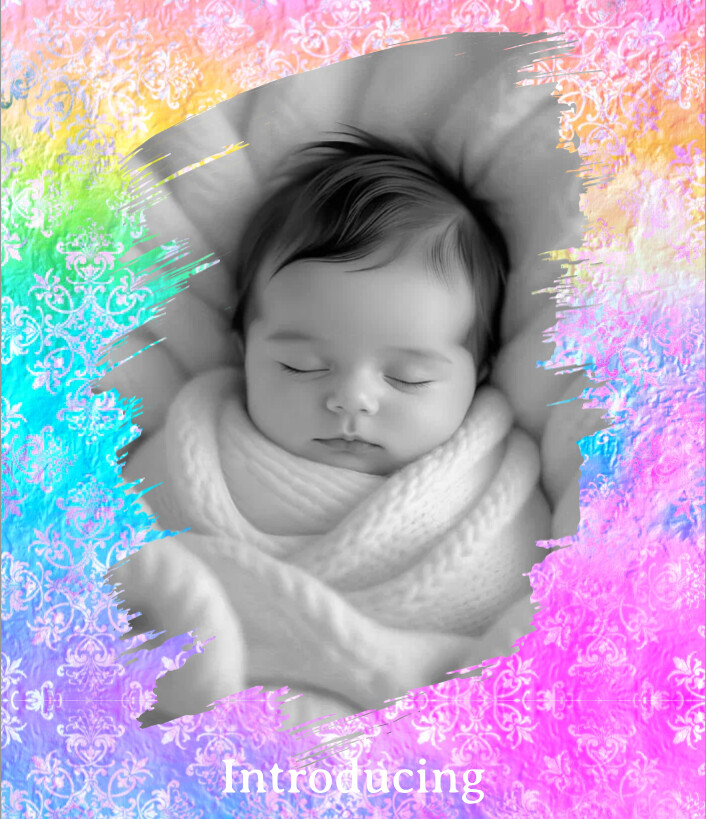
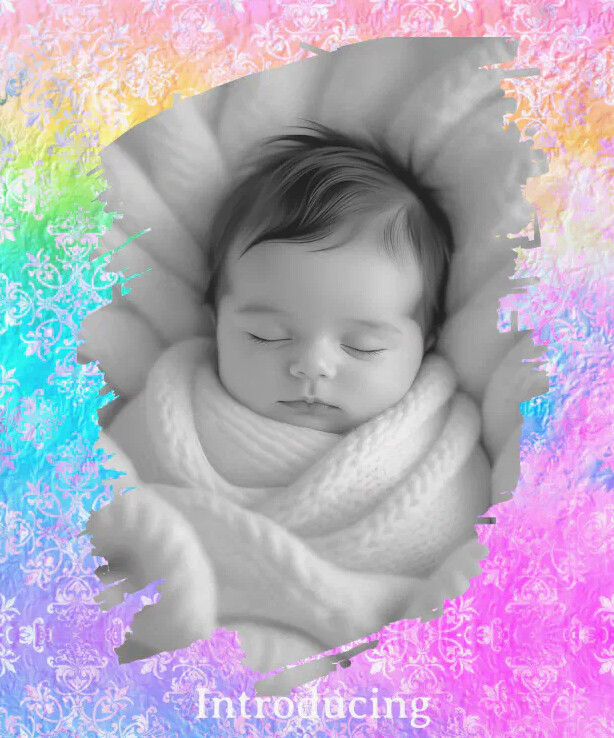
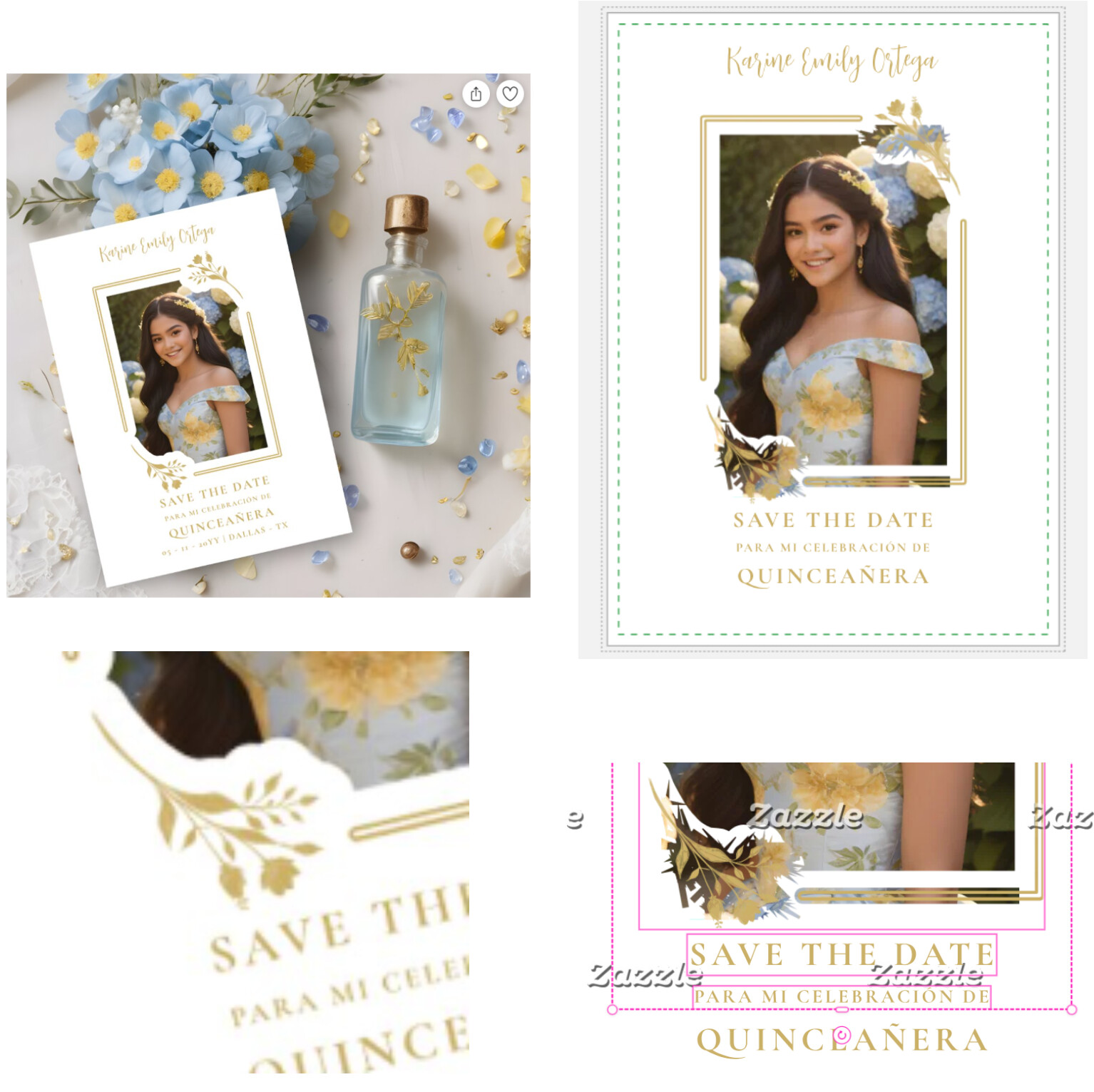
There is a glitch in the SVG elements and masks: a bold stroke is applied, negatively affecting the appearance of the designs.
This is just one example of many designs that have been affected:
256767330124136065
There is a glitch in the SVG elements and masks: a bold stroke is applied, negatively affecting the appearance of the designs.
This is just one example of many designs that have been affected:
256767330124136065
Since the forum’s just been reopened, I’m giving a link to a thread from pro basic, which discusses this bug: <link removed by moderator>
If this is not readable, here it is in a nutshell: My older designs (masked layers with circles) are not showing correctly. The masked circle is missing and the product looks, of course, horrible! I have cover photos on many of them so you don’t see anything wrong until you click on it and go to the product page. All the other views except for the cover image are displayed incorrectly/missing. When I go into the design tool, it’s all good and everything is there as previously designed. (Course the customer in the mp won’t see that it’s correct…) And the ones without cover photos are a mess. I’m seeing this primarily on ornaments, paper plates, coasters, window clings. The more I look through my store the more I find.
Some examples are:
217075668503136073
256126479980952134
256474001855577969
256833205529695724
256599081347414499
I’m sure I’m losing sales. Please fix.
Thanks @Marcia Hopefully this post will ensure that the proper ticket gets created.
Here are a few more examples for the tech team:
https://www.zazzle.com/we_did_gold_curls_on_black_wedding_reception_invitation-256771010505314591
https://www.zazzle.com/ivory_white_floral_save_the_date_oval_photo_magnet-256049328826827406
https://www.zazzle.com/wedding_save_the_date_photo_greenery_taupe_magnetic_invitation-256562518581685497
https://www.zazzle.com/we_still_do_cassis_purple_gold_wedding_vow_renewal_invitation-256924454050012353
@Marcia the situation you described has also happened to a few of my watch designs (but as the designs in question have never sold, I just deleted them).
I’m sure I will have more as I go through more of my designs and products that utilize masks.
Same issue here across all products-here are some examples
https://www.zazzle.com/hydrangea_petals_frame_create_your_own_photo_throw_pillow-256892521158284582
https://www.zazzle.com/green_ferns_frame_create_your_own_pet_photo_sweatshirt-256939186984702683
https://www.zazzle.com/pink_cosmos_flowers_create_your_own_photo_tote_bag-256846464328218806
https://www.zazzle.com/autumn_leaves_frame_create_your_own_pet_photo_t_shirt-256349502807695825
Me too,
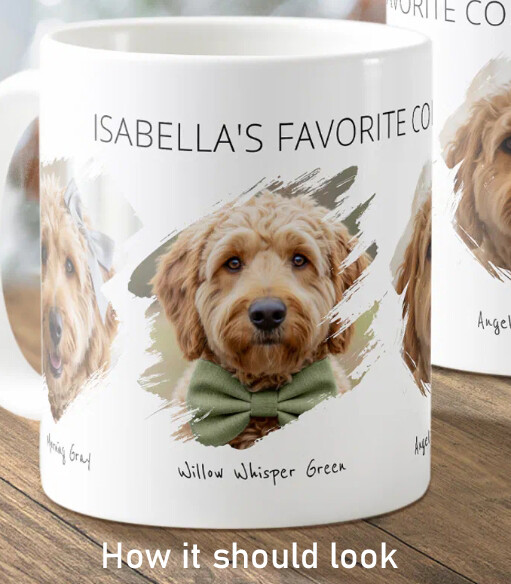
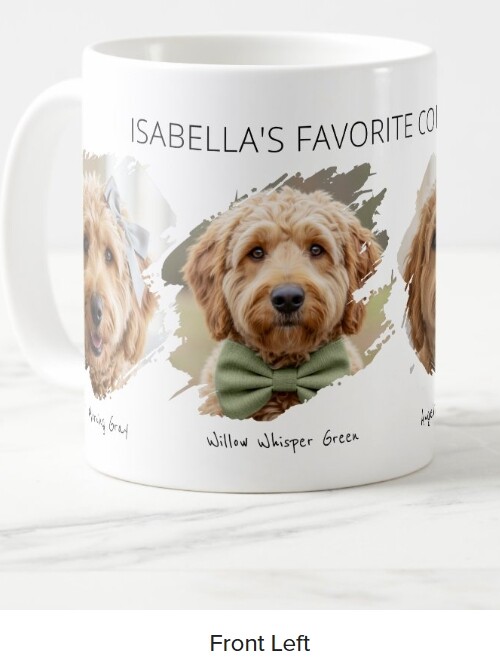
There is a preview issue with Zazzle’s photo frames. Frames with decorative edges like ‘Brushstroke’ now appear heavy and clunky in the Zazzle preview, but render correctly in the design tool. This also affects the images we download for our product images, both the ‘Download Product Mockups’ and ‘Download Product Artwork’.
Zazzle PreviewMy SVG masked products are affected. I had to delete my beach towel collection because designs look hideous. Please fix this problem.
https://www.zazzle.com/sea_turtle_blue_watercolor_personalized_beach_towel-256854769360028000
https://www.zazzle.com/beach_vibes_sea_turtle_blue_personalized_beach_towel-256435727400640909
https://www.zazzle.com/blue_sea_turtle_watercolor_personalized_beach_towel-256747209891540871
https://www.zazzle.com/watercolor_teal_blue_sea_turtle_personalized_beach_towel-256484415580235761
https://www.zazzle.com/teal_blue_watercolor_sea_turtle_personalized_beach_towel-256996380889660972
https://www.zazzle.com/beach_vibes_blue_watercolor_sea_turtle_beach_towel-256385257925628416
https://www.zazzle.com/sea_turtle_dark_blue_watercolor_personalized_beach_towel-256375012921687153
I’m noticing if there is a mask involved in the product that the preview isn’t looking correctly until you look at it in the design tool.
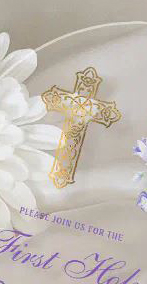
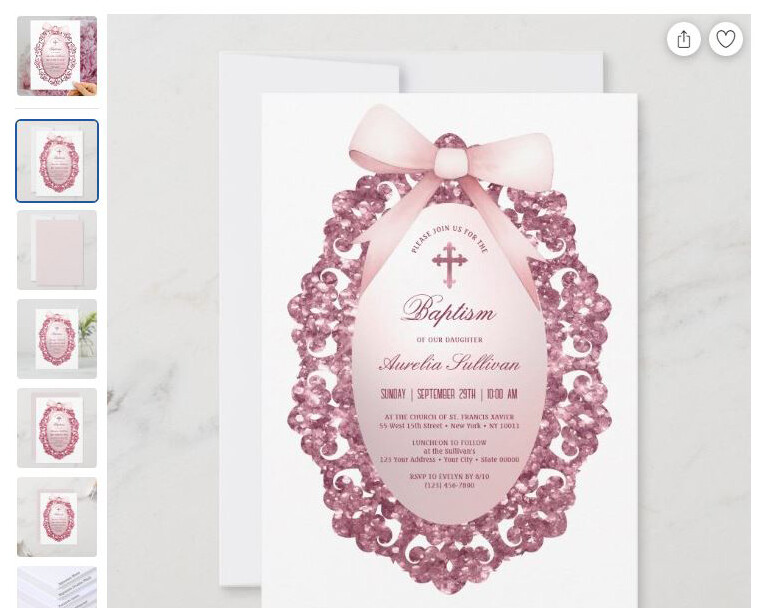
I have the same issue. This svg cross in most of my religious invitations:
how it is now how it should beand this svg oval frame:
now beforehttps://www.zazzle.com/vintage_glitter_frame_pink_bow_baptism_invitation-256780596569880227
https://www.zazzle.com/watercolor_lilac_flowers_arch_first_communion_acrylic_invitations-256126268128278227
I am also seeing an issue with a mask I used with a Zazzle provided shape of a cloud and a light blue cloud background. When I first made them they looked exactly as I wanted. I did not realize something was wrong at some point later because my cover images were showing the original mask I had made. I spent 5 hours yesterday waiting for Zee to connect me to a human, which it promised I was in the queue for. I was never connected. I also sent a question form. Today I have decided to remake everything that is impacted by this issue because I am not sure how else to get help. A link to one of the products with this issue ( in the cover image the cloud background is a light blue. On the actual product you will see it has turned to a dark gray blue.) I thought I would post here just in case there is an easier answer than remaking everything. Thank you for any help that may come of this. https://www.zazzle.com/peter_the_rabbit_girl_clothesline_baby_shower_invitation-256913138281625045
I too am seeing this problem… Please let us know if this glitch will be fixed, or is being worked on Zazzle, thank you!
There is a post about this issue here: https://community.zazzle.com/t5/technical-issues/zazzle-photo-frame-mask-issue/m-p/233814
Thank you for flagging this, @SheaPrints . I reported the issue to the team.
Engineering is aware of the issue, and we’re working on a fix now.
The issue is still not resolved. 😕 I have hidden all of the affected designs
SVG masks using the shapes in the design tool now cause the design element to disappear
Hi Scott,
Unfortunately, I still see the problem on my products.
Do you know if the product will print properly or is it just the preview?
Please let us know once the issues has been resolved. Thanks in advance.
| Design Tool | Preview |
Same. The softer, finer “feathering” is lost on the previews.
For me, early this morning in Europe, I received an order with two digital downloads and printed items. The file has the issues that have already been discussed here, and I’m afraid it will be returned. It’s a royalty of nearly 30 dollars… It’s depressing.