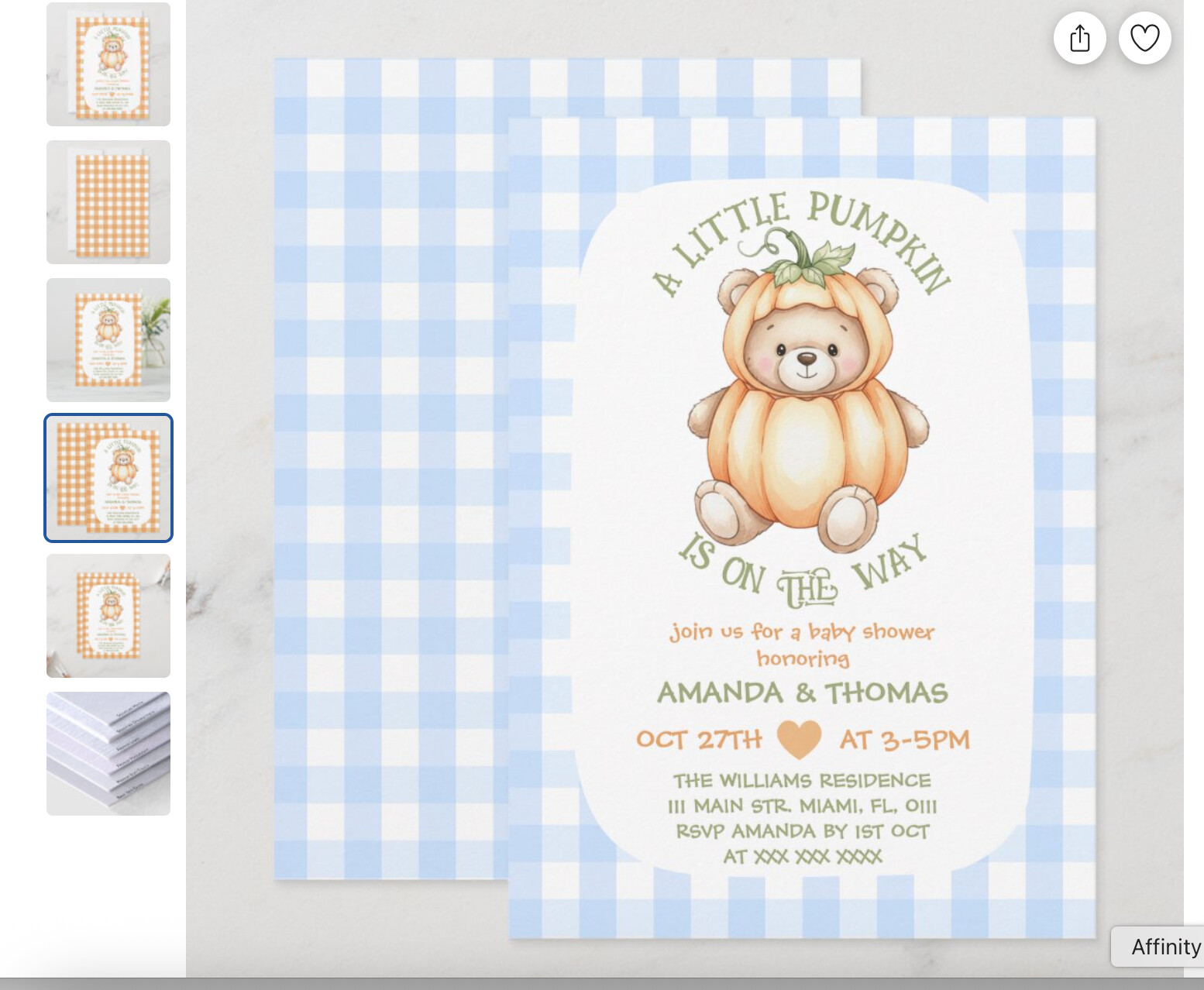
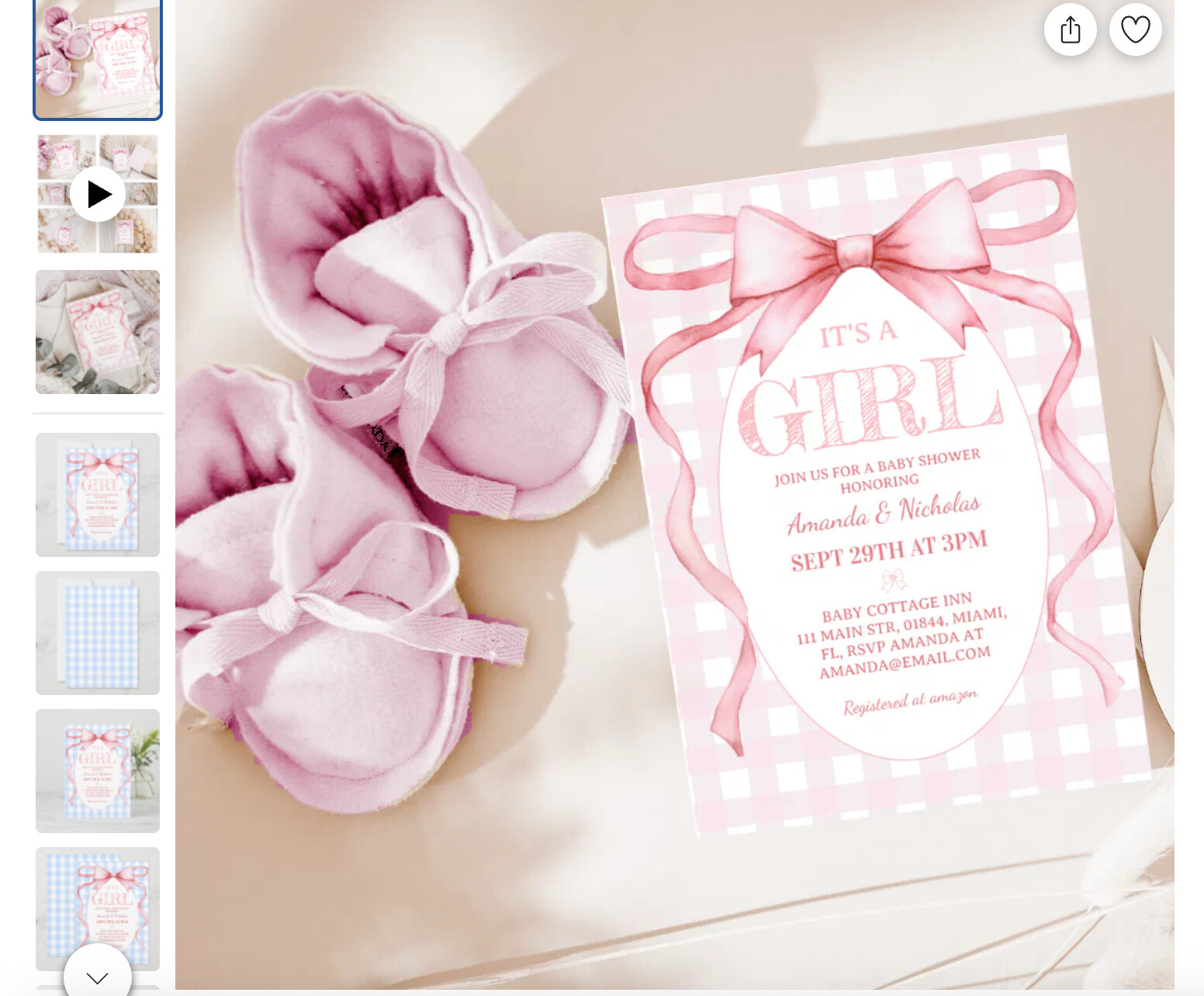
Hi, I am having an issue with some of my design SVG files - the colors have changed unexpectedly. Since some of these products were already selling I am worried this issue may affect sales. On the mockup previews the designs still appear with the original colors, but when the clicking colors are different.
Could one of the moderators please contact me? I can send the links so the issue can be checked and corrected.
Thanks in advance!
please see example: (Bear pumpkin original file was orange plaid and when u click it is in blue, Bow design original was pink and it shows blue)
I’m very sorry to hear that you are experiencing an issue here. Please provide a link to the design exhibiting this error so that we can take a closer look for you.
Thank you for sharing those examples. I am unable to replicate the issue on my end, so could you please let me know what device and browser you are using so I can share that information with our engineers? Thank you.
Macbook and browsers Google chrome and safari. (I have checked those designs from ipad and iphone also and this issue is everywhere same) i found it two days ago. (Everywhere used same svg file which suddenly changed color into blue)
thank you very much for checking it, i think this is a technical issue and not device or browser problem. when i click “edit design button” and click on svg gingham background it shows original colors (where we select colors) but on zazzle mockups it is in blue.
This issue is still active, if zazzle allow me replace option, i will upload same colored png files, as some of designs still getting sales in blue color (but in editor colors are different i am afaid customers will be disappointed) and some designs were sold before this issue stopped selling only getting views.