The “snapping” feature has been acting up for me today! When I drag a text box handle, the box keeps flickering horizontally between my starting point and where I’m trying to move it. It’s making alignment very difficult! Is anyone else experiencing this?
It has been doing that to me all week, I was thinking it was me for some reason. The text tool is doing it the worst. Like you said snapping back, jumping huge jumps, and yes flickering like crazy. Doesn’t matter which side you try to drag. Doesn’t matter what size you have the screen zoomed to. And happening on several different product types.
Yes, here too. The text box is not responding normally to dragging or resizing. It seems to be pulled toward an invisible anchor point, making precise placement nearly impossible.
Sorry to hear of this issue, are you all still experiencing this? If you are, can you send on some screenshots so I can get the team to look into it.
Thanks @Joanna , I am still experiencing it! It’s difficult to send a screen shot, because you have to see it happening. It’s affecting all product templates I’ve tried so far. My screenshot shows an example on an invitation.
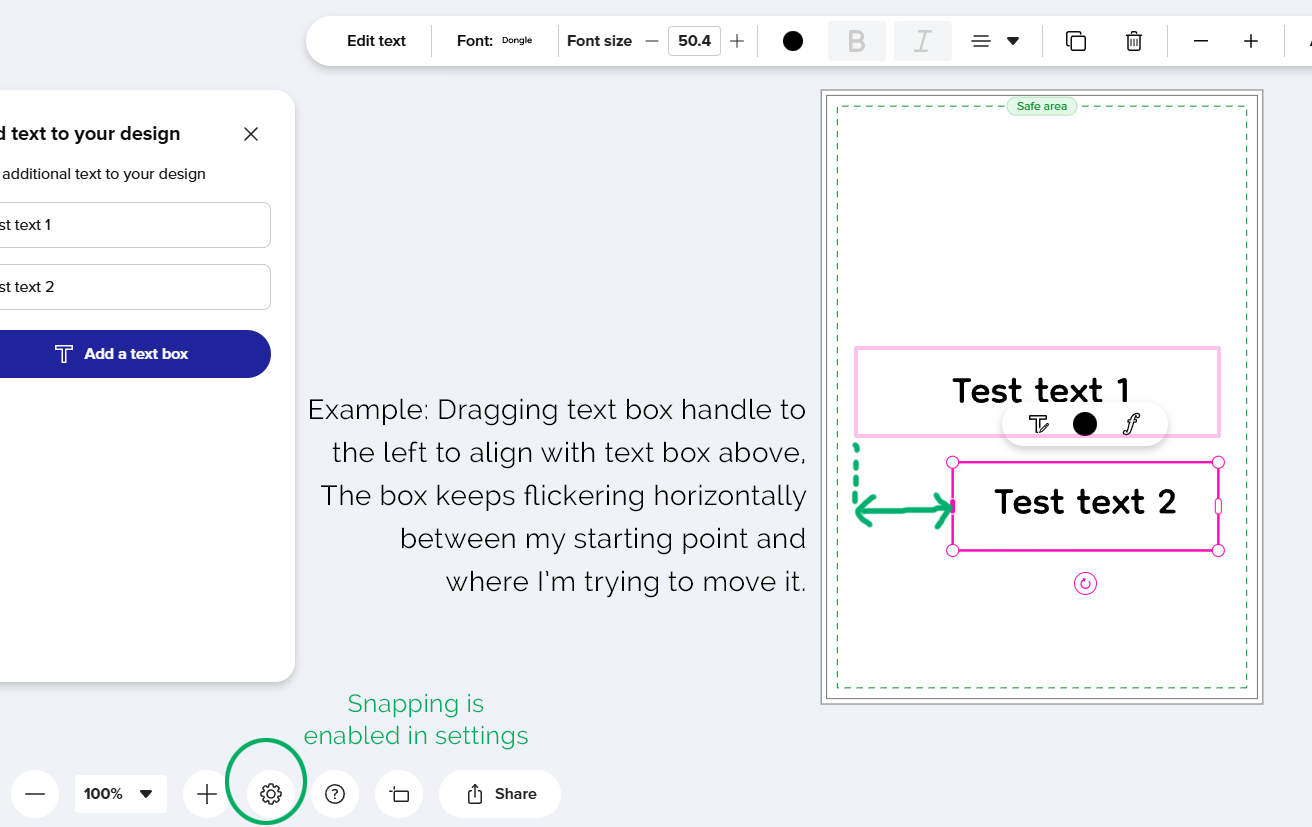
Just to add! The same jumping and flickering is happening even if the text box is the only element on the template area.
Yes, still happening. We would need to send videos for it to show. But basically if you drag and hold the text box to make it wider is when it happens. You have to hold it down, not slide and quick release. Pretend you are trying to slide it to a very specific spot (like the safe line). It will either start flickering, or will just snap back to the original width.
I’ve sent the information from this thread over to our engineering team. You can hold off on sending videos for now. Thanks a bunch for the info shared thus far!
Is there an eta when this will be fixed? I finally experienced this tonight. It’s maddening!
This issue is so hard to work with. It takes 10 times longer to edit a text box and it’s nearly impossible to get it the length that you want it.
Checking back on this one. It seems to be happening more to images as well.
Please fix this issue! It’s absolutely absurd, and it’s just another reason why customers are probably leaving Zazzle. We’ve reported this a couple of months ago. It is still an insane problem.
The tech team will probably want a screen shot or link to investigate further.
I’d probably have to make a video of it. There’s not a single screenshot I could make of it acting like this. Do you know if we’re allowed to upload short videos here?
Not sure about video. You could try!
Well, I think I’ve finally figured out how to work the crazy thing now. The sides are what make it spring back so much. So I decided to pull it from the top corner. It’s going to resize the font, but that’s okay. I can set the font size back after getting it to the right box size. That seems to be the trick for me right now. I’ll just have to remember to stop playing with the sides. 