Choose your product you wish to design. Choose an image,this must be LARGE image. (realistic works well,but really anything you fancy).
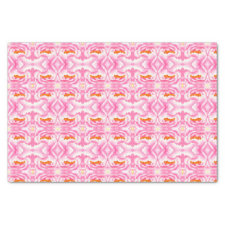
Now crop a really tiny piece of your image,include the colors you want to focus on,or perhaps the line or shape. now in the tiling options choose mirror! that’s it. you will end up with a very unique pattern and endless variety, just crop and tile till you’re happy.
I chose a sunflower painting of mine, and when I cropped a piece of petal and some of the centre, I got a pattern of smaller flowers! really cool.I got this idea from an art program I saw. Go have some fun!
see Cols? you can get such different results! I have found it’s quicker to change the crop area if you select crop agains and just move the square/selected rectangle around. I am now playing with long or wide rectangles as well. different again!! I was going to post an example too, but chickened out haha…
Exactly. Sometimes though after repeated crop changes/moves after tiling the tiling breaks up and you get lines from the background color coming through. Which in some cases can add even more visual interest but I don’t have much confidence in how such designs would actually print so I started clicking “none” then “mirror” again to make sure there is no unintentional breakage in the tiling pattern.
The only problem here is deciding which of the endless variables you want to stop with and actually publish. It’s way too tempting to want to tweak it one more little time just to see …
Yep. I have several designs which were done that way. I even took a picture of my dirty utensils in my kitchen sink, cropped it real small on just the shiny part and came up with this design. (I’ve sold 5 so far.)
@Wildart Thanks for this! It is so cool, i am afraid i am now also hooked for a few days
I came along one problem though, which i just posted in technical issues, and that is tiling being off centre: when desiging with tiling i start out with my image exactly in the centre, but as soon as i choose tiling the image jumps to the right, off centre. But when trying to change it with the arrows to get the image back in the centre again, the tiling goes weird and i get tiles with white spaces in between.I tried re-sizing to hopefully get it to look more centred, but that doesn’t work. I love the pattern it creates, but the result is an off-centre product.
Hi Nathalie, great! another fan of the tiny tiling method.
the jumping is normal, the only ones that stay in place with even normal tiling are the centred ones and basic, from memory.But I know the mirrored tiling never stays put! it’s maddening ,but sometimes rotating using the roation symbols to the right will produce a more pleasing effect, but no, not always the look we were going for unfortunately.
I’ve also found that the patterns made using the tiny tiling method are perfect for 2 sided items, like duvets. you have a new pattern for the back which matches perfectly in tone and hue.
What a weird thing to do.. what a weird thought to even get into your head… TO do …..I LIKE WEIRD THINGS! Now this is a woman who creates positive and unique ideas from the humdrum daily chores of doing the dishes!, well done!
There is an online program called repper and you can basically do this same thing. It’s so much fun. You can take any image and just focus on a small or large portion and then there are like 50 different options you can do to further adjust.
![[Retro Floral] Multicolor Botanical Graphic Design Throw Pillow](https://rlv.zcache.com/retro_floral_multicolor_botanical_graphic_design_throw_pillow-rd2d05b8062524dff8530ac74284d3d67_6s3tf_8byvr_1024.jpg?max_dim=325)