Product images are missing when I post on X/Twitter
1 Like
I’ve noticed the same problem over the last 24 hrs or so. I’m wondering if it has something to do with the new ‘Swap Designs’ option that is now appearing on the product pages above the product image? I’m not that tech savy but it does seem coincidental that the two things happened at the same time.
2 Likes
Would you both be able to provide some screenshots / further information please so we can look into this? Joanna
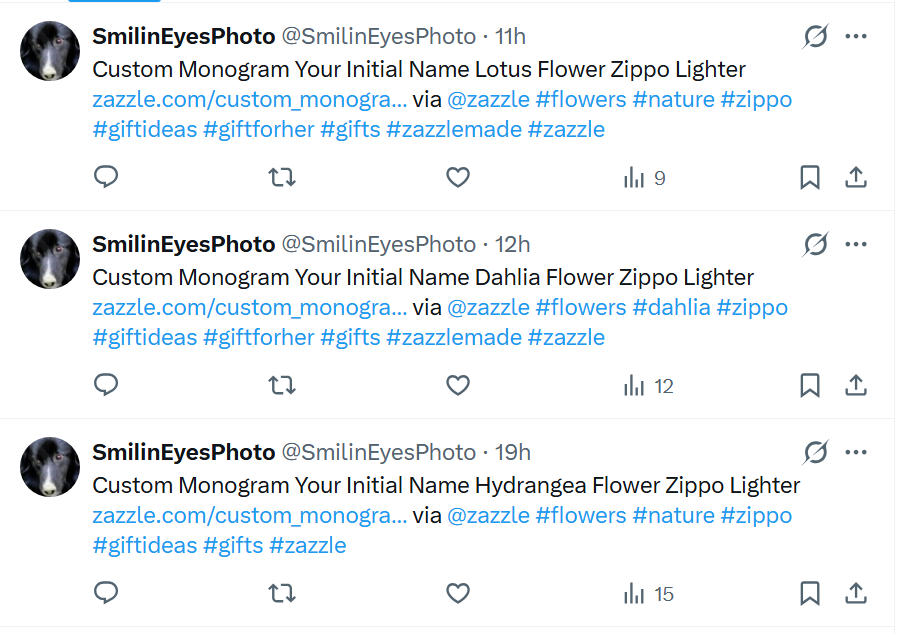
I use IFTTT to schedule posts on X. Here is an example of the feed URl that I used for one Applet. This has worked fine in the past but for the last two days it has not been adding an image to the post. nIFTTTy Share Scheduler Output, feedItemNumber from start is 2 giving randomized feed item number: 202
1 Like
I too noticed images are missing on X posts I shared to X from Zazzle.
2 Likes
Any update on this issue-it’s still not including an image
2 Likes
Same here. Products images not showing. I would imagine this has something to do with product views not updating for the past several days.
1 Like
All links are now showing the blue placeholder images, not just on X/Twitter. This likely affects everywhere you’d place a link, including Pinterest, Facebook and web pages.
1 Like
I will pass this on now, thanks!
1 Like
Happy to see this seems to be fixed now. Thanks!
The issue seems on going in X for me. What Google AI told me it is basically a conflict between the X and Zazzle meta data, so the product photo ends up removed & just a bare ink left behind. (even if a product photo briefly appears, it will disappear later.) Direct or shared Zazzle links, doesn’t matter which.) Mixed reasons. Quote from AI: “Zazzle’s dynamic product pages either block, alter or fail to serve the HTML tags cleanly to the Twitter/bot crawler that it needs. Or Zazzle has anti-bot, rate-limiting measures blocking X’s social scrapers,” unquote. It suggested Pinterest is more resilient and won’t allow X crawler bot to remove it’s pin/image data & that I should use the Zazzle product link from my Pinterest. Let me tell you, that works like a charm! I choose a Zazzle product from one of my Pinterest boards, click “go to site,” copy the link for that product, paste it in X and ta-da. That’s what I do now. No more vanishing product pictures.
Or one could use other intermediate sources you control to link from: a portfolio, blog, Linktree, etc. (this also suggested by AI) Pinterest is an immediate source. also.
The only other way the AI suggested to overcome X scraping the Zazzle product link photos is to create a photo of your product (snip & clip), then upload to X like a photo & copy/paste the link. (To me, too much trouble.)
If you want a product photo with your link, these suggestions are all the AI offered for now, until Zazzle figures out their meta date to work with X better.