All of my invitations no longer show the personalization section where customers change the sample text to their own. I created a brand new one and set all the necessary text to a template but it doesn’t show the personalization option either.
2 Likes
https://community.zazzle.com/t5/technical-issues/new-design-tool-walkthru-video/m-p/237615
As Scott suggests, try viewing your products while logged out/incognito
It does help the tech team if you can link to a product so they can double check
1 Like
That kinda sucks cuz one of the ways we make sure we set everything to a template, is to see the personalize bar, clickon it and make sure we made each part a template. Like if i have five lines on a wedding invitation I click on “personalize” and make sure all the text is a template. It’s just a quick “second check” to make sure everything is a template that needs to be.
6 Likes
Whether it’s a design-in-progress or a published product, the Edit panel will show you your template fields same way customers will experience them when they click to “Personalize this Design” from the product page.
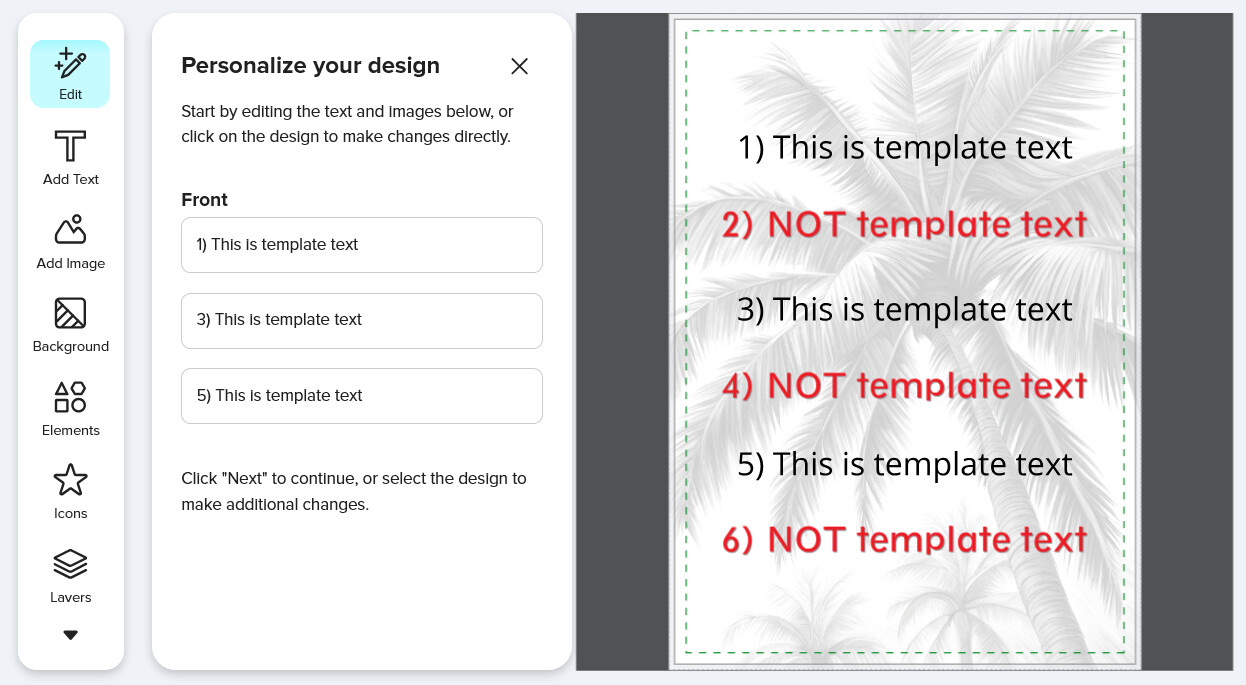
The Add Text panel lists all non-template text.
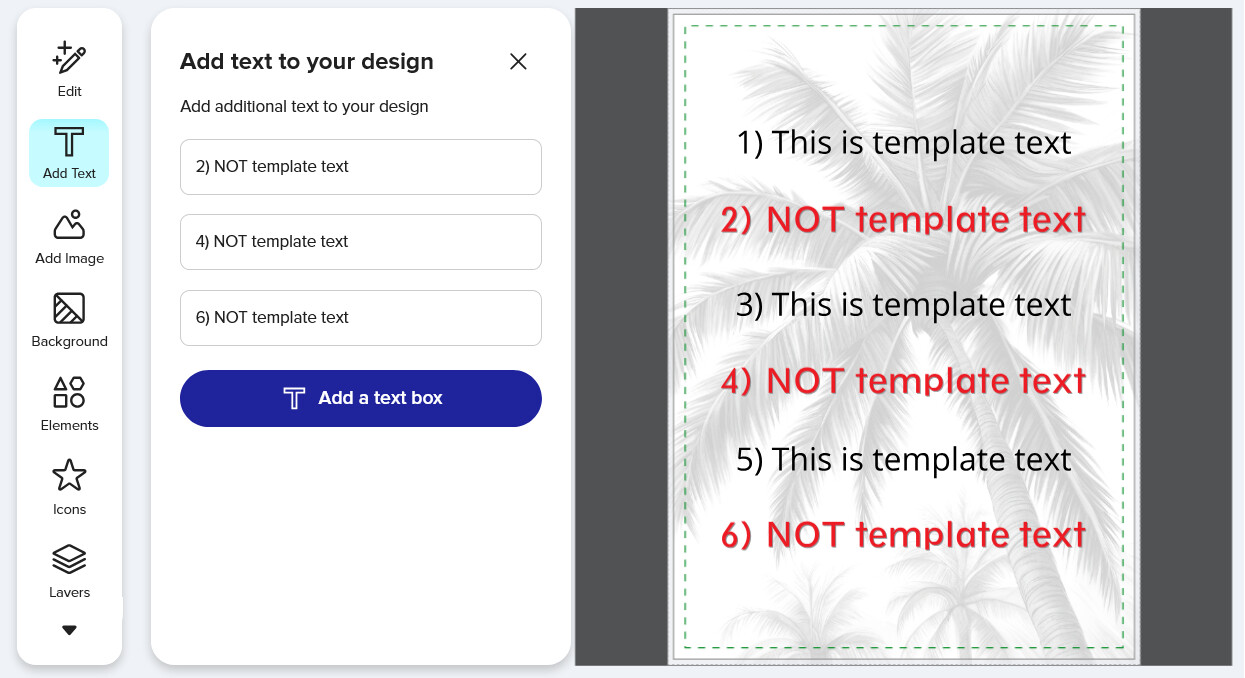
If the design does not include any template text, the button on the product page says Edit instead of Personalize, and when clicked, it opens to the Add Text panel instead of to the Edit panel.
While there are issues here, I think that overall this is actually a beneficial change. We no longer need that extra step of clicking Done to view the product page where we can then had to click “Personalize” to check our template text. Also, knowing we all experience the same UI now, signed in or signed out, creator or customer, is helpful. Only difference is that if you’re the Creator, you have the additional Selling Options menu.
https://www.zazzle.com/template_vs_not_template_text-256621183860311023
1 Like