Today I did not find any option to close the new Help Chat pop up, its annoying and distracting, floating all the time rigidly at the right corner of screen! Please provide us the close option like before, we designers do not usually need to chat with bot but focus on our work and organizing without any visual distraction … please Zazzle, its a request ! 🙏
11 Likes
Hi, thanks for your suggestion. I will pass that onto the team for you.
Joanna
3 Likes
Thanks a lot @Joanna
@Wesha if you hover over the chat bubble - a little cross appears and you can close it that way (though it can reappear sometimes) and you can get rid of it that way if it’s getting in your way. (firefox/windows/desktop)
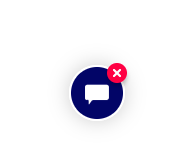
though I don’t click on it so have no idea what it looks like when it’s open
3 Likes
@Sara_H Thank you! I shall henceforth kill it.
2 Likes
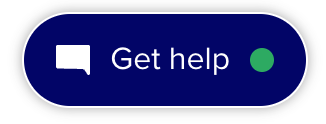
To clarify a bit: we’re testing a new version, and that new version does not have the ‘close’ button at the moment (this is why OP mentioned “like before” at the end of the thread title). @Sara_H shared a screenshot above of the current version, and below is the new version that we’re testing.
3 Likes
If there’s going to be one such as your illustration, it’ll be better because it says what it is, whereas the current one is a symbol of some kind of contact without stating exactly what kind. The problem is that it’s larger and will hide more of what we need to get to at the bottom right of the screen without being able to ‘x’ out of it.
3 Likes
Hello @Scott yes. I was actually talking about this new chat capsule, please provide a x button to it like the earlier chat bubble !
2 Likes
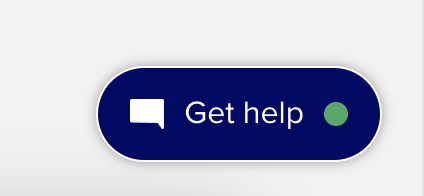
So, here I am trying to get a text to adjust to the setting that I want to see it as, it’s like someone or something is taking over. As soon as it “let’s go” of trying to control the tools how it wants, it brings up this white text box, “Get help” with a green circle all inside a blue oval, like the one pictured here. And, when I say “taking over” it was like fighting with the design tool controls. I did NOT like it at all. If this is AI help, I don’t want it to step in like this. How am I supposed to learn if this will happen? What is it supposed to do? Can anyone chime in on what’s going on here with this?
1 Like
I’ve moved your post into this existing conversation. See my post above for some context.
1 Like
I’ve already clicked on it a few times by mistake while making products 🙄
2 Likes
Its particularly became too difficult to work on design tool with this permanent chat button which I can’t close or hide! Please remove the new version from my account, old one was good.
2 Likes
not anymore, I liked the little “x” to close it. Now its in my face and I have clicked on it twice and got a chatbot. Even that was hard to get rid of.
1 Like
Please let us remove that. It’s a problem when we’re designing and it gets in the way. Should be visible only to customers. Thanks!
2 Likes
There is now a “show chat help” option in the settings menu of the design tool. This will allow you to show or hide the Chat widget while you’re working in design tool.
4 Likes
One good thing in this very disappointing phase is that I recently got back that old round chat bubble with close (x) button when I hovered on it ! Hope it stays this way …
1 Like
The one without the close is back. I can’t seem to get rid of it and if I enlarge my window it can not even be closed when you accidentally click on it.
2 Likes
Thanks Scott I just complained about it on a different thread, sorry.
Oh no! That uncloseable chat capsule is back again … its so distracting … please bring back the good old one Zazzle 
Yes, I noticed it yesterday or the day before. Please bring back the X!!! It was so nice to click on it and have the bubble go away!