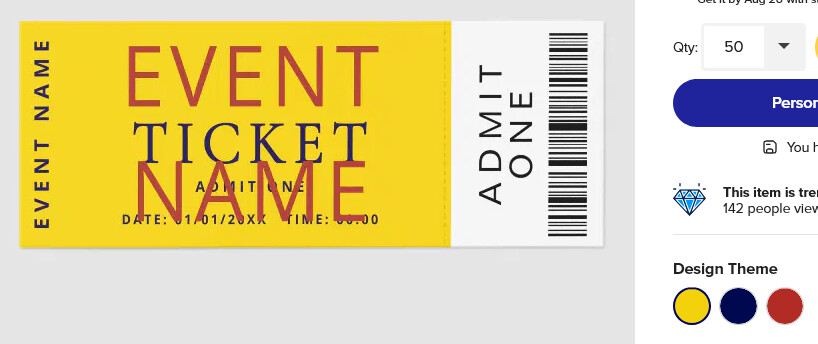
On one of the new ticket products, I have a problem when viewing the ticket design in its other color ways. I have the product in 3 color ways. When viewing the first product, it looks as designed. Then, when I click on the other 2 colors ways, the text template gets skewed and mis-aligned on the product real-view. Once I choose another color way, it is impossible to return to the original product design to see it accurately. Can you have a look at this and see how to resolve this problem? I tested this on Safari browser and Chrome browser on my Mac with same results.
https://www.zazzle.com/simpe_editable_yellow_vip_ticket_template-256939892852514844
I can see the same issue on your set of tickets in Firefox on Windows. I looked at other random tickets in the MP with colorways and no issues. I then clicked to Personalize yours (doesn’t matter which color I start new on, results are all the same) and there is something weird happening in the design editor with your particular design.
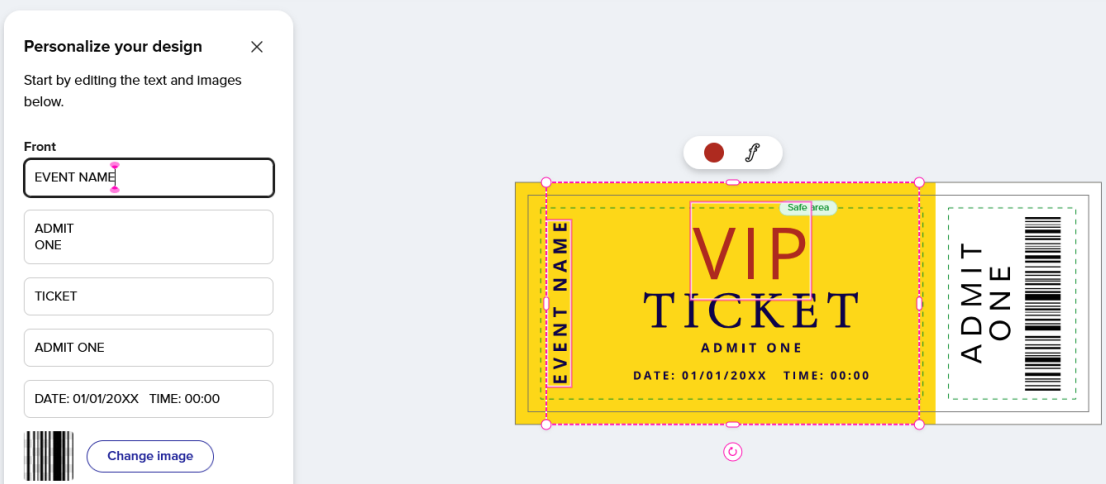
The VIP text block is editable but it does not appear on the Edit panel where text set to be a template appears. You may have intended for it to not be a template, I don’t know. However, the VIP text block also does not appear on the “Add Text” tab where all non-template text appears. The VIP text is not on either tab so that’s the first weird thing.
If I click into the EVENT NAME field, the VIP text also get selected. I can drag it all the way off the canvas and it still get selected along with EVENT NAME.
If I select EVENT NAME from the Layer panel or by clicking on it in the image pane, then the VIP text block does not get selected with it. However …
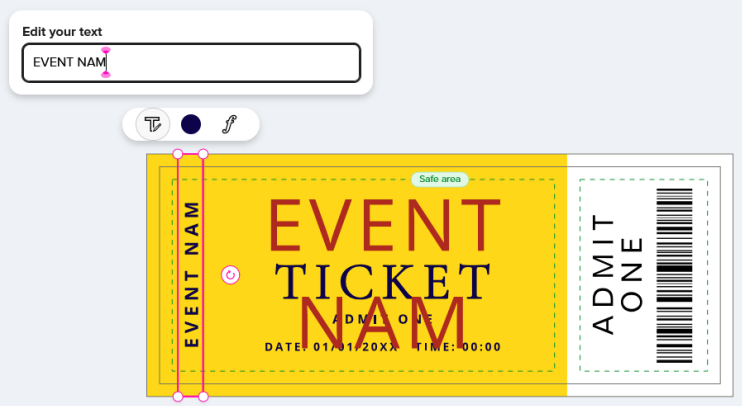
Either way, if I change the VIP text, the EVENT NAME is changed to the same. Likewise, if I change the EVENT NAME, the VIP text changes with it. So they’re locked together, changing as one, and the only way I can see this happening is if you accidentally set them both to have the same URL parameter.
Here, I selected the EVENT NAME by clicking on it from the image pane and just deleted one letter and you can see the VIP block changed with it.
And here’s how it looks when I do absolutely nothing but visit the product and click another colorway:
So I think you just have accidentally set both text fields to the same URL parameter and while the initial preview shows the different text, switching colorways triggers it to be treated as two fields that are supposed to have the same text so VIP changes to EVENT NAME.
I’d re-make and republish.
Thank you Col for figuring out something I should have noticed all along! It was the templates. I had the first 2 template items misnamed. I have corrected and republished. Will wait now for the grouping to occur so I can fully test the color variations, but it should be good to go.
If I can find the check mark to check this post as resolved, I will do that. I am having trouble finding things in this new forum, but I will persist. Again, many thanks!