I have this design based on another seating plan which is in the correct order and working showing table number and guests in order. However in the new format it is has gone all wrong… yet when I went I went in to look at the url names they are still in the right order? This is going to make it very hard for customers if not fixed, please looking into this and hel us! Thanks https://www.zazzle.com/z/azhe3fvt
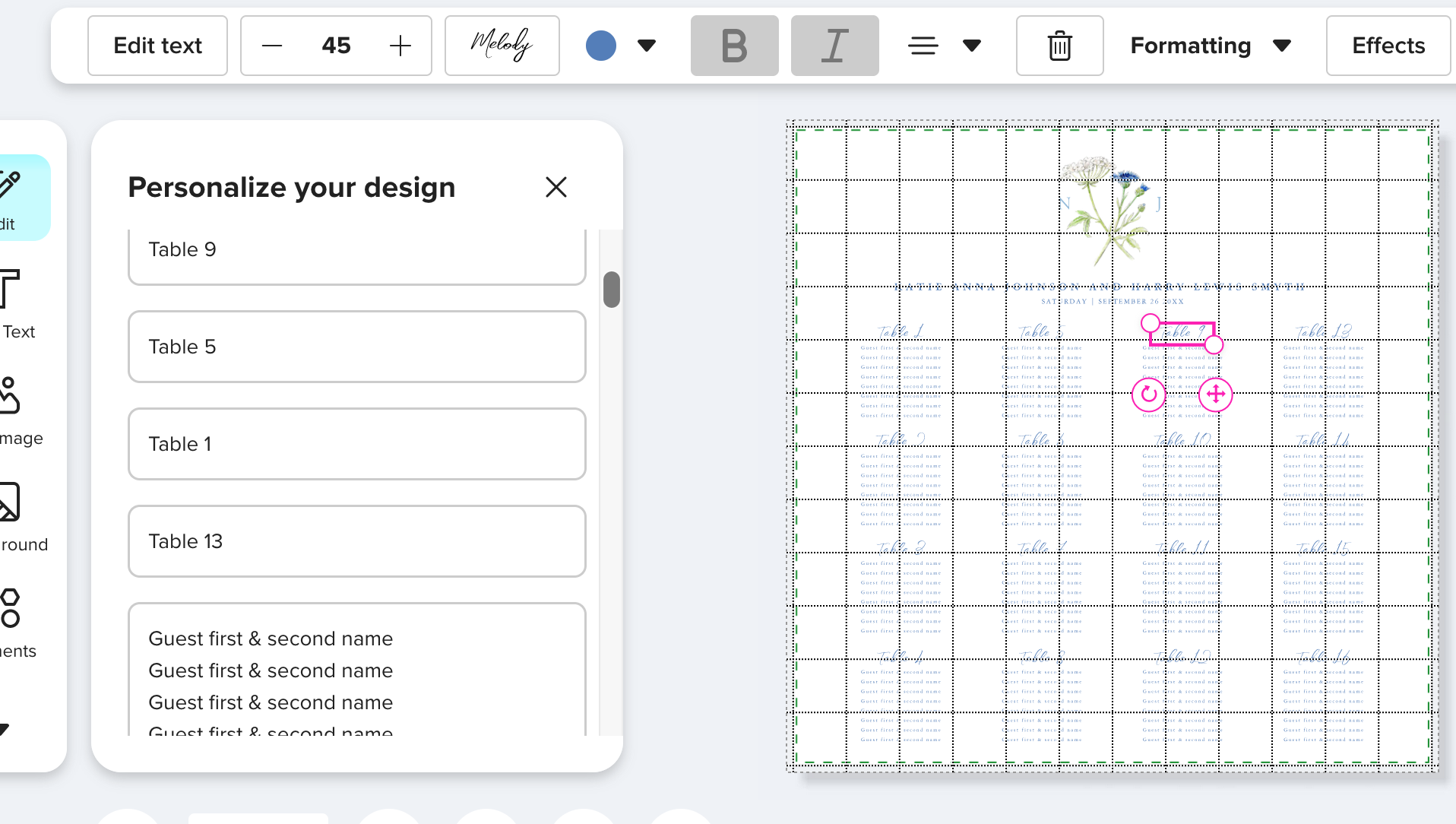
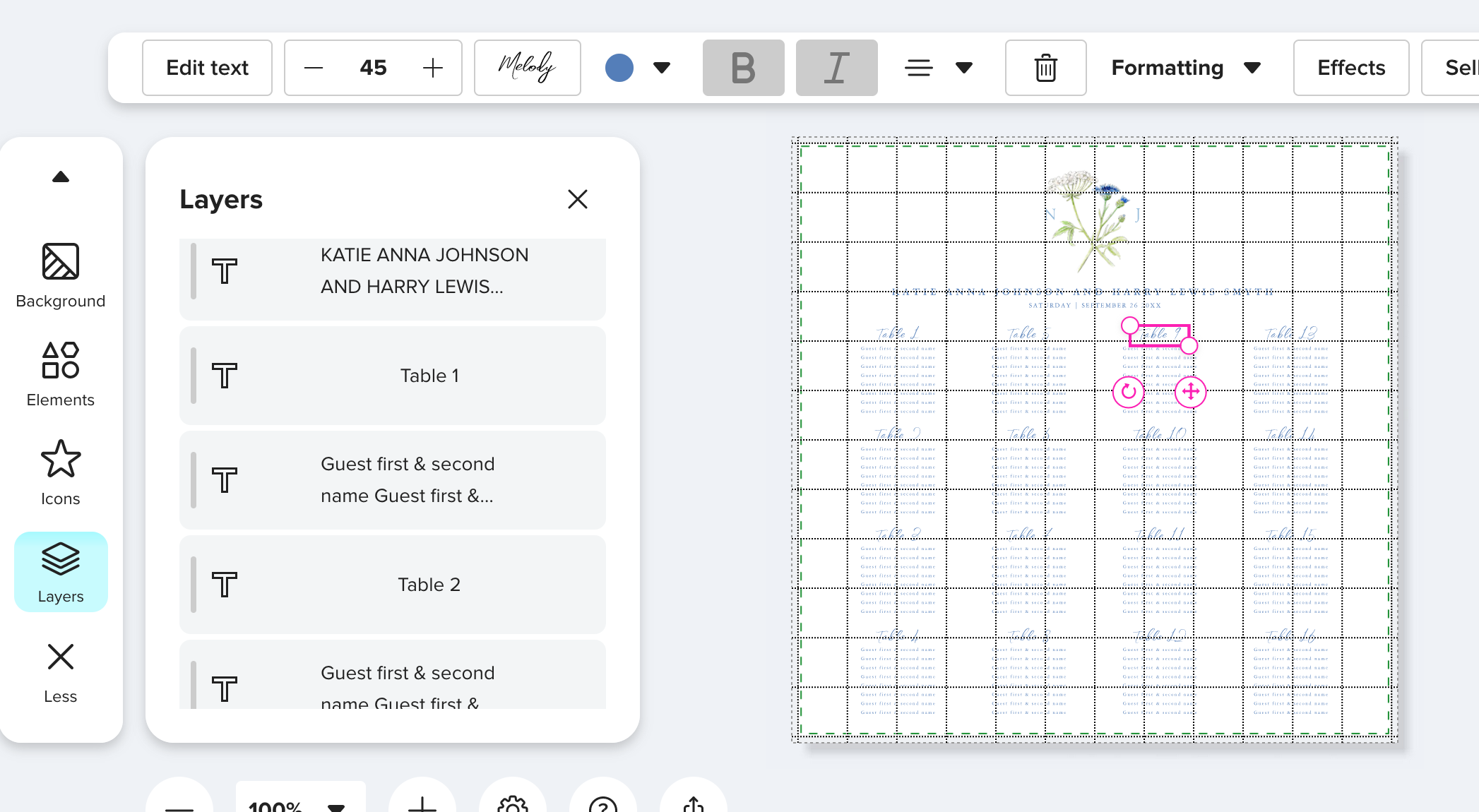
Yup. I’ve reported it here: In New Customer Interface Text Fields are in the W… - Zazzle and here: Solved: Re: Please do not change the design center, it is … - Page 8 - Zazzle
As far as I can tell, it’s just completely ignoring the URL parameter and ordering the fields from top to bottom as they appear in the design. That’s all good and well, but when you have multiple fields at the same vertical height in a design, it just seems to put all the fields at the same height in random order instead of ordering them left to right. And with your layout where the field order is supposed to go down then across, it’s a total mess.
I’ve been noticing it with save the date calendar designs like this one: Dusty Blue Boho Chic Wildflowers Wedding Calendar Save The Date | Zazzle but I hadn’t thought to check seating charts - sure enough, mine are a mess too - no wonder I haven’t sold many lately.
Plus, when it’s a design like this one 13 Table Simple & Elegant Wedding Seating Chart Foam Board | Zazzle or the one you just linked to where the table titles are in a separate field from the names, it’s gonna be really hard for the customer to tell which table they are editing.
You can double click on the text box in question in the design (not the form) and a popup edit box appears - but I don’t know how many folks are gonna be able to figure that out. So yeah… this is a pretty big problem. Hope they sort it out soon.
Wow, that’s really AWFUL! I’m afraid to check my seating charts; I’m sure they are messed up as well, and it’s way too much work involved to try to fix them.
Hi @mylittleeden Thank you for sharing the link and screenshot, I’ve relayed this to the team to look into further.
I’m seeing the same problem, it makes the customer-facing edits much less intuitive, please fix this Zazzle!