I just noticed there is an eraser tool when editing my design I on phone, however it does not show up when I go into editing on the computer. I also noticed a masking feature when I design on the comuter but it is whited out. Does anyone know how these work and where I can find the eraser tool when I am editing? Is the a youtube tutorial on this does anyone know?
1 Like
To the best of my knowledge there isn’t an eraser in the design tool when using a PC.
As far as masking is concerned, you can use any of the provided element shapes as a mask or else load your own shapes as SVG files. Just click on both the element layer and the layer that you want to mask and then select mask. The element shape will hide whichever portion of your image it covers.
2 Likes
Thanks Baylee
It just showed up in the design tool, when I’m using Chrome on my desktop computer, if that’s what you are talking about.

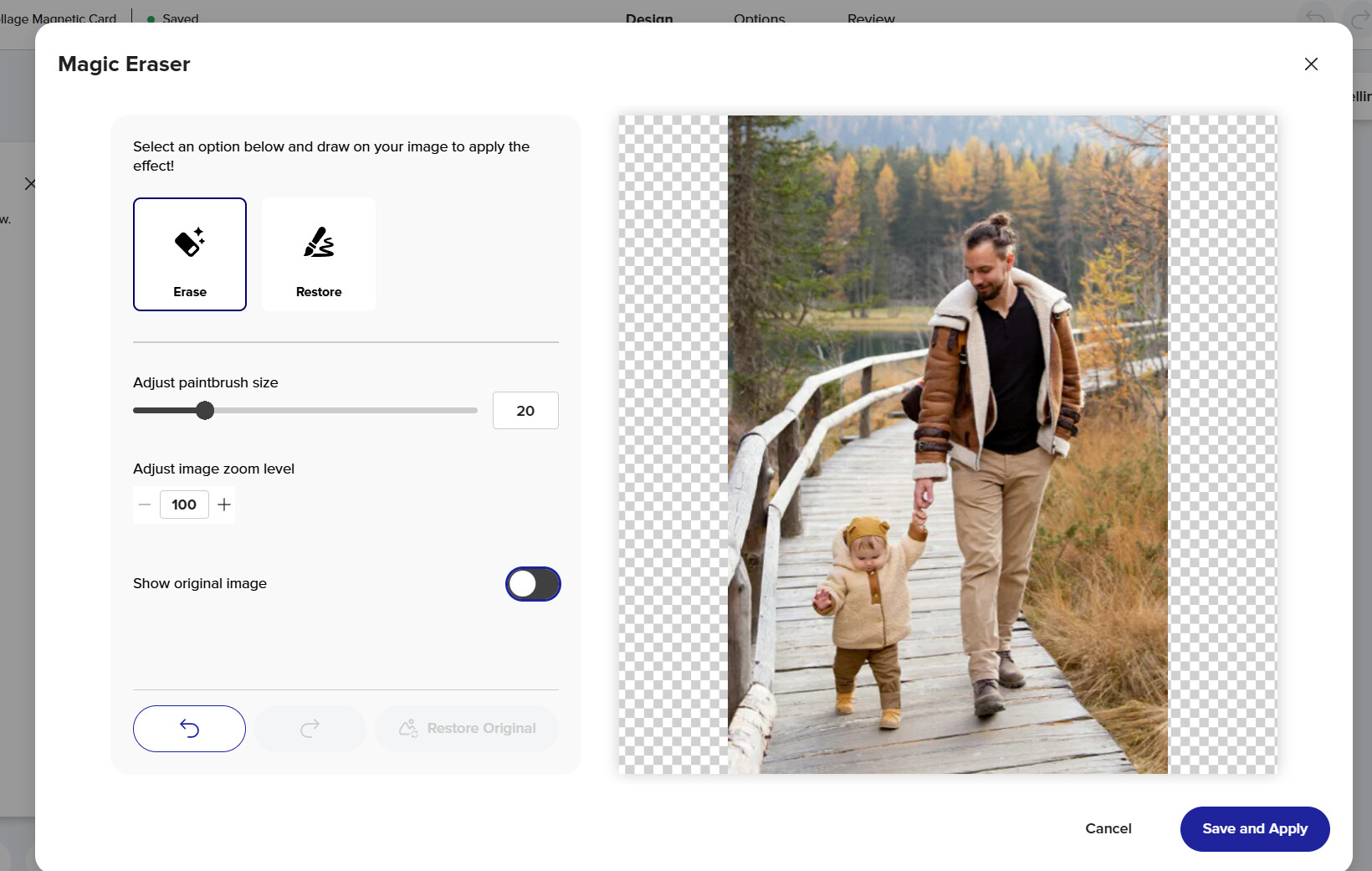
1 Like
It seems like this is only available to the customer, at least for me. I just tried it on one of my photos in Chrome, logged in, and did not get the eraser. But I put that item in safari where I’m logged out, and it gave the eraser tool.
1 Like
Zazzle may have changed it to customer only or maybe they are still testing it for creators. I did see it logged in this morning, but now I don’t see it. 🤔
2 Likes
I see the eraser tool is in the design tool again for creators. I wonder if it’s going to stay that way for creators or will it be just for customers?
I now have it in my creator as well.
1 Like