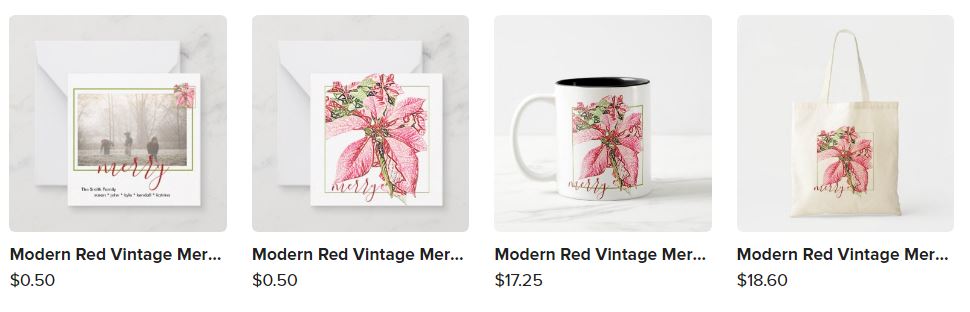
I’ve only taken a couple quick looks at my Collections since this change to the back-end operations rolled out to us and I noped right out of there. Some are marked as “Active” with an Occasion and/or Type already selected, some are Active - Other, most are just flagged as “Ready to Migrate”. I have been quietly reading all the posts and am entirely overwhelmed and lost. Categories, Events, Occasions, Sections, Preferred, Channels, Slots, Bonus Items, Compulsory items … what in the everlivingheck??? I salute all of you who are working through this blindly without any roadmap provided by Zazzle but my plan is to not do a dang thing until there’s a clear understanding of where all this is going and how changing X on my end will effect Y …
As is (as of today anyway) as a visitor, I can still see all my Collections, the tab for Collections is still on my store’s home page, I can still see the whole grid of them, displayed same way they always were, the “other products from this collection” is still on the product pages, I can still share a URL to a Collection … I can’t yet see the new Collection pod in beta on the product pages, but, what I can see is that all my Collections - even the ones flagged “Ready to Migrate” which scarily implies they are invisible since they aren’t “Active” - are all viewable and accessible to customers shopping. They’re not going to get any extra love from Z until I conform I guess, but they weren’t getting that anyway so I’m just going to sit tight and wait as this all gets ironed out.
That said, I gott’a vent now. I’m in the same boat with so many others who used Collections to house the same design on all kinds of unrelated products. We already have Categories that group things by product type, both Zazzle’s and the ones we can name ourselves, so why waste the power of Collections on product types again? When I look at other stores (usually because someone asked for feedback) there’s one frustration I often encounter as a “customer”: I might see a design I really like, say on a snow globe. But I have no use for a snow globe, so I scroll down to “other products in this Collection” to see what else I could buy this awesome design on, only to find it’s a collection of all more snow globes. Not helpful. If I wanted specifically a snow globe I could just navigate the MP (or that store) to that product type. If I want that design on something more useful to me, I have to find my way to the Creator’s storefront and then guess at keywords to search for that might bring up more products with that design on them. Yes, there is “transfer this design” but we all know that can have disastrous results requiring a lot of fixing by the customer. IMO, Collections of design themes on various unrelated products have immense value. It’s a case of not knowing what you want until you see it. The design that caught your eye happened to be on a snow globe but now you can see, hey, wow, I could get this on a pillow or a phone case or a pair of socks or even just as little print to hang on my wall … I’m just dumbfounded that Z has not provided for this type Collection in the new system.
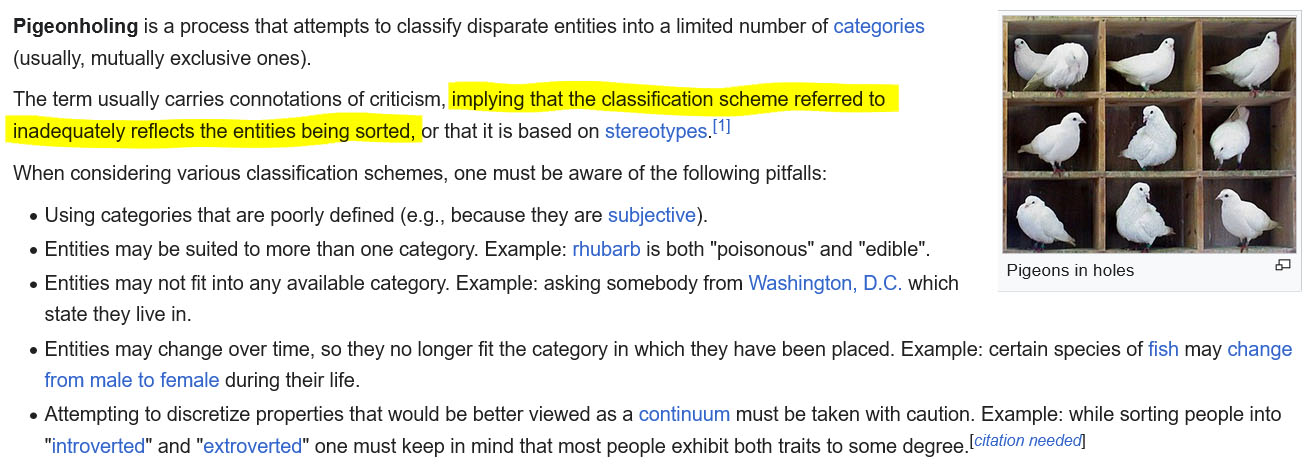
Second rant is all this I’m reading on there not being enough specific categories. There could never be enough categories. I could come up with hundreds of specific “events” from family reunion to summer BBQ to divorce party to congrats on passing the bar exam or getting your first tattoo… There is such a thing as over-categorizing. This to me is what tags are for. You have broad categories one can navigate to, such as Christmas or Tote Bags or Retirement Party. But all of the infinite different “events” and “occasions” should be a function of tagging because there will always be something where the designer is “wait, there is NO appropriate official category for me to assign this to”. Forcing designers to pick from a set list of categories when none are really appropriate just means things are going to end up mis-categorized. I get that Z wants to be able to market Collections as “modern wedding suite” or “rustic decor” you might be interested in … but why not get that via tags instead of pigeonholing Collections into a category system that can’t possibly accomodate them all?
And funny thing, I just Googled “pigeonholing” to spellcheck it (I always tend to misuse hyphens) and found this, which pretty much exactly sums up the Collection situation:
Anyways, that my two bewildered cents. I’m going back to silently waiting and reading to see where all this goes.