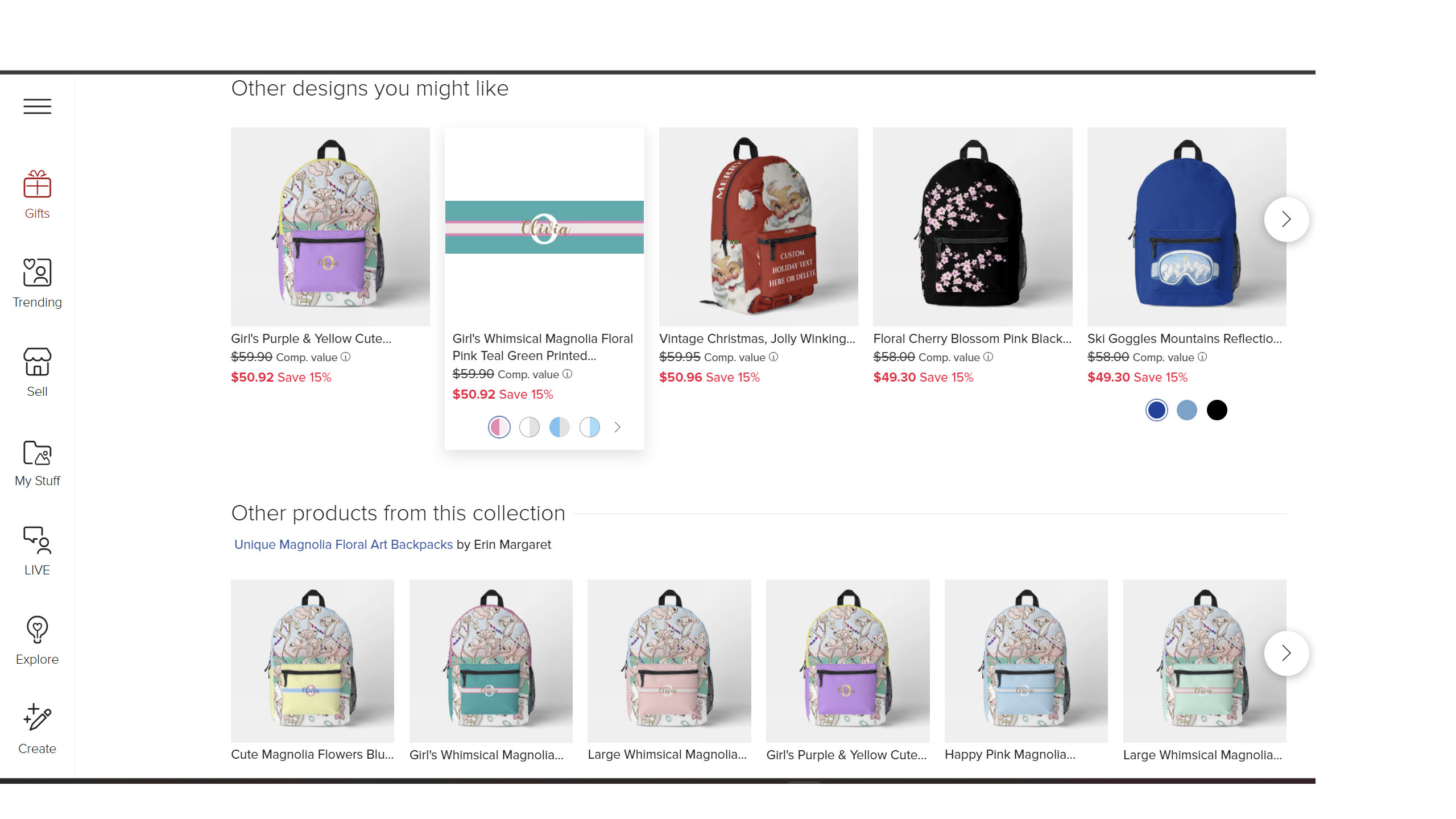
We’re asked to describe our backpack design in ‘About This Design’. However, the picture below doesn’t show the backpack design in its entirety only the digital front pocket template of the backpack.
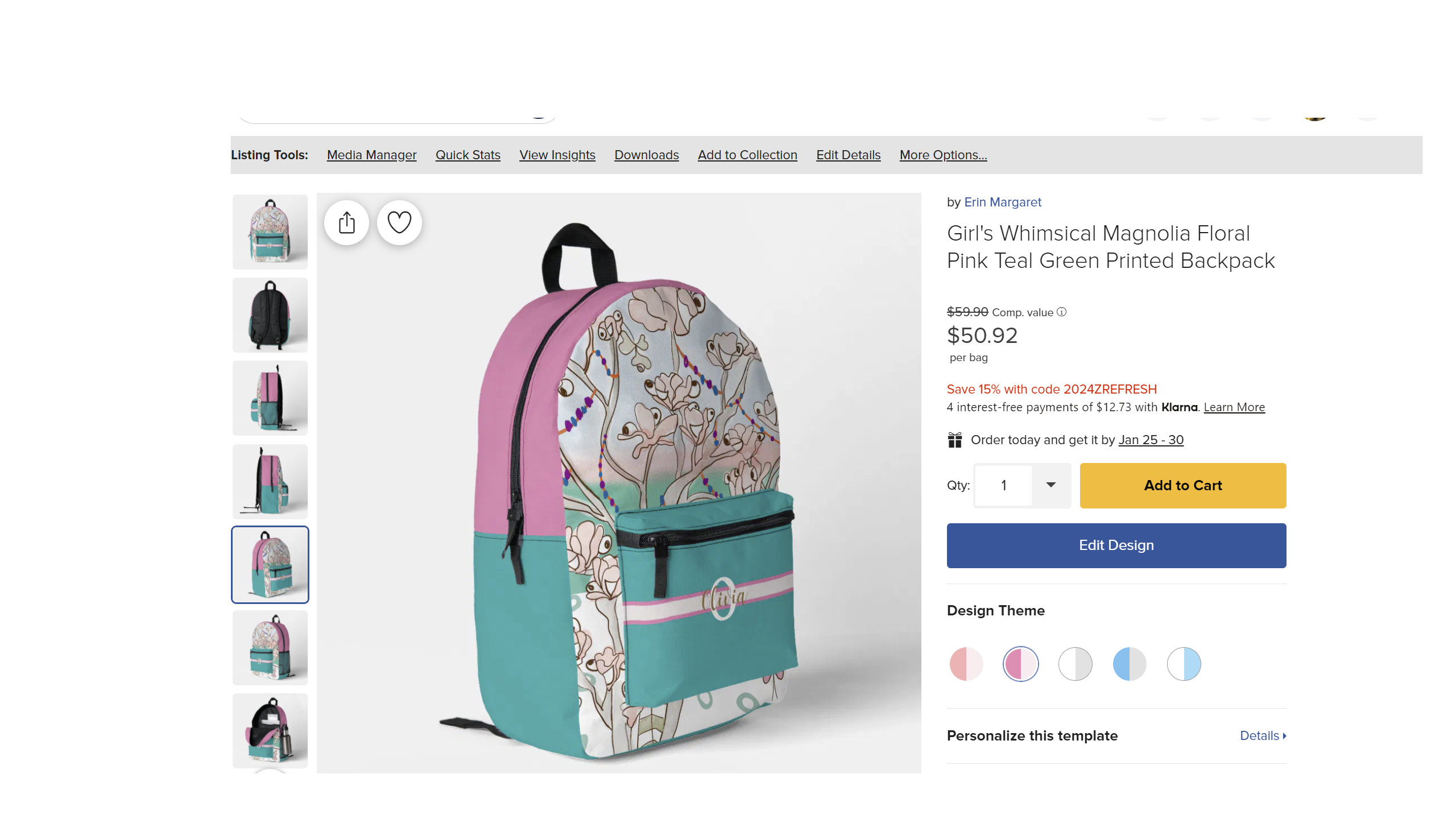
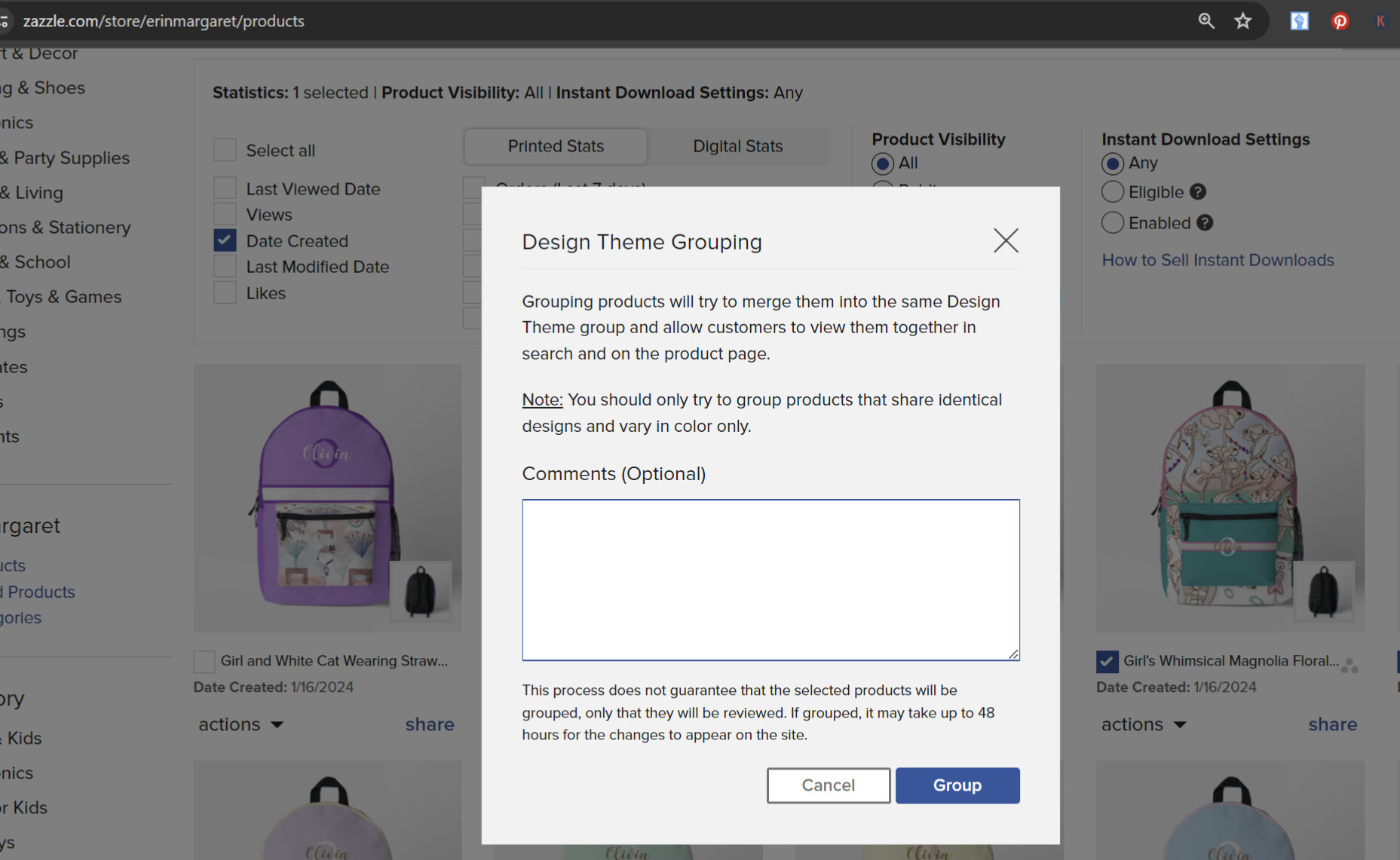
The teal green and pink colors on the top and sides of the backpack design were not taken into consideration. I would have chosen a teal green and pink design theme for this backpack design. I didn’t comment about what colorways to use when requested for my backpacks to be grouped because I assumed they would look at the backpack design in its entirety.
Should I be leaving additional comments to let your design team know what colorways to show when doing this for future product groupings?
I’d love for the design team to consider the entire front, back, and or sides of the backpack design before choosing two main colors. If Zazzle customers see backpack colors that are different than what was advertised in the design theme this will disappoint them and the designer may miss out on a sale.
Furthermore, in the picture below, when clicking on each design theme, I do not see the full backpack design. Only a digital template of the front pocket.
It would be great for Zazzle’s technical team to consider updating the algorithm to allow designers to select up to two main solid colors that were selected by the designer for the front, left, right, and top of the backpack design.
As pictured above, I chose a shade of pink for my pocket design as the background color, and mid to bottom left and right sides of the backpack template.
However, I decided on a teal green for the top and mid to upper left and right sides of the backpack. So as you can see pink and teal green are my two main solid colors apart from my magnolia tree character illustration I placed on the front of the backpack behind the front pocket.
There are some designers like myself who love more design flexibility for us to include more than one solid color in our backpack template but we need to make sure that the design theme colors match our two main design colors in our backpack template.
However, the picture below doesn’t show the backpack design in its entirety only the digital front pocket template of the backpack.
Furthermore, in the picture below, when clicking on each design theme, I do not see the full backpack design. Only a digital template of the front pocket.
Those two images are based on the first/top layer of a design. I asked about them a long time ago because I had some really ugly ones and was told (by a Mod) that that’s just how it works, so must be a tech reason it needs to “pull” from the top layer only instead of making a composite of all the layers.
I never thought about how it chooses the color swatches but after looking at your backpacks it looks like those too are based on the first/top layer.
Yes, it looks like the algorithm has pulled two colors from the first (top layer) of the front pocket.
It would be ideal for Zazzle’s technical team to prompt the algorithm to make a composite of all the layers to show the entire product in view pictured below ‘About This Design’.
Being able to choose two main color design themes for each Zazzle-made product, when grouping them, pulls accurate product listing results for customers searching the Zazzle online marketplace for a particular design theme color or color combination.