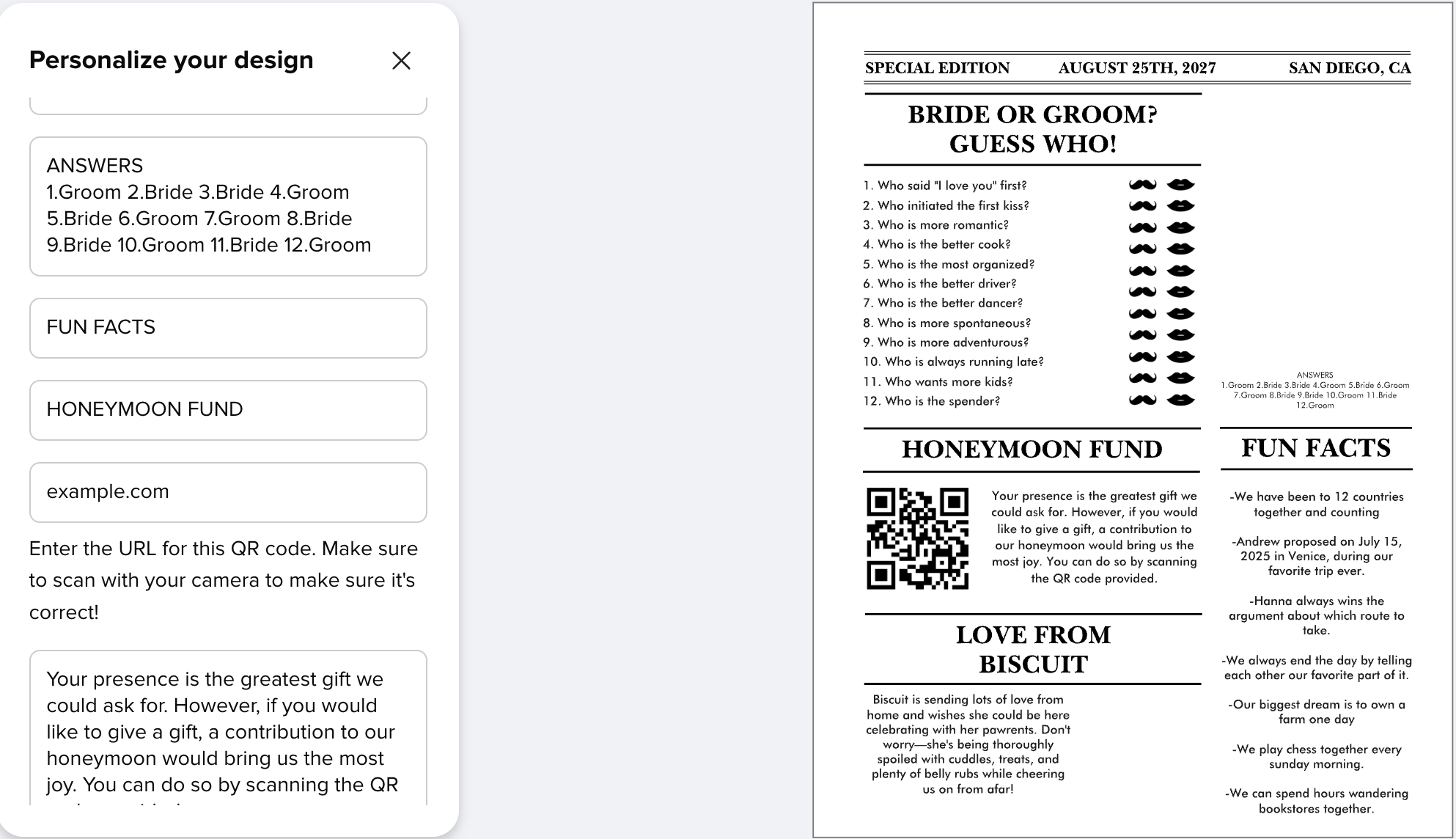
I’m creating a product with many editable text fields, and I’m having an issue with the personalization order. I’ve set each text box as an editable field and arranged them in the exact order I want customers to complete them. The parameters also appear in the correct order in the editor. However, when the product is personalized, Zazzle does not consistently follow that order. Sometimes the fields appear in a seemingly random sequence, which makes the editing experience confusing. Has anyone else experienced this? Is there another setting that determines the order of the personalization fields, or could this be a bug? I would appreciate any suggestions or workarounds.
It goes by the level of the TOP of the text boxes. You can check the alignment of the text boxes using the design tool, but if the top of one box is even slightly higher than the other it will show them with the highest one first.
Like in your example “Fun Facts” is in a bigger font than “Honeymoon Fund” and it looks like you have them aligned on center - which pushes the top of the “Fun Facts” text box ever so slightly higher than the “Honeymoon Fund” box - hence, it’s displayed first in the list. It totally doesn’t understand columns, so anything laid out like your design is gonna appear to be ordered fairly randomly, but if you check the tops of the text boxes, it will make sense. (It won’t make sense to the user - but you’ll at least understand what’s happening!)
But I totally agree that we should have the ability to override the default ordering because as your example shows it really doesn’t work in all cases!