@tiffjamaica great ideas - and I love your paintings!!
1 Like
Oh wow! Those are great ideas - thanks so much for sharing!
So, I’m putting this as a separate comment rather than buried in the conversation in the hopes that a mod will see it. I asked folks to post some examples so I could see how it works, but I couldn’t see any captions. I was just clicking on the thumbnails to move through the different images. Then, totally by accident, I clicked on the cover photo and it opened in the scrolling thing with the captions - but I never would have seen that if I hadn’t accidentally clicked. Maybe it’s just me, but it wasn’t at all obvious that I was supposed to click on the thing and I wonder how many customers will actually figure it out.
1 Like
You’re welcome Cat 
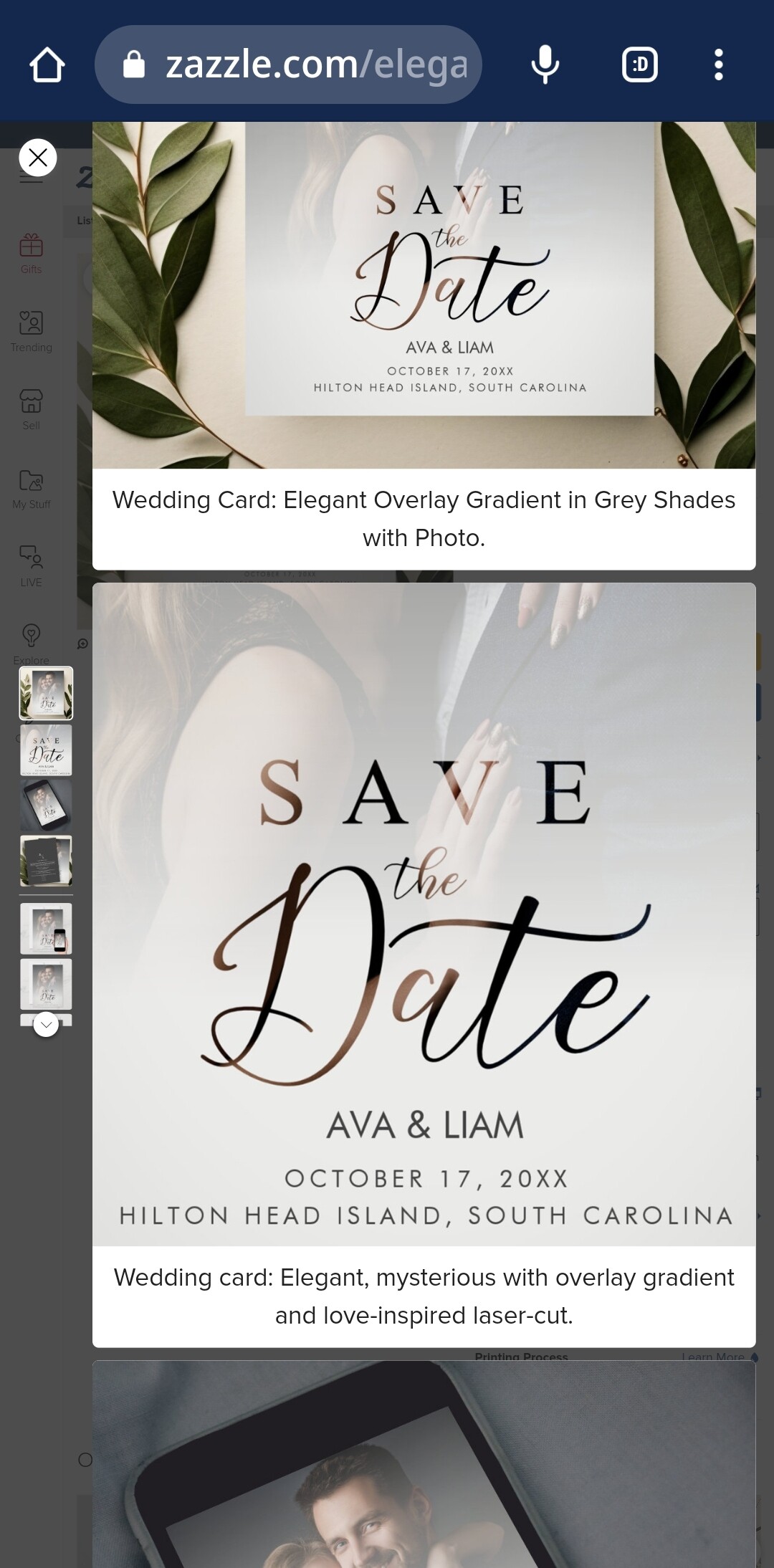
I made a similar comment and as you say it must have been buried. With a mobile phone I was unable to see the caption. If I can see it from a computer. I also posted a link about a product and what I made and only used the photos I thought were appropriate to highlight a detail with the caption. I think it may be redundant in some cases. https://www.zazzle.com/elegant_overlay_gradient_grey_shades_photo_wedding_save_the_date-256237222654827917
1 Like
@Mariholly : You’ve done nice work–from what I can see. I say this because I can see only about 2/3’s of each image due to how enormous each image is, which is certainly not your fault. This problem is exacerbated when a person clicks on the thumbs instead of scrolling because this makes several of your in situs appear to be the same, and without captions. I’m currently on a computer with a lower resolution screen from my own, but even on my higher resolution screen I see no more than 3/4’s of the image. You’ve gone through a lot of work that, because of huge blowups, it’s somewhat negated.
Is it just me or are others encountering this?
2 Likes
I’m thinking I need to hire a staff now…just to keep up with all of this.
Actually, much of this can be good, but I know I will struggle to keep it all in perspective. There’s still a life to live outside of Zazzle, and it’s important to balance the time with the possibility of increased (?) earnings. I still have a problem of some of my bestsellers not showing up in the MP when searching by the keywords in their titles or tags. If customers can’t find the product to begin with, it doesn’t make much sense to add more cover photos.
I’ve noticed it is taking more than 24 hours to have the covers appear in my backend now.
15 Likes
thanks and your covers look great! love the baby tee and showing the design only as one of your covers!
Thank you!! The same thing happens on my mobile phone, they are too big, that is possibly my fault. On a computer I can see perfectly. If I put my mobile phone in computer version I can also see perfectly.
I have the same feeling here. I’m not a team, just one person trying to stay afloat. My Bestsellers are also missing now…
4 Likes
If you choose the download option, you won’t be able to see any cover photos you’ve added. This makes sense in some respects, but perhaps not in others.
I love this for calendars (you’ve done a great job!), and can see it working for sticker sheets, scrapbooking pages etc.
1 Like
I agree. It would be great if we could actually add media that fits Pinterest (longer) - or that have the ability to be used with Canva’s “auto size” for social media. That would just make it so much easier to share different views/sizes on social media!
1 Like
scroll through some of the comments Kate, and you’ll find links to how others have done some of theirs - very inspirational 😋
I would add different text, colors and t-shirt styles…
@Mariholly : That means Zazzle designed it for phones, not for computers. Mobile is important, but to the detriment of those on tablets, laptops, and desktops? I wonder why they’ve done this.
1 Like
The mobile version of Z is really poor for designers. You can’t do much. Sometimes when I’m away from my computer I wish I could get some work done, but you can’t do much of anything. My mobile phone has an option called “computer view” and I can see it like this, like on my computer, but it’s really uncomfortable to work like this since it’s very small and sometimes you can misplace something.
3 Likes
Thank you 
Those look fantastic (but a whole lot of work put in on your end for 1 product…)!
1 Like
@Westerngirl2 I’m finding it’s taking way more than 24 hours for the cover photos to populate in the backend too. Plus they don’t get a view hit either. So for something that’s not been viewed for a while and adding a cover photo using the new media manager, the view counter doesn’t reset. Headache
What I have noticed while doing cover photos for previously sold products is that they’ve all gone to the bottom of my store front under popularity sort. It’s not the same as popularity sort on the store backend. Check and have a look at the last pages on your store front end and I bet your previous sellers are there.
1 Like